
Timemark vs SnapID Mark: A Criteria-Based Comparison
Timemark vs SnapID Mark across 12 criteria: time source, verification codes, privacy, photo attendance, geofences, admin tools, exports and pricing.
Timemark and SnapID Mark are both timestamp and GPS cameras built for field teams. Both use time that does not depend on the phone clock, and both give each photo a code that can be checked later. The differences are in how verification works, how private sharing is, how attendance works and the overall feature scope.
This comparison is based on Timemark’s official website and app store listing as of the publish date, and on SnapID Mark’s own documentation. We build SnapID Mark, so for Timemark we only state what they publish and avoid guessing.
The short version
- Pick Timemark if you need 20+ languages, built-in integrations with SharePoint, OneDrive or Google Drive, or closeout reports in many formats (including KMZ for Google Earth).
- Pick SnapID Mark if you need recipients to compare a photo file against the original, a verify page that does not reveal exact locations, geofenced attendance that can block clock-ins outside the zone, and a free workspace for 5 people.
12 criteria side by side
| Criterion | Timemark (as published by Timemark) | SnapID Mark |
|---|---|---|
| Time source | Network-verified time, cannot be faked by changing device settings | Server-synced time that stays correct offline |
| Code on the photo | Photo Code per photo | 20-character SnapID code and QR, signed by the device |
| Checking a code | Timemark verify page or in the app | Public verify page or in the app, no account needed |
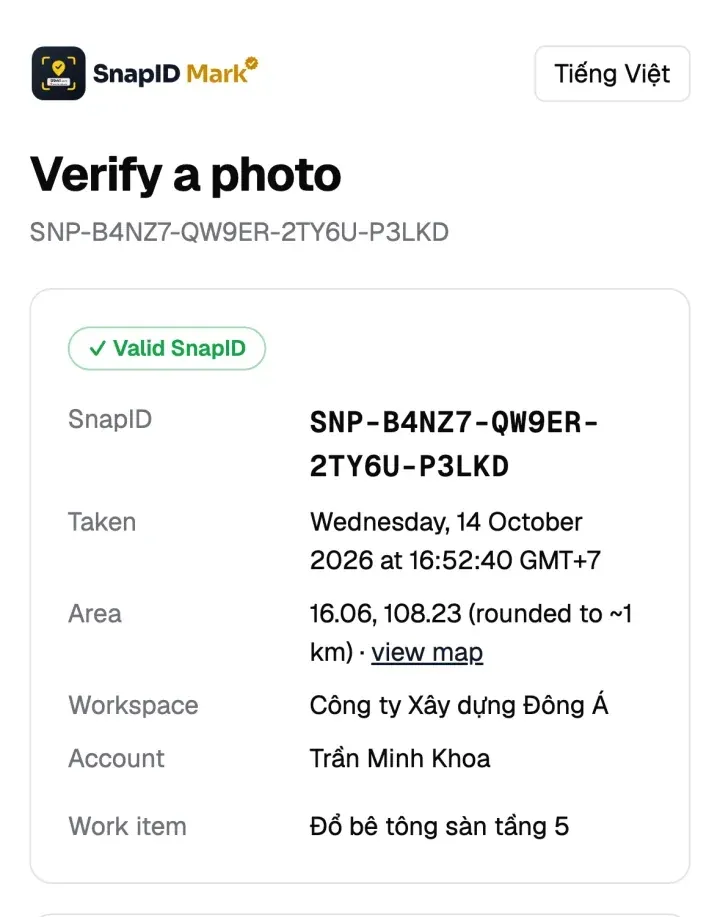
| What the verify page shows | Original time and location recorded on the server | Capture time, area rounded to about 1 km, workspace, integrity flags. Photo shown only through a time-limited link |
| Comparing a received file | Mentions image checks without details | SHA-256 fingerprint check in the browser, file not uploaded |
| Fake location, clock changes | No Photo Code is issued, so the photo fails verification | Phone clock changes have no effect. Workspaces block capture while a fake location app is on. Rooted devices and late uploads are flagged |
| Photo attendance | Clock In / Clock Out, timesheet exports to Excel | Clock in / Clock out, on time, late and absent statuses, timesheet Excel |
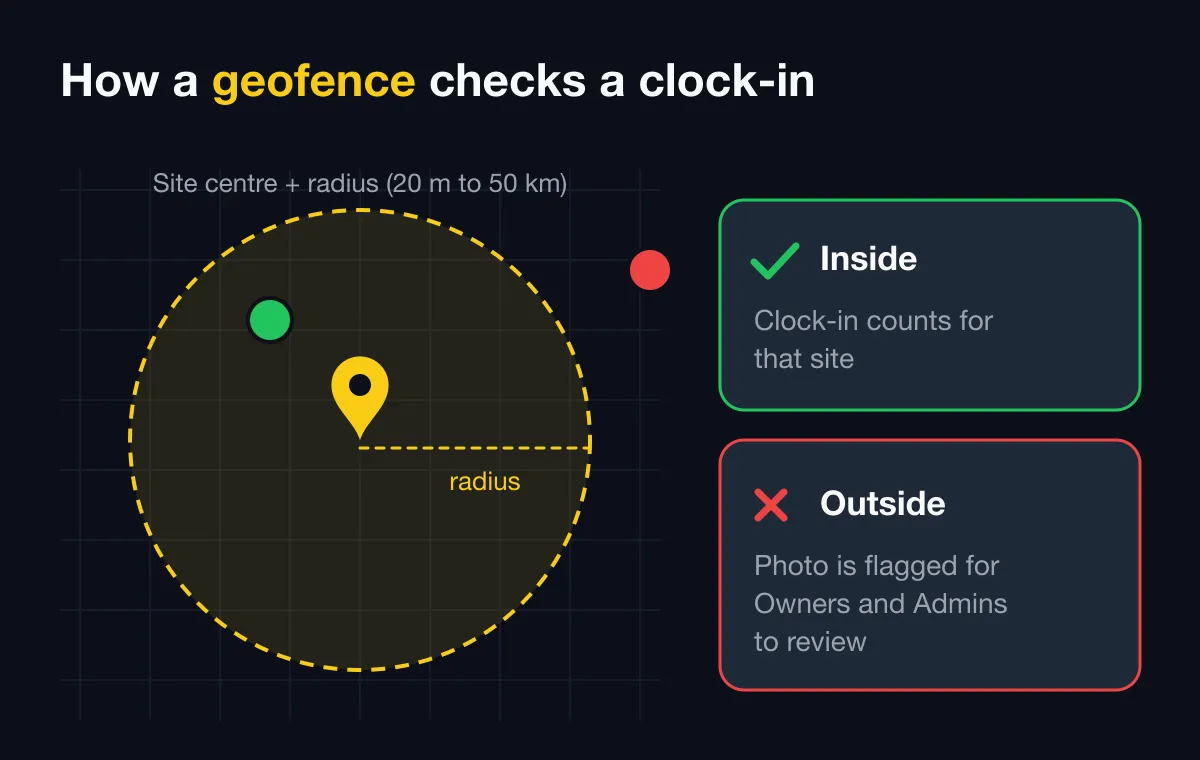
| Geofence | Not described on their attendance page | 20 m to 50 km radius per site, optional blocking outside the zone |
| Team management | Teamspace, project permissions, live client links | Admin website, Owner / Admin / Member roles, required templates, audit log |
| Exports | PDF, Excel, ZIP, KMZ, cloud storage integrations | ZIP with CSV, Excel, PDF, timesheet Excel |
| Video | Yes | Yes, stamped video kept on the phone |
| Pricing | Free plan plus paid plans per user | Free for individuals, 5 free business seats, 10 to 100 seat plans bought in the app |
Difference 1: how recipients verify a photo
Both apps let a recipient enter a code to see the original information. SnapID Mark adds a file comparison step: the recipient picks the file they have, the browser computes its SHA-256 fingerprint locally and compares it with the stored original and stamped photo. The result is Match or No match. That answers “has the file in my hands been altered?”, not just “is this code real?”. See detecting edited photos with SHA-256.
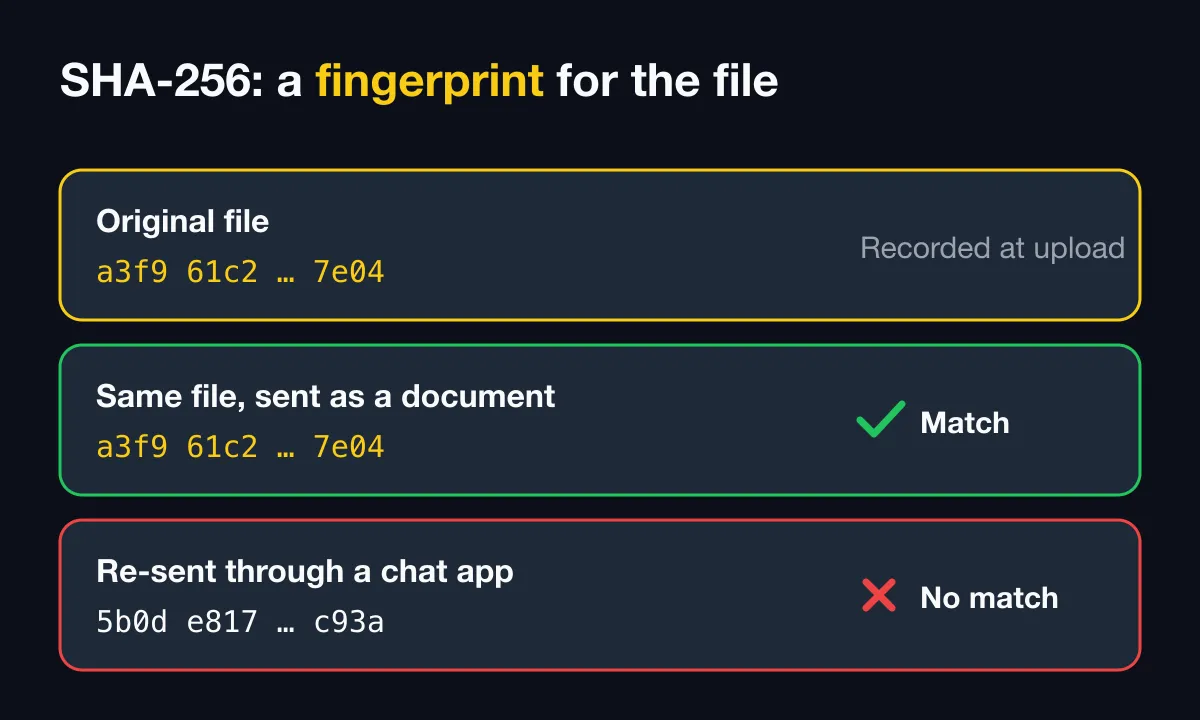
A practical note: chat apps and email often recompress images, so a genuine photo may still not match. Ask for the original file in that case.
Difference 2: privacy on the verify page
SnapID Mark’s verify page is private by default. It shows information, not the photo, and the location is an area rounded to about 1 km. To let a recipient see the photo, the photographer or an Owner / Admin creates a share link that expires (from 1 hour to 30 days) and can be revoked. That suits photos taken in customers’ homes or sensitive sites. Details in Verify a photo.
Difference 3: location-based attendance
In SnapID Mark, the Owner or an Admin registers each site with a radius and choose whether out-of-zone clock-ins are flagged or blocked. Daily statuses (On time, Late, Missing clock-out, Absent) use the trusted capture time, even when a worker clocks in with no signal. Read how to choose a geofence radius.
Timemark offers photo clock-in and calculates work time with breaks removed. Its attendance solution page did not mention geofences as of the publish date, so if this is a hard requirement, ask Timemark directly.
Difference 4: feature scope
Timemark has a broader ecosystem: 20+ languages, storage and automation integrations, KMZ export and before-and-after layouts. SnapID Mark is narrower, focused on verifiable photos and attendance, and does not yet offer an API, ERP integration or SSO.
If your team needs something SnapID Mark does not have, Timemark may be the better fit.
Which one fits your situation
| Situation | Suggestion |
|---|---|
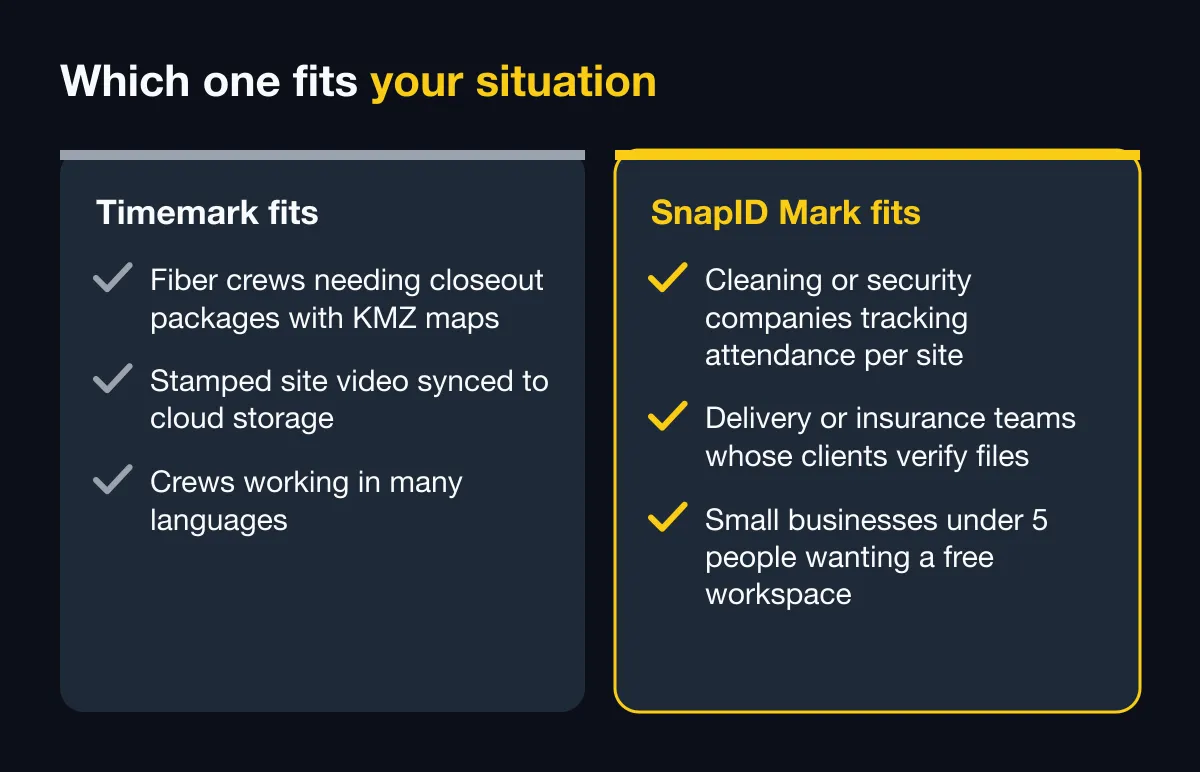
| Fiber crew needing closeout packages with KMZ maps | Timemark |
| Company that needs stamped site video synced to cloud storage | Timemark |
| Multinational crew working in many languages | Timemark |
| Cleaning or security company tracking attendance per site | SnapID Mark |
| Delivery or insurance team whose clients must verify files | SnapID Mark |
| Small business under 5 people wanting a free workspace | SnapID Mark |
Check it yourself before you choose
Do not rely only on a comparison table, including this one. Run both apps for one to two weeks with the same group of workers. A detailed pilot plan is in our Timemark alternative guide.
FAQ
Can SnapID Mark verify photos taken with Timemark?
No. Each system can only verify its own photos. Keep your old account and exports.
Is the time on a SnapID Mark photo a legally certified timestamp?
No. It is a trusted server time, not a timestamp issued by an accredited timestamp authority. See timestamped photos as evidence in Vietnam.
Can I run both apps at the same time?
Yes, especially during a pilot. Just agree on which app is the source of truth for attendance.
Try SnapID Mark
Download the app to take photos with a SnapID code, or create a free five-seat workspace on the admin website.
Timemark is a trademark of its respective owner and is used for descriptive purposes only. Information about Timemark is based on its official website and app store listing as of the publish date and may have changed.