
Timemark Alternative: When to Switch and What to Pick
Looking for a Timemark alternative? Signs it is time to switch, a criteria table for comparing apps, other options and a two-week migration plan.
Timemark is one of the most widely used timestamp and GPS camera apps for field teams, from fiber crews and builders to cleaning contractors. No app fits every team, though. This guide answers three questions: do you actually need to switch, what criteria should you compare on, and how do you move without disrupting work.
We make SnapID Mark, so we have a point of view. To keep this useful, we list what Timemark does well and what SnapID Mark does not do yet.
What Timemark offers today
According to Timemark’s official website and Google Play listing (as of the publish date), the app offers:
- A camera that stamps time, GPS coordinates, address, notes and a logo, with customizable watermark templates.
- Network-verified time that does not follow the phone clock. Each photo can carry a Photo Code that can be checked on their verify page or in the app.
- Teamspace, which collects photos from the whole crew, with project permissions and live links for clients.
- Photo clock-in and clock-out, with a timesheet that exports to Excel.
- Offline capture, PDF, Excel, ZIP and KMZ exports, and integrations with several cloud storage services.
- A free plan plus paid plans priced per user.
In other words, Timemark is much more than a “date on photo” camera. If your crew is happy with it, you may not need to switch.
Signs it is time to look for an alternative
Teams usually start shopping for one of these reasons:
- Per-seat costs grow quickly. Going from 5 to 30 people raises the monthly bill. Small businesses want a free tier that covers a core crew.
- You need location-based attendance. Managers want to register each site with an allowed radius and block clock-in photos taken outside it.
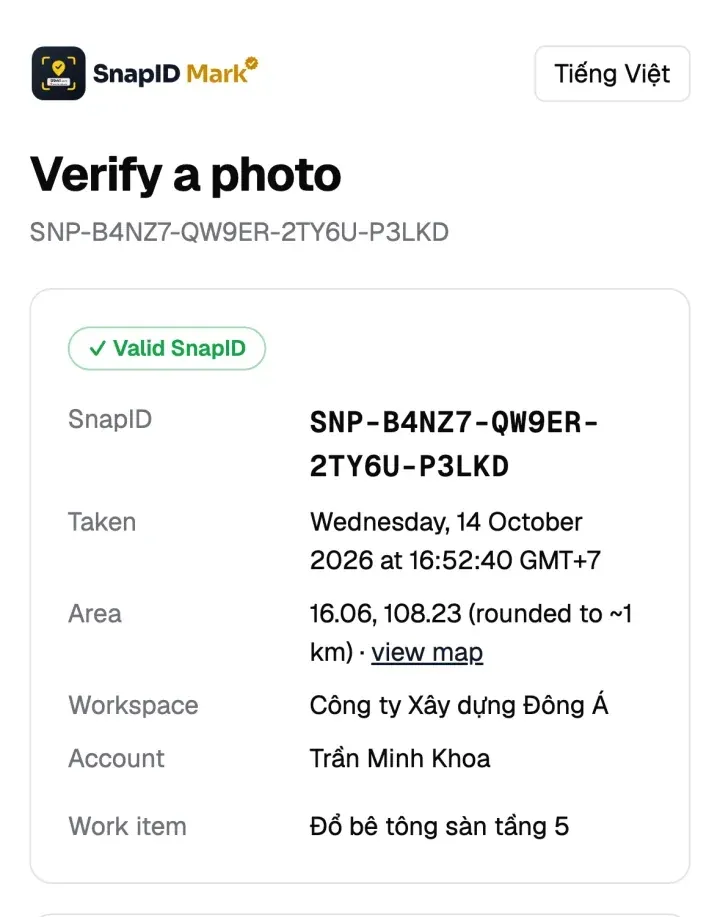
- You want recipients to check the file itself. Not just look up a code, but confirm the file they received is the original.
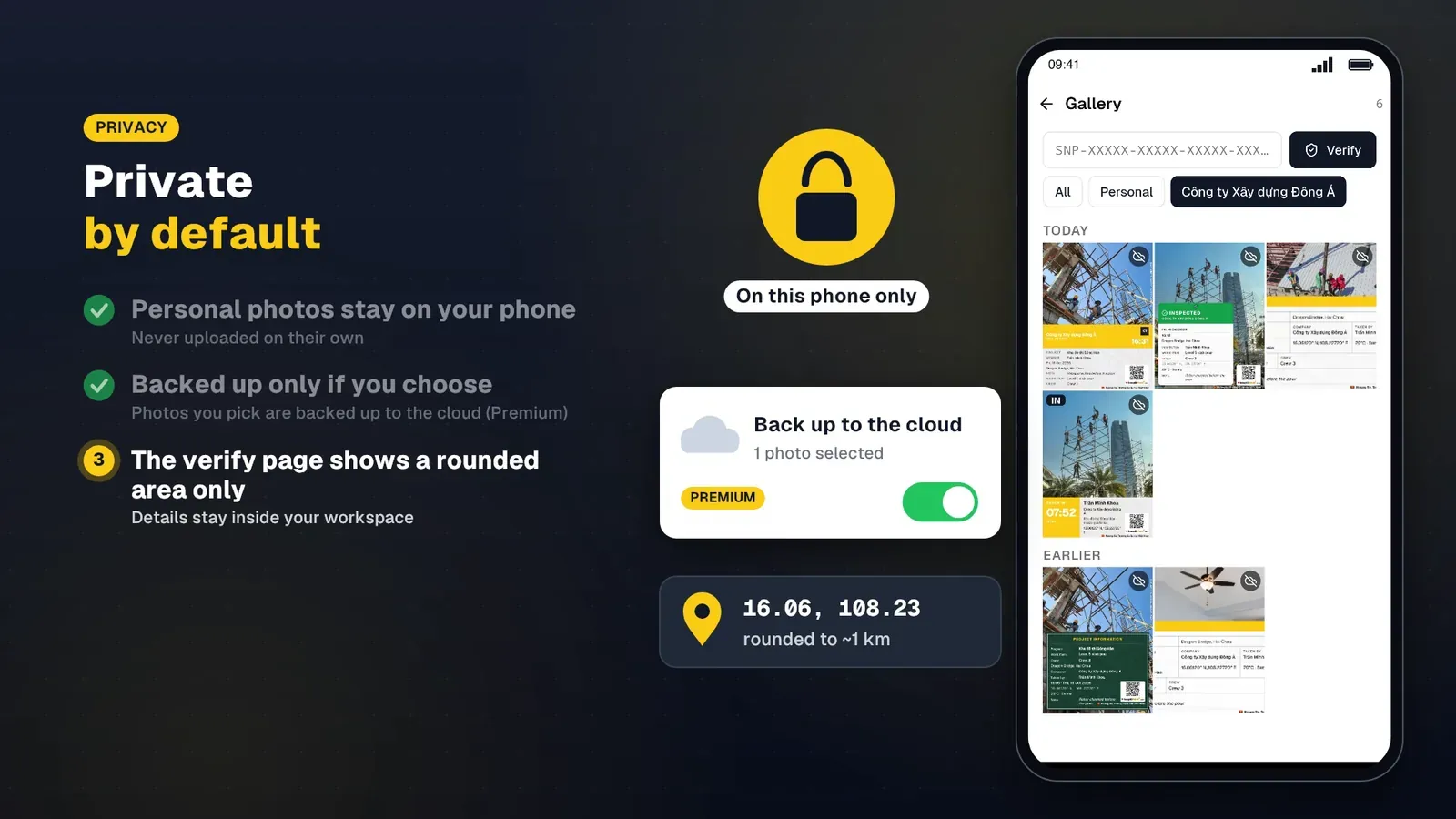
- You care about worker privacy. Should a public verify page show an exact location, or only an approximate area?
- You want something simpler. Some crews only need capture, attendance and a timesheet export, not a full reporting suite.
If none of these apply, weigh the cost of switching before you move.
Criteria table
Use this table to score your current app against alternatives. The SnapID Mark column is ours. For other apps, check their official sites, because features change often.
| Criterion | What to check | SnapID Mark |
|---|---|---|
| Trusted time | Does changing the phone clock change the stamp? | Server-synced time, stays correct offline |
| Verification code | Can a recipient check it with no account? | SnapID code and QR, public verify page |
| Original file match | Can a recipient compare a file to the original? | SHA-256 fingerprint check in the browser |
| Privacy on verify | Does the public page reveal an exact location? | Area rounded to about 1 km, photo not shown |
| Fraud checks | Fake location, rooted devices, clock skew? | Flagged for review, rooted devices can be blocked |
| Location-based attendance | Geofence, block capture outside the zone? | 20 m to 50 km radius, optional blocking |
| Web admin | Is there an office dashboard? | Admin website at app.snapidmark.com |
| Exports | PDF, Excel, original photos? | ZIP with CSV, Excel, PDF, timesheet Excel |
| Free tier | Enough for a real pilot? | Free for individuals, 5 free business seats |
| Languages | Is the crew’s language supported? | 19 languages, including Vietnamese and English |
Each criterion is explained in how to choose a GPS camera app for your business.
Timemark alternatives
SnapID Mark
A good fit for teams that need photos a third party can verify and photo attendance with geofences. Every photo carries a SnapID code and QR code. The recipient scans it to see the capture time, area, workspace and integrity flags, then picks the file they received to compare its SHA-256 fingerprint with the original. The file is not uploaded during the check. See QR photo verification for how it works.
What it lacks compared with Timemark: no cloud storage integrations or API, and no SSO.
Simple timestamp cameras
Apps such as Timestamp Camera, NoteCam and GPS Map Camera stamp time, coordinates, address and notes with lots of styling options. They suit individuals and very small crews who just need information on the photo. Most have no team workspace and no verify page for recipients. Read GPS Map Camera and NoteCam alternatives for business.
Dedicated attendance software
If you only track attendance at a fixed office, a time clock terminal or a Wi-Fi check-in app may cost less. Our attendance methods comparison covers the trade-offs.
A two-week migration plan
Switching tools mid-project gets messy. This plan keeps the crew working normally while you test.
- Day 1: prepare. Export all photos and timesheets from the current app (PDF, Excel, ZIP) and store them somewhere your company controls. Do not close the old account.
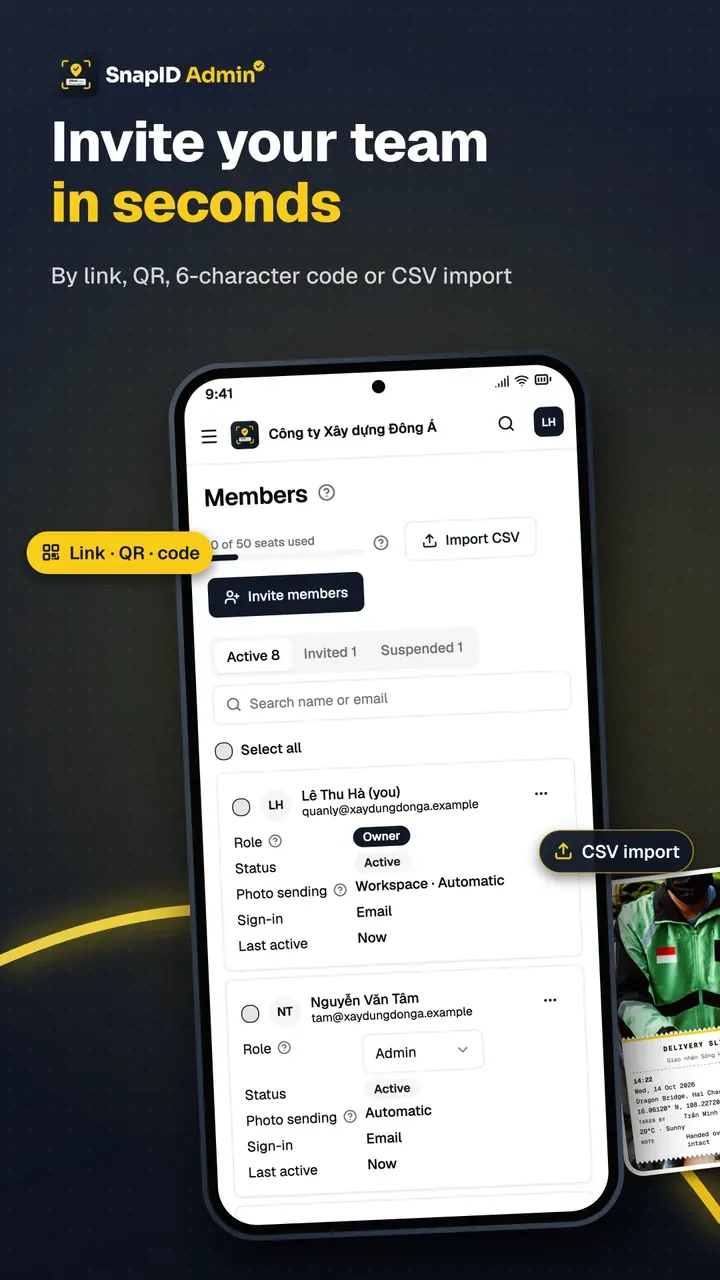
- Day 2: set up the new workspace. On the admin website, create a workspace, add sites with a radius, create projects, and set a required stamp template and logo. See stamp templates and inviting members.
- Days 3 to 7: run both apps with 3 to 5 people. Pick one tech-savvy worker, one older worker and one who works where signal is weak. Each keeps using the old app while clocking in and out in the new one.
- Days 8 to 10: try to break it. Change the phone clock, turn on a fake GPS app, shoot in airplane mode and reconnect hours later. Note which flags show up on the admin website.
- Days 11 to 12: test with recipients. Send a few photos to your accountant or a friendly client and ask whether they can verify them on their own.
- Days 13 to 14: decide. Export timesheets from both apps, compare and choose. If you switch, update your photo attendance policy and announce the cutover date.
Keep in mind that older photos taken in another app can only be verified on that app’s system. Keep the exports and the old account for as long as your record retention policy requires.
FAQ
Is there a free Timemark alternative?
Many timestamp cameras are free for personal use. For team management, SnapID Mark is free for individuals and for workspaces of up to 5 people. Plans for 10, 25, 50 and 100 seats are bought in the app.
Will I lose old photos if I switch?
Photos on the phone stay where they are. Photos in the old app’s cloud depend on that provider’s policy, so export them before you cancel.
Can SnapID Mark handle both site photos and attendance?
Yes. The camera has three modes: Photo, Clock in and Clock out. See photo attendance in the Help Center.
Try it
Download SnapID Mark for Android or iOS, or open the admin website to create a free five-seat workspace and pilot it with your crew. For a direct head-to-head, read Timemark vs SnapID Mark.
More comparisons: CompanyCam alternative and construction photo apps with GPS.
Timemark and other app names in this article are trademarks of their respective owners and are used for descriptive purposes only. Information about other apps is based on their official pages as of the publish date and may have changed.