
GPS Map Camera and NoteCam Alternatives for Business
GPS Map Camera and NoteCam are great for individuals. When your team needs photos as evidence, here is what to add and how to move to verifiable photos.
GPS Map Camera and NoteCam are two location-stamping cameras with huge install bases on Google Play. Many technicians, surveyors and delivery crews start with one of them because they are free and easy. The problems show up when the business grows: managers need to trust photos, clients need to check them, and photos need to live in one place instead of scattered across chat groups.
This guide explains the line between photos with a stamp and photos you can verify, and when it makes sense to switch.
What GPS Map Camera and NoteCam do well
According to each app’s Google Play listing as of the publish date:
GPS Map Camera stamps a map (normal, satellite, terrain), address, coordinates, Plus Code, date and time in many formats, time zone, logo, notes, hashtags, weather, humidity, pressure, altitude and accuracy. Classic and advanced templates let you arrange the stamp.
NoteCam writes GPS data (latitude, longitude, altitude, accuracy), time and several lines of comments onto photos. The free Lite version adds a “Powered by NoteCam” text, while the paid Pro version removes ads and adds more comment fields and custom watermarks.
For someone working alone, both are more than enough. The photos are clear, tidy and full of information.
The line between a stamp and evidence
A photo used as evidence has to answer three questions:
- Is the time real? If the time comes from the phone clock, changing the clock is enough to fake it.
- Is the location real? Fake GPS apps are easy to install, and some cameras let you type a location. For example, GPS Map Camera’s listing says map data can be set automatically or manually.
- Has the photo been edited? A stamp is just text drawn onto pixels. Any photo editor can draw the same text.
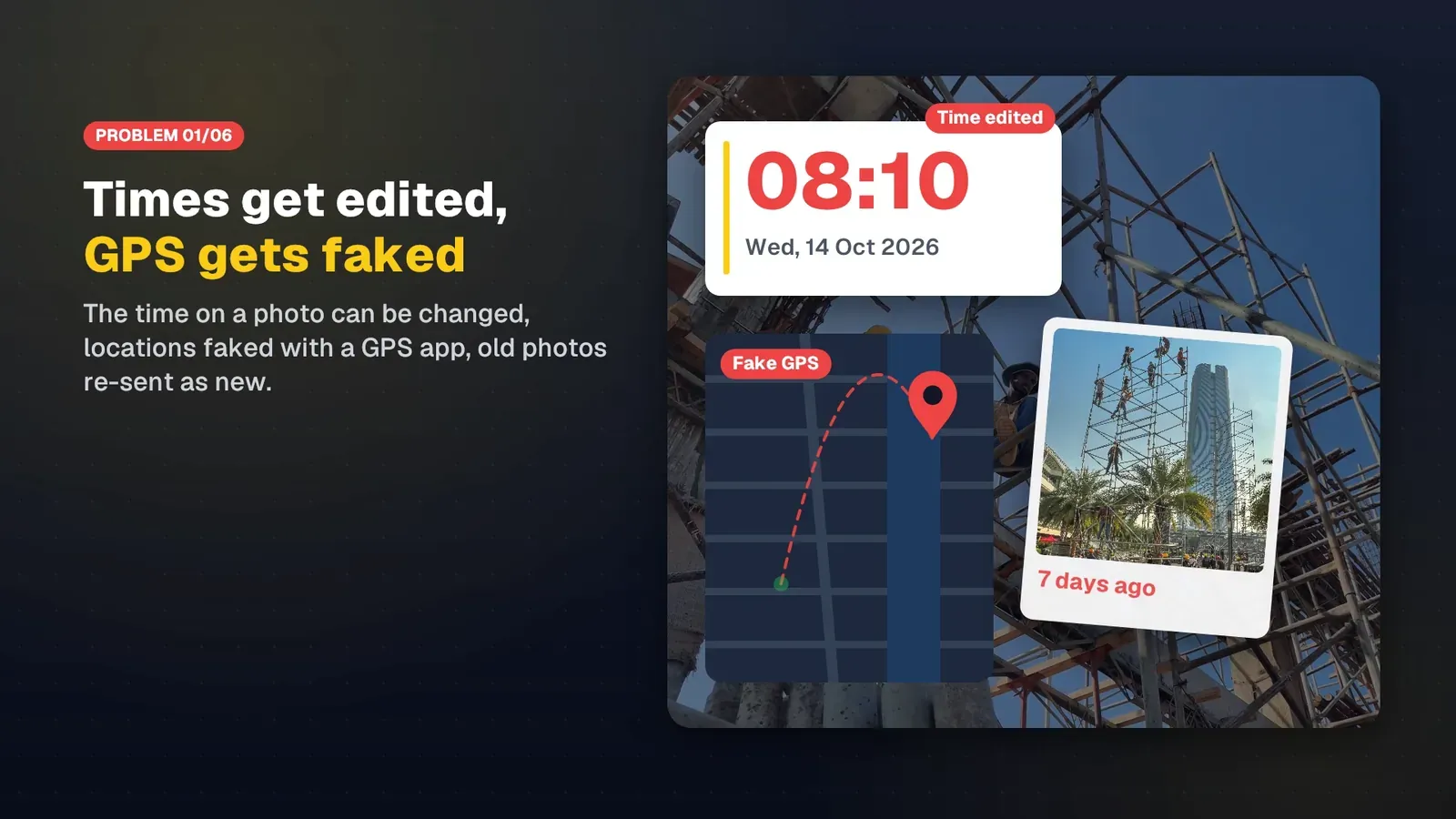
Manual entry is genuinely useful for individuals, for instance to name a place correctly when GPS is weak. For a business, though, it means a manager cannot rely on the stamp to know a worker was really there. Read timestamp vs verifiable photos for more.
What a business needs on top
| Need | Personal stamp camera | What a business app should have |
|---|---|---|
| Capture time | Usually the phone clock | Server-synced time, correct even offline |
| Location | GPS or typed in | Real GPS, fake locations flagged |
| Checking a photo | By eye | Code and QR to look up the original record and compare files |
| Storage | Phone gallery | Company workspace, photos stay when staff leave |
| Stamp format | Everyone does their own | Required template, company logo |
| Reports | Collect photos by hand | Filter by project, person and date, export PDF and Excel |
| Attendance | None | Clock in and out with geofences |
How SnapID Mark differs
SnapID Mark is built for the right-hand column of that table:
- Trusted time: taken from a clock synced with the server, so changing the phone clock does not change the stamp. See trusted time vs phone time.
- Location from GPS: the address and coordinates come from GPS at capture time. In workspaces the app requires precise location and blocks capture while a fake location app is active. Rooted or jailbroken devices are flagged, and businesses can block them entirely.
- SnapID code and QR: recipients scan the QR to see the capture time, area, workspace and integrity flags, then pick a file to compare its SHA-256 fingerprint with the original. See Verify a photo.
- Workspace: photos are sent to the workspace, and Owners and Admins browse and filter them on the admin website, with ZIP, Excel and PDF exports. See Export data.
- Templates and fields: a required template for the whole crew, logos per template or project, and custom fields such as job number or contract number. See Custom fields.
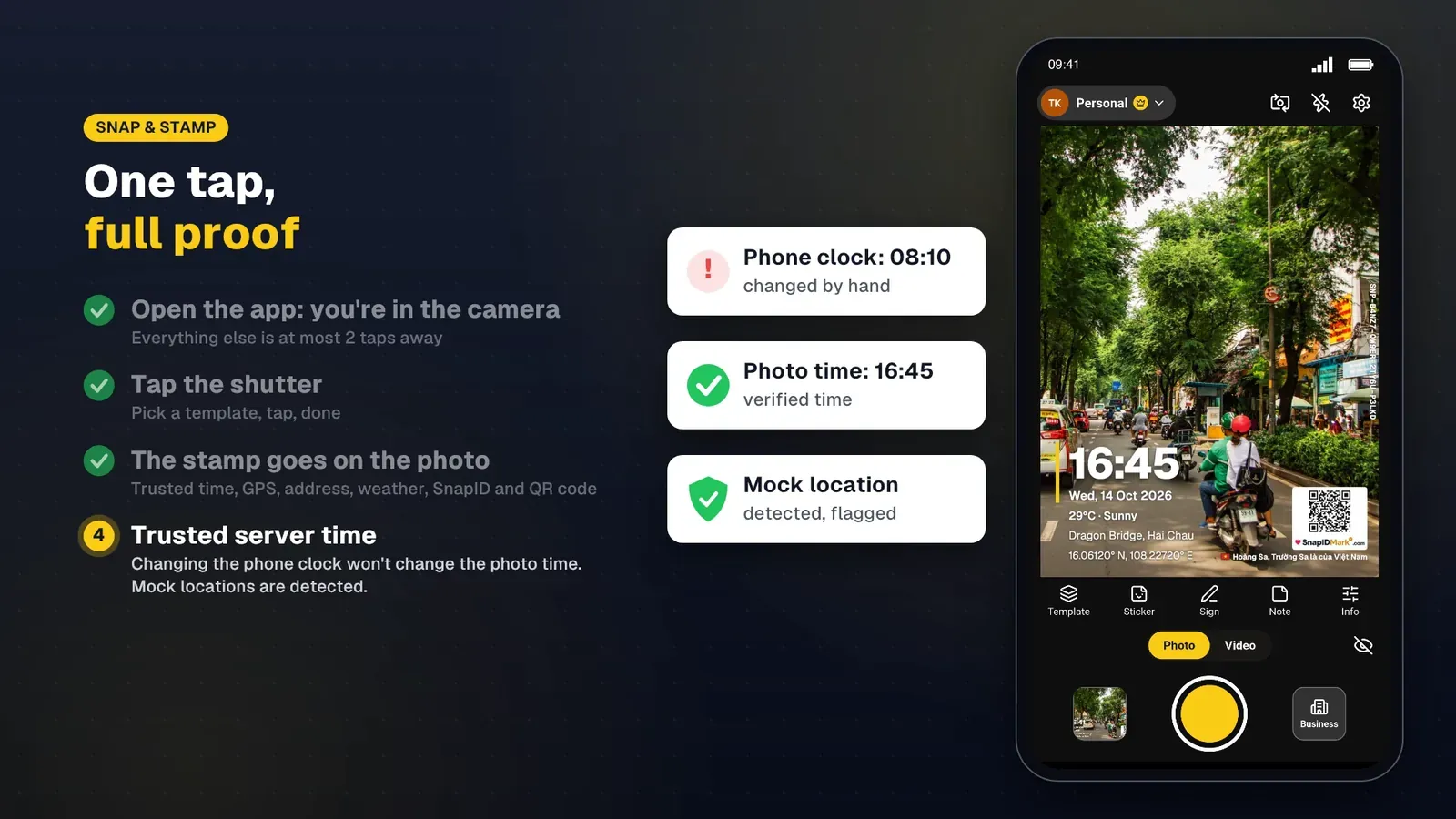
What GPS Map Camera or NoteCam offer that SnapID Mark does not: several map types, humidity, pressure, wind, hashtags and many date formats. SnapID Mark covers time, date, address, coordinates, weather, a mini map, notes, stickers, signature and logo, but with fewer decorative options.
Moving your crew to verifiable photos
- Pick one pilot workflow with high dispute risk, such as handovers, deliveries or scheduled cleaning.
- Create a workspace and required template with your logo and the fields your crew currently types into NoteCam (customer name, order number). See designing a stamp template for your team.
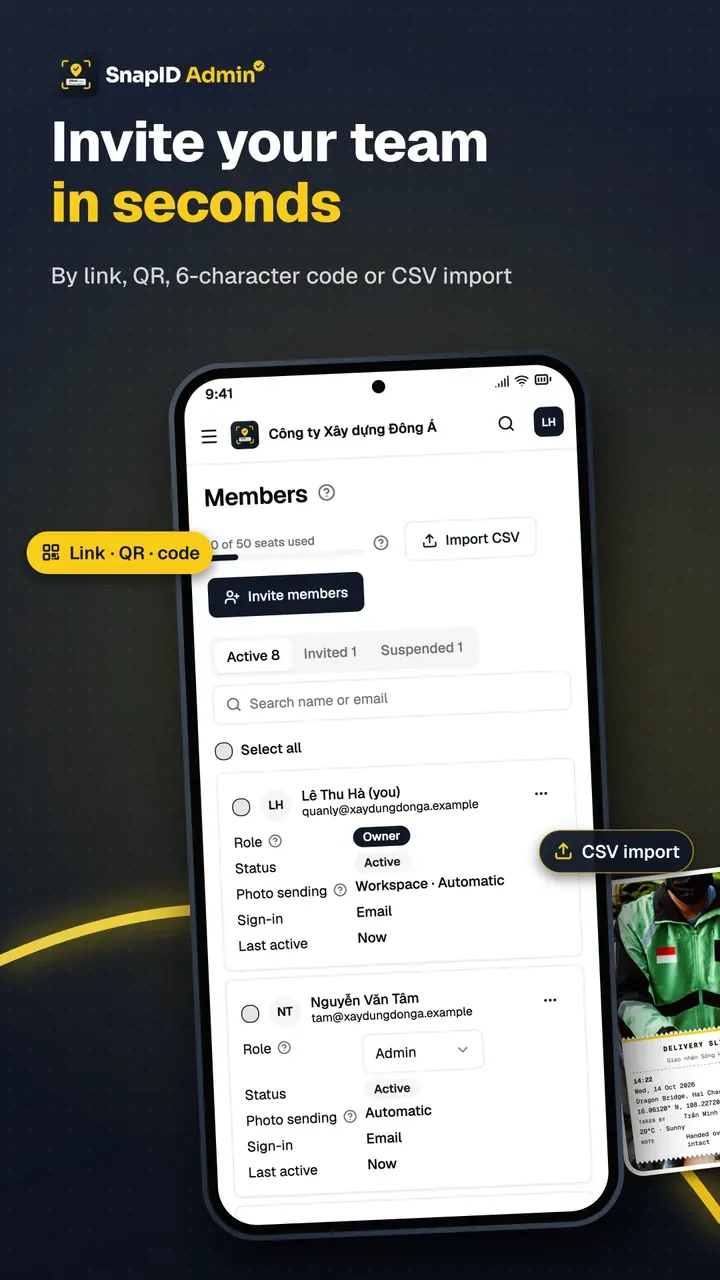
- Invite staff by code, link or CSV file. See Invite members.
- Change how photos are sent. Instead of posting photos to a chat group, staff just shoot. Photos land in the workspace.
- Send clients a verify link instead of heavy files. They scan the QR and check it themselves.
- After two weeks, count how often someone had to call and ask “when and where did you take this?” before and after the switch.
FAQ
Should we ban staff from using GPS Map Camera or NoteCam?
No need. Just require that work photos are taken with the company app. Personal photos can use any app.
Can old NoteCam photos be moved into SnapID Mark?
No. A SnapID code is created on the phone at the moment of capture with the SnapID Mark camera and is signed by the device. Keep old photos as they are, together with the exports from the old app.
What if there is no signal?
Photos are still stamped with trusted time and a SnapID code, and workspace photos are queued on the phone and uploaded once a connection returns. Personal photos stay on the phone. See offline photo proof.
Get started
Download SnapID Mark to try it free, or create a free five-seat workspace on the admin website. For a wider comparison, see the best timestamp camera apps.
See also: Solocator alternative, how to add a company logo to photos and how to send original photos without losing quality.
GPS Map Camera, NoteCam and other app names are trademarks of their respective owners and are used for descriptive purposes only. Information is based on app store listings as of the publish date and may have changed.