
Solocator Alternative for Mixed Android and iPhone Crews
Solocator is a precise GPS field camera for iPhone and iPad. When your crew also uses Android or needs shared team photos, here is how to compare and choose.
Surveyors, building inspectors and insurance assessors like Solocator because it prints a lot of data onto each photo: coordinates, bearing, altitude, tilt. Two problems come up often: part of the crew uses Android, or the company wants everyone’s photos in one place. This guide helps you decide whether to switch and what to switch to.
What Solocator does
According to Solocator’s App Store listing (developer Civi Corp) as of the publish date:
- Stamps GPS position with accuracy, bearing, altitude, tilt and roll, local time based on location, time zone, UTC, a compass and building facade direction (for example “North elevation”).
- An Industry Pack, a one-time in-app purchase: UTM and MGRS coordinates, street address, field notes (project name, description), company logo, custom export file names and batch editing.
- KML, KMZ and CSV export. Autosave to iCloud, plus Google Drive, Dropbox and OneDrive with the Industry Pack.
- Built for iPhone and iPad. We did not find an Android version on Google Play as of the publish date.
For surveyors who need bearing, altitude and UTM coordinates, Solocator is hard to replace.
When to look elsewhere
- Your crew mixes Android and iPhone. Many field workers use Android. An iOS-only tool means two different apps on one team.
- You need the whole team’s photos together. Solocator is a personal app. Photos live on each person’s phone and cloud, and a manager has to collect them.
- Recipients need to check photos. The stamp is detailed, but it is still text on pixels. The recipient has no way to look up the original.
- You need attendance on site. Solocator is not a time clock.
Criteria comparison
| Criterion | Solocator (per App Store) | SnapID Mark |
|---|---|---|
| Platforms | iPhone, iPad | Android, iPhone (iOS 15 or later) |
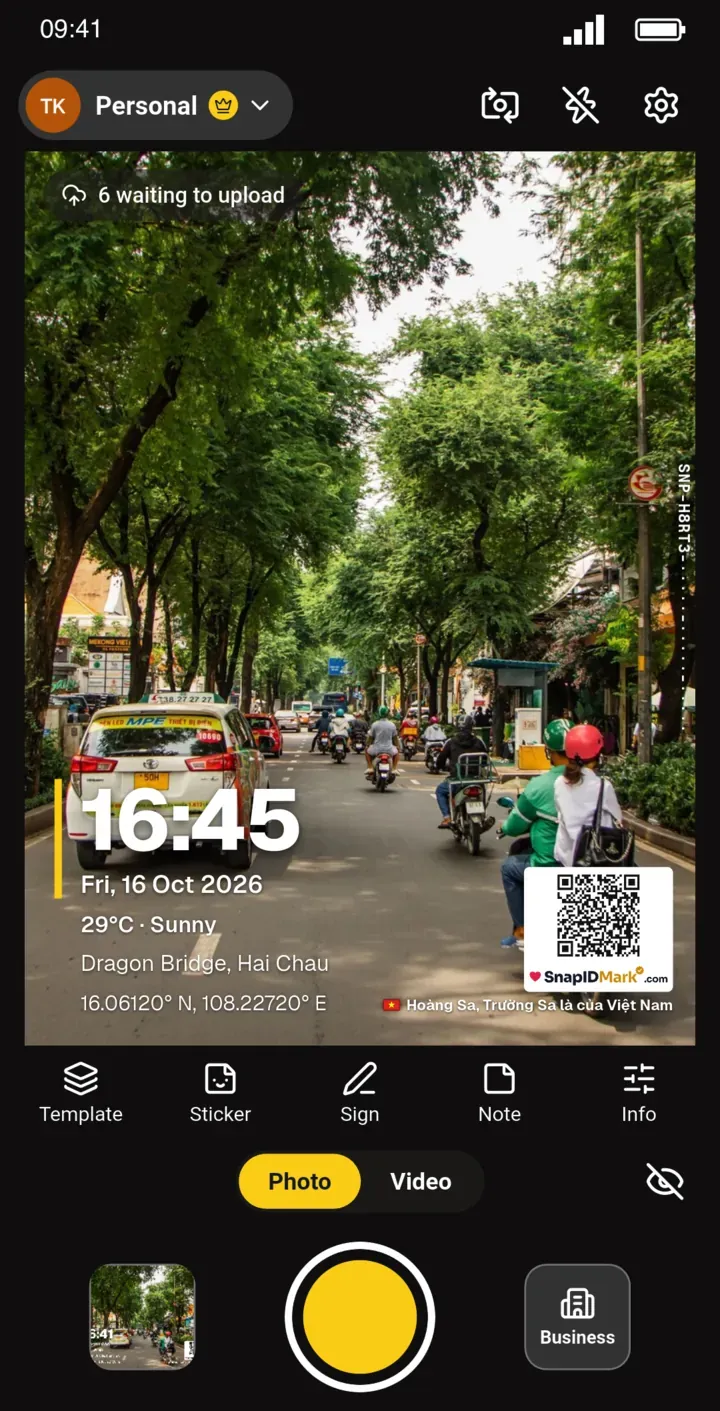
| Coordinates, address | Yes, plus UTM and MGRS with the Industry Pack | Coordinates, address, mini map |
| Bearing, altitude, tilt | Yes | No |
| Time on photo | Local time from location, UTC | Server-synced time, changing the phone clock has no effect |
| KMZ, CSV export | Yes | ZIP of originals with CSV, Excel, PDF (no KMZ) |
| Team photos in one place | Not described | Workspace, admin website |
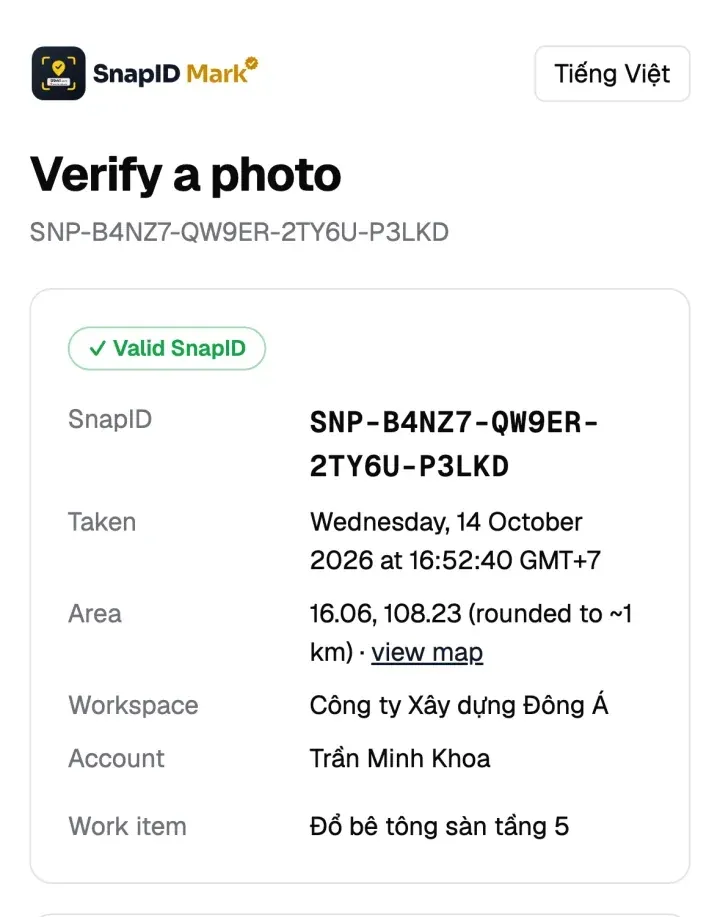
| Verification for recipients | Not described | SnapID code, QR, SHA-256 file check |
| Attendance | No | Clock in, Clock out, geofence |
| Cost | Paid on the App Store, Industry Pack extra | Free for individuals, 5 free business seats |
What SnapID Mark does not have
If you are a surveyor, read this part carefully:
- No bearing, altitude or tilt on the stamp.
- No UTM or MGRS coordinates.
- No KML or KMZ export.
- No API or cloud storage integrations yet.
- The public verify page shows only an area rounded to about 1 km, never exact coordinates. Full coordinates are on the stamp and on the admin website.
If those fields are mandatory for your reports, keep Solocator for the surveyor and use SnapID Mark for the rest of the crew.
A sensible split
- Surveyors on iPhone: keep Solocator for photos that need bearing and altitude.
- Crew, supervisors, technicians: use SnapID Mark for progress and handover photos and for clocking in. Photos land in the workspace and managers filter by project.
- Client deliverables: SnapID Mark photos carry a QR the client can check.
For a shot list, see the site survey photo guide. To understand coordinate error on phones, read phone GPS accuracy explained.
FAQ
Is there a Solocator-like app on Android?
Several Android GPS cameras print coordinates and address on photos. See the best timestamp camera apps. SnapID Mark runs on both Android and iPhone.
Do SnapID Mark photos show coordinates?
Yes, depending on the template. A template can show time, date, address, coordinates, weather and a mini map. See The stamp and stamp templates.
How do I find the coordinates of a photo?
Follow how to find the GPS coordinates of a photo.
Get started
Download SnapID Mark for Android or iPhone. Manage your crew on the admin website, free for up to 5 people.
Solocator and other app names are trademarks of their respective owners and are used for descriptive purposes only. Information about other apps is based on app store listings as of the publish date and may have changed.