
CompanyCam Alternative for Small Field Crews
CompanyCam excels at project photos and reports. When a small crew should look elsewhere, a criteria table, what SnapID Mark lacks and a one-week switch plan.
CompanyCam is one of the best-known jobsite photo apps among contractors in roofing, plumbing, HVAC and home repair. If you run a smaller crew, work outside North America or need photos that outsiders can check on their own, you may wonder whether a lighter alternative fits better.
We make SnapID Mark, so this guide says plainly where CompanyCam is the stronger tool.
What CompanyCam does
According to CompanyCam’s home page and App Store listing as of the publish date:
- GPS and time-stamped photos, with work organised by GPS location.
- Photos and videos, annotations and comments on photos.
- A photo report builder, checklists, templates, document scanning and signatures.
- A live photo and project feed for the whole company, plus guest access so clients can join a project.
- Integrations with CRMs, field service and accounting tools (the home page cites 60+, for example QuickBooks Online, Jobber and Zapier).
- iOS and Android apps plus a web app. The pricing page shows paid plans with a free trial and does not describe a permanent free plan.
If your crew sends polished photo reports to clients and already runs a CRM that CompanyCam connects to, it is a very strong choice.
When to look for an alternative
- Cost versus crew size. A crew of three to five may not need a per-user paid plan from day one.
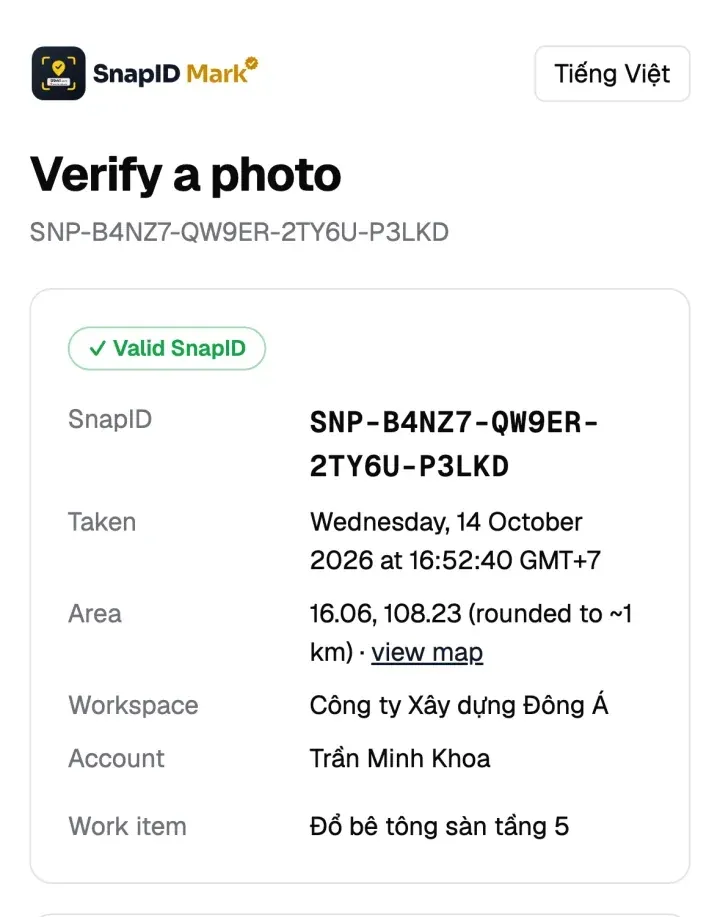
- Recipients need to check photos themselves. Owners, accountants and insurers want to know the file is the original and the time is real, without logging into your system.
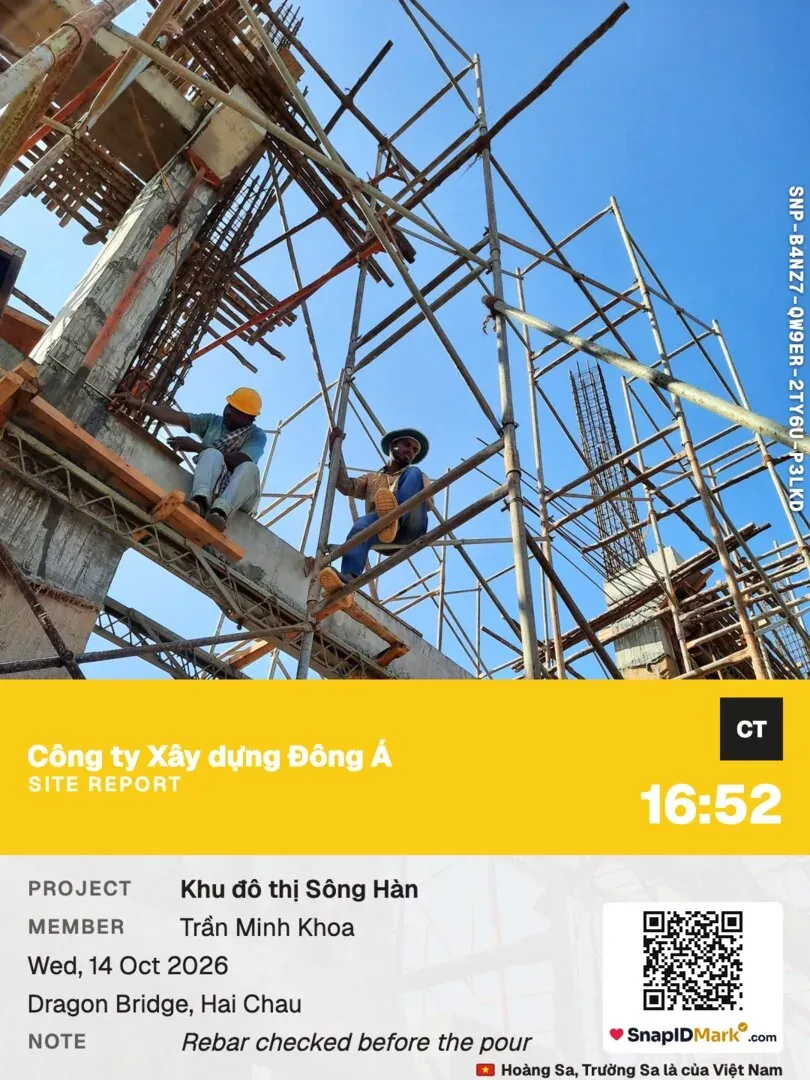
- You need photo attendance on site. Clock-in and clock-out photos checked against a site zone, with a timesheet export.
- Your crew prefers Vietnamese. SnapID Mark is fully in Vietnamese and English.
- You don’t use North American CRMs. Many integrations serve that market.
Criteria comparison
| Criterion | CompanyCam (per its official pages) | SnapID Mark |
|---|---|---|
| Time and GPS on photos | Yes | Yes, server-synced time that stays correct offline |
| Video | Yes | Yes, stamped video kept on the phone |
| Grouping by job | By GPS location and project | By project, site, member and custom fields |
| Reports | Report builder, checklists | PDF with 2 photos per page, Excel, ZIP with CSV |
| Integrations | 60+ | No API or integrations yet |
| Recipients verify a photo | Clients invited to a project | SnapID code, QR, public verify page, no account needed |
| Compare a file to the original | Not described | SHA-256 fingerprint check in the browser |
| Fake location | Not described | Workspaces block capture while a mock-location app is on |
| Photo attendance | Not described | Clock in, Clock out, geofence 20 m to 50 km, Excel timesheet |
| Languages | Per store listing | 19 languages, including Vietnamese and English |
| Free tier | Free trial | Free for individuals, 5 free business seats |
In short: CompanyCam is far broader on reports and integrations. SnapID Mark is narrower but focused on photos others can verify and attendance on site.
What SnapID Mark does not have
So nothing surprises you after switching:
- Stamped video stays on the phone and does not sync to a project.
- No API and no CRM or accounting integrations yet.
- No SSO for businesses.
- A SnapID code is not a legally certified timestamp. It lets recipients check a photo, but its weight as evidence is for the relevant authority to decide. See are timestamped photos valid evidence.
Which one fits
- Contractors serving North American clients who need reports and CRM sync: CompanyCam.
- Construction and maintenance crews who need verifiable handover photos and crew attendance: SnapID Mark.
- Individuals who just need dated photos: a free timestamp camera. See the best timestamp camera apps.
To compare several construction photo apps at once, read construction photo apps with GPS.
Switching in one week
- Export your existing photos and keep them on company storage.
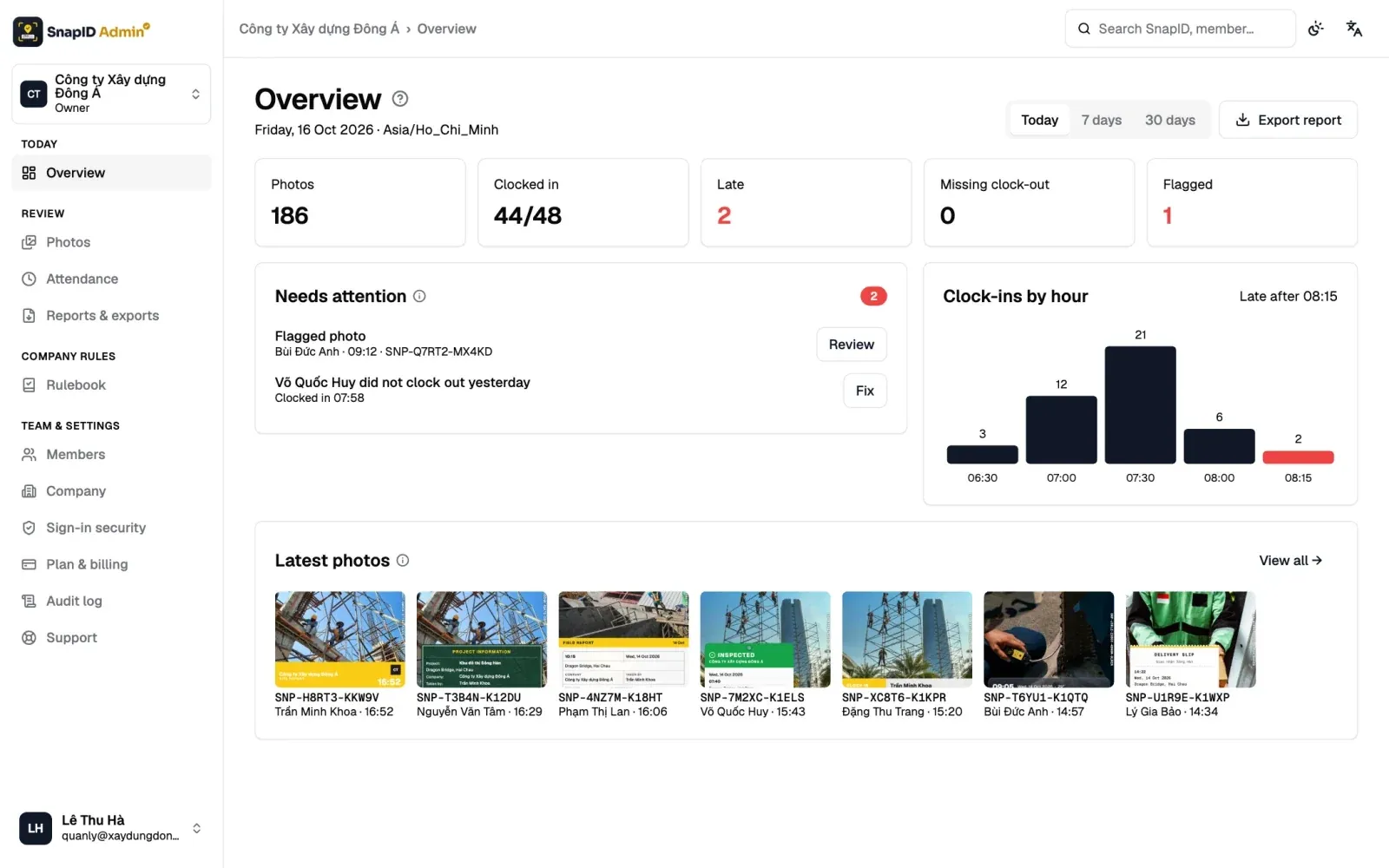
- Create a workspace on the admin website and add projects and sites. See Company info and settings.
- Add custom fields such as Contract no. or Work item so every photo carries what your reports need. See Custom fields.
- Invite three crew members to trial it on one site. See Invite members.
- At the end of the week, export a PDF for one work item and send it to the owner with instructions to scan the QR.
For folder and naming habits, see how to organize field photos by project.
If your team also runs checklists, see our SafetyCulture (iAuditor) alternative comparison. If you are considering Google Drive alone, see Google Drive or a field photo app.
FAQ
Does SnapID Mark group photos by job like CompanyCam?
Yes, by the projects and sites your Owner or Admins create. On the admin website you filter by project, site, member, date or custom field.
Can clients see photos without an account?
Yes. They scan the QR on the photo to see the verification details. To let them see the photo itself, create a time-limited share link.
Are photos locked into the app?
No. Admins export original photos as a ZIP with CSV, Excel or PDF at any time. See Export data.
Get started
Download SnapID Mark and open the admin website to create a free 5-seat workspace. Using Timemark today? See the Timemark alternative guide.
CompanyCam and other app names are trademarks of their respective owners and are used for descriptive purposes only. Information about other apps is based on their official pages and app store listings as of the publish date and may have changed.