
Google Photos Alternative for Field Photos (and Google Drive)
Need a Google Photos alternative for field photos? Drive and Photos store and share well. Compare trusted time, GPS stamps, verification and clock-ins.
When the chat group gets too messy, many teams move field photos to a shared Google Drive folder or a shared Google Photos album: one folder per job, crews upload at the end of the day. It is cheap, familiar and far better than photos buried in WhatsApp. A few months later, though, the hard questions come back: when exactly was this photo taken, where, by whom, and how do we prove it to the client?
This post compares storing field photos in Google Drive or Google Photos with a field photo app such as SnapID Mark. We make SnapID Mark, so we will say plainly where Google’s tools are stronger. In practice many teams should use both, each for its own job.
Quick verdict
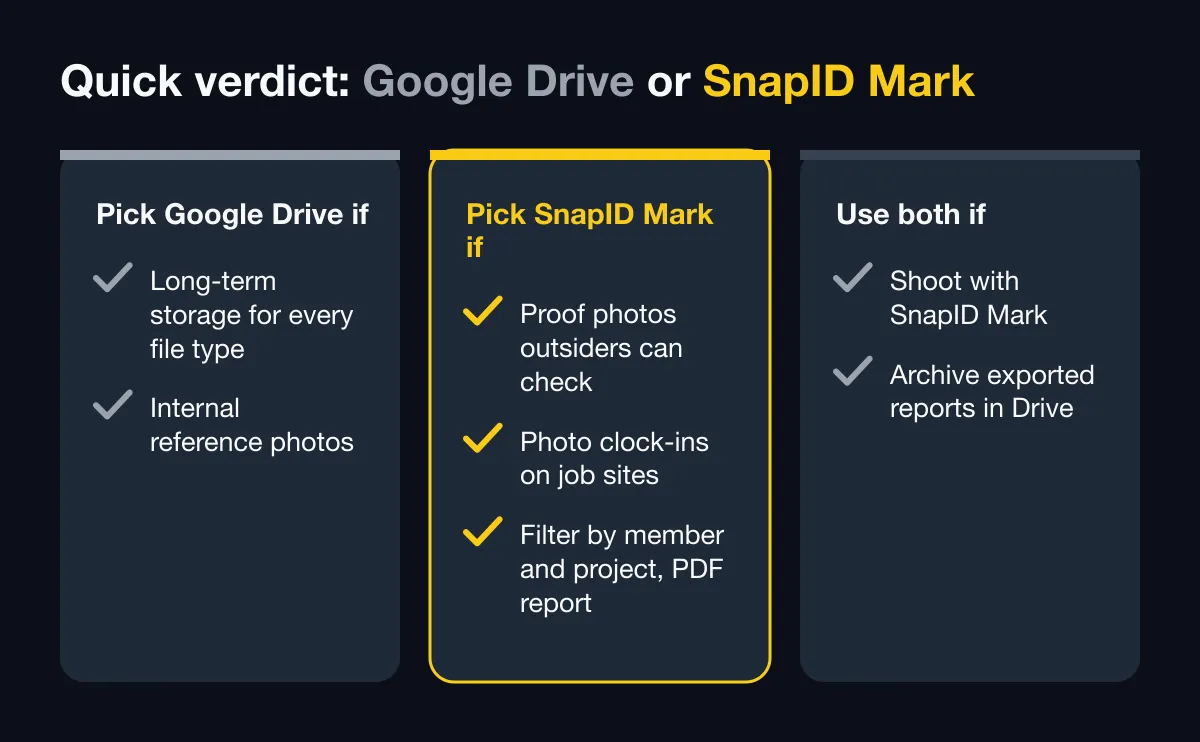
| Need | Use |
|---|---|
| Long-term storage for every file type (drawings, contracts, photos) | Google Drive |
| Personal and family photos, search by people and places | Google Photos |
| Proof photos with time and location printed on them that outsiders can check | SnapID Mark |
| Photo clock-ins on job sites | SnapID Mark |
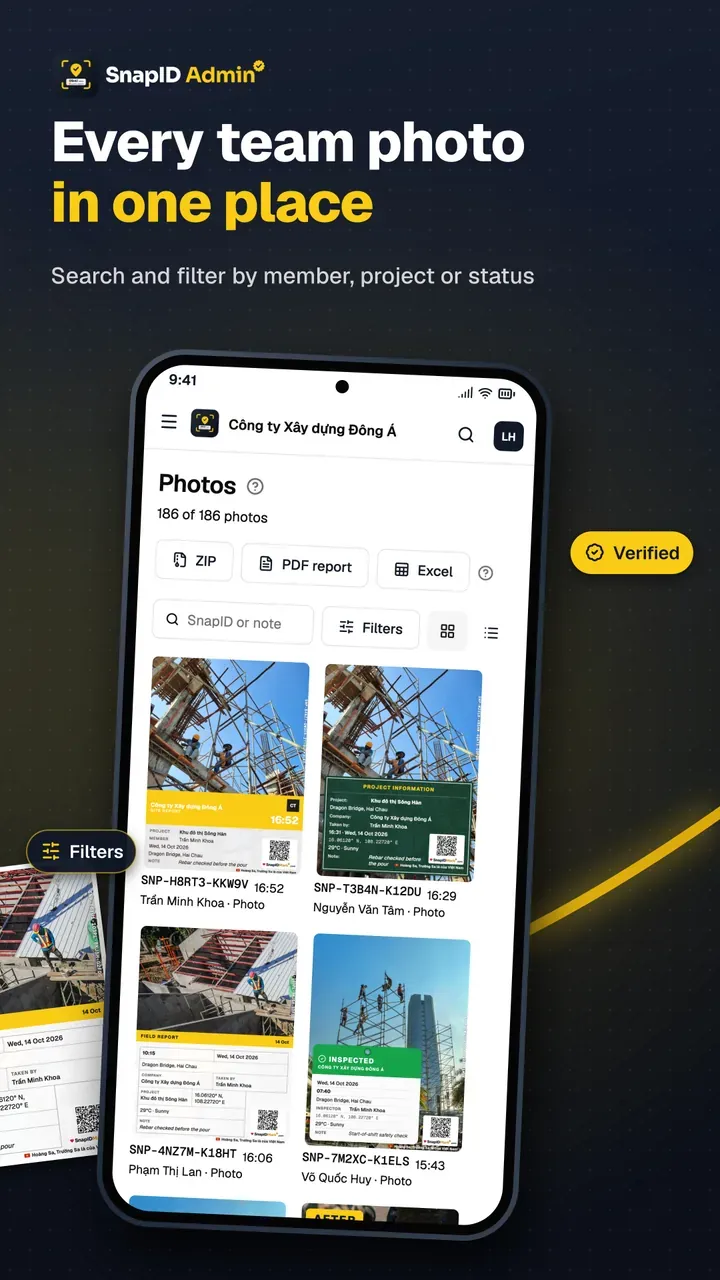
| Filter by member, project and warnings, then export a PDF report | SnapID Mark |
| Archiving exported reports for years | Both: export from SnapID Mark, keep it in Drive |
What Google Drive and Google Photos do well
According to Google’s official help pages as of October 2026:
- Free storage. A Google Account comes with up to 15 GB shared across Gmail, Google Drive and Google Photos, and you can buy more. The Google One help page also notes that accounts created from March 9, 2026 start with 5 GB and unlock another 10 GB by verifying a phone number.
- Sharing with roles. Drive offers Viewer, Commenter and Editor roles. Folder permissions apply to the files inside, and owners can stop editors from resharing.
- Strong search. Drive has filter chips for file type, people and modified date, plus advanced search operators. Google Photos searches by people, things, places and text that appears in photos.
- Shared albums. People who join a shared Google Photos album can add their own photos, and anyone with the album link can view and add.
- Quality choice. Google Photos offers Original quality and Storage saver. Storage saver resizes photos larger than 16 MP down to 16 MP.
- Company administration. With Google Workspace, an admin can transfer a departing user’s Drive files to someone else in the organization.
In short, Google Drive is an excellent shared file store and Google Photos is an excellent personal photo library. If you only need a tidy place to keep photos, they are a sensible, familiar choice.
What field photos need that a shared folder does not handle
Trusted capture time
Drive shows upload and modified dates. Google Photos relies on the time inside the photo file, which comes from the phone’s clock. Google Photos Help also explains how to edit the date and time of a photo in your library. That is handy when a camera clock is wrong, but it means the date shown is not proof on its own. In SnapID Mark, time is synced with SnapID servers and printed on the photo. Changing the phone clock does not change the stamp, even offline. See trusted time vs phone time.
Location printed on the photo
Google Photos keeps the location your camera recorded and can estimate locations. But that location lives in the file’s data, which is easily lost when the photo passes through a chat app. SnapID Mark prints coordinates, accuracy and address, optionally a mini map and weather, on the photo itself. Mock-location apps are detected, and inside a workspace capture is blocked while one is on.
Outsiders can check a photo
A Drive link lets a client see a photo, but not whether it was edited. Photo verification for field work is not described on Google’s official pages. With SnapID Mark, the client scans the QR code or enters the SnapID code and sees capture time, a rounded area, the workspace and integrity flags, with no account. They can also pick a file to compare its SHA-256 fingerprint with the original in the browser. See QR photo verification.
Anyone can add, anyone can remove
In Drive, editors can add, move and delete files in a folder. In a Google Photos shared album, when someone leaves, the photos they added are removed from the album. For a folder of proof photos, that is a risk. In SnapID Mark, photos sent to a workspace belong to the company, only the Owner and Admins can see them, and there is an audit log.
Filter by project, person and warnings
A Drive folder has one way to organize: the folder tree everyone must keep tidy by hand. One upload to the wrong folder and the photo is lost. SnapID Mark attaches the project, site and custom fields (job code, contract number) at capture time. The admin website filters by member, project, site, type, warnings, date and custom field, and shows a photo map.
Attendance
Drive and Photos are not time clocks. SnapID Mark has Clock in and Clock out with photos, a geofence check with a 20 m to 50 km radius, and Excel timesheet export.
Side-by-side comparison
| Criterion | Google Drive / Google Photos (per Google’s help pages) | SnapID Mark |
|---|---|---|
| Stores any file type | Yes, the main strength | Only stamped photos, videos and attendance data |
| Free tier | Up to 15 GB shared | Free for personal use; 5 free seats per workspace |
| Sharing and roles | Viewer, Commenter, Editor | Owner, Admin, Member; time-limited share links |
| Trusted capture time | Time from the file; editable in Photos | Server-synced time printed on the photo |
| GPS printed on photo | Not described | Yes, with accuracy and address |
| Outsiders verify a photo | Not described | SnapID code, QR, SHA-256 check |
| Mock location protection | Not described | Detected; workspaces block capture |
| Filter by project or person | By folder, sorted by hand | Tagged at capture, filtered on the admin website |
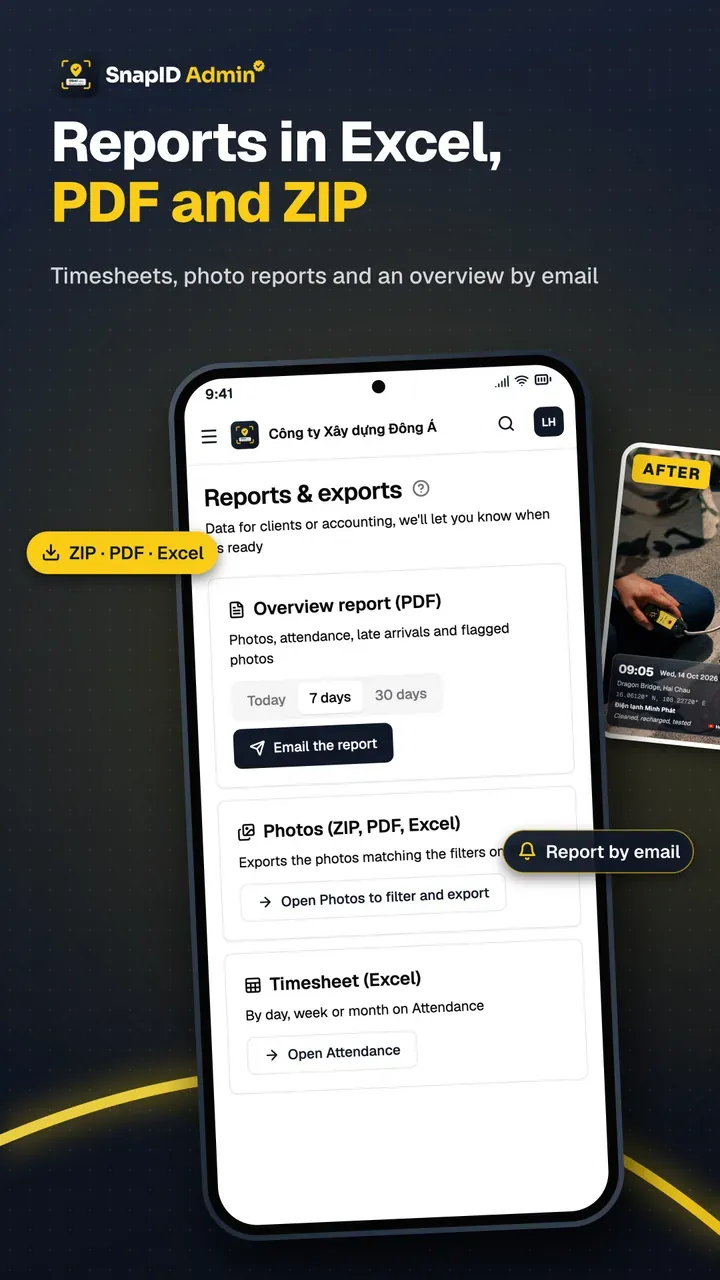
| Reports | Build them yourself | ZIP with metadata.csv, Excel, PDF |
| Attendance | No | Yes |
| Personal vs work photos | Easy to mix on one account | Personal photos and workspaces kept apart |
What SnapID Mark does not have
- It is not a general file store: no drawings, contracts or spreadsheets like Drive.
- No search by what is in the photo, as Google Photos offers.
- No API or integrations yet, and no direct sync to Google Drive. You export a ZIP or PDF and save it yourself.
- No chat, task assignment, drawings or Gantt-style project management.
- A SnapID code is not a legally certified timestamp. See are timestamped photos valid evidence.
Who should pick which
- Google Drive alone if photos are mostly internal reference and nobody asks when or where they were taken.
- Capture with SnapID Mark if photos must serve as proof for inspections, handovers or warranty claims, or you need clock-ins on site.
- Use both: crews shoot with SnapID Mark, managers review on the admin website, and at month end they export a ZIP of originals with metadata.csv or a PDF report and file it in the project’s Drive folder.
If your team still reports through a chat group, read replace chat groups for photo reports. Comparing construction photo apps? See the CompanyCam alternative and GPS Map Camera and NoteCam alternatives.
Try it in 5 days
- Create a workspace on the admin website. See Create a workspace.
- Add projects named like your existing Drive folders, plus a custom field such as job code. See Custom fields.
- Invite 3 to 5 crew members and run both side by side: SnapID Mark for inspection photos, Drive as before for documents. See Invite members.
- At the end of the week, filter by project, export a ZIP or PDF and compare it with your Drive folder. See Export data.
FAQ
Is Google Drive good enough for construction photos?
It is good for storage and sharing. But Drive does not print time or location on photos and does not let outsiders verify them, so proof photos need something more.
Does Google Photos compress photos?
According to Google Photos Help, Storage saver resizes photos larger than 16 MP to 16 MP, while Original quality keeps full resolution. Both count toward your account storage.
Can the date in Google Photos serve as proof?
The owner can edit a photo’s date and time in Google Photos, so the date shown does not prove when it was taken. A stamp with server-synced time and a verification code is stronger, though still not a legally certified timestamp.
Does SnapID Mark save photos to Google Drive automatically?
No. SnapID Mark has no integrations yet. The Owner or an Admin exports a ZIP, Excel file or PDF from the admin website and saves it to Drive.
Are my crew’s personal photos uploaded?
No. Personal photos stay on the phone and never upload by themselves. Only photos taken in a workspace are sent to the company.
Get started
Download SnapID Mark, or get it on the App Store and Google Play, then create a workspace on the admin website. Read more on organizing field photos by project and how to track work progress with photos.
Google Drive, Google Photos, Google One, Google Workspace and other app names in this article are trademarks of their respective owners and are used for descriptive purposes only. Information about other apps is based on their official pages as of October 2026 and may have changed.