
Hubstaff Alternative for Photo Proof and Clock-Ins Without Tracking
Looking for a Hubstaff alternative for field crews? When photo proof and geofenced photo clock-ins matter more than all-day GPS and timesheets.
Hubstaff is one of the best-known time trackers for remote and field teams. It tracks hours, GPS location, job sites and, on computers, activity and optional screenshots. Many owners land on it while searching for a GPS time clock, then realise their real question is different: can I prove the work was done on site, without tracking people all day?
This guide compares the two fairly. We make SnapID Mark, so we say plainly where Hubstaff is stronger. Hubstaff is a time tracker with payroll and project costing. SnapID Mark is a camera app that stamps verifiable photos and runs photo Clock in and Clock out against a geofence. They overlap less than the search results suggest.
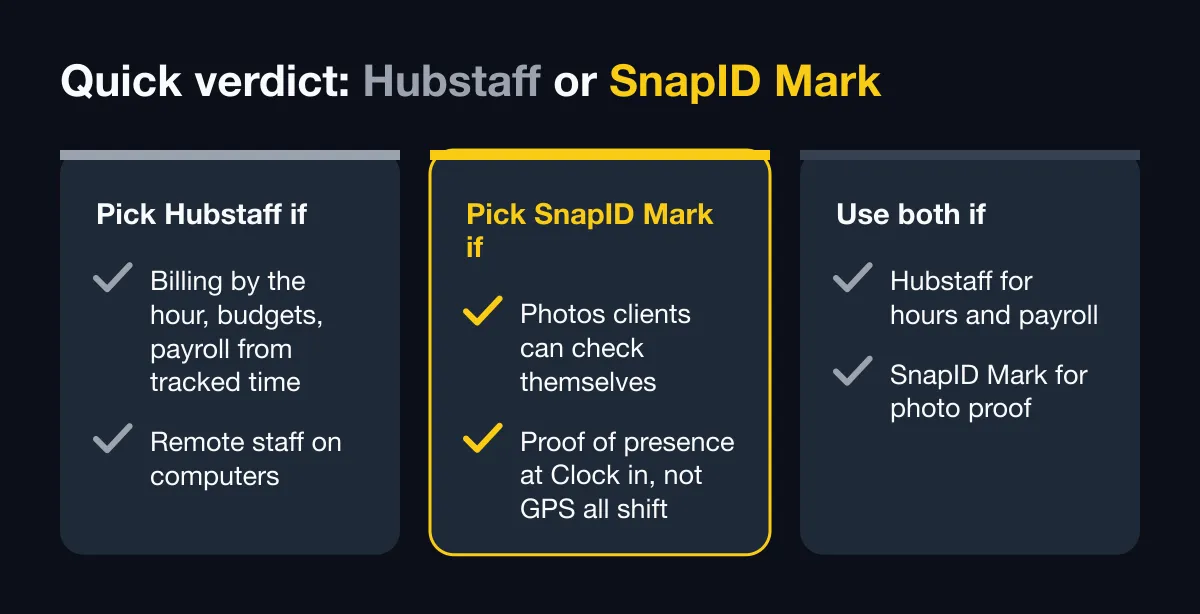
Quick verdict
| Your situation | Better fit |
|---|---|
| You bill clients by the hour, track project budgets or pay people from tracked time | Hubstaff |
| You manage remote staff on computers and want activity levels or screenshots | Hubstaff |
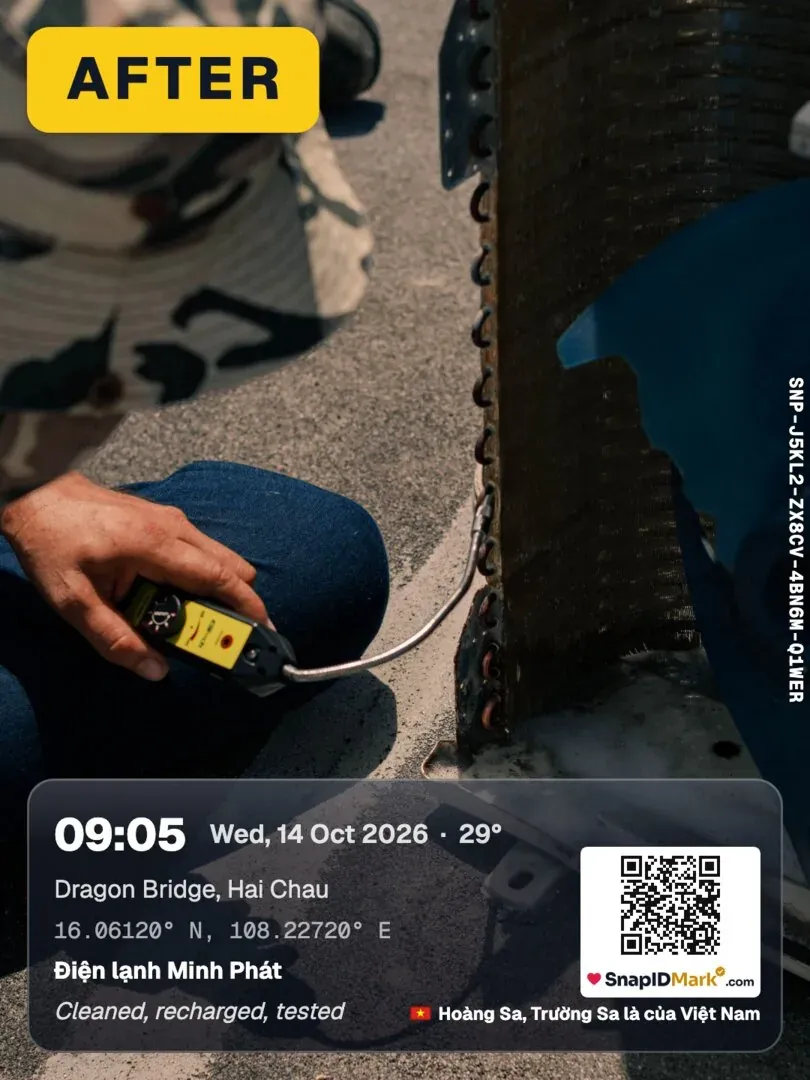
| You need photos with trusted time and location that clients can check themselves | SnapID Mark |
| You want proof of presence at the moment of Clock in, not GPS all shift | SnapID Mark |
| You need payroll and project costing and verifiable site photos | Use both: Hubstaff for hours, SnapID Mark for photo proof |
What Hubstaff does well
According to Hubstaff’s official website, help center and App Store listing as of October 2026:
- Time tracking everywhere. A start and stop timer on desktop, web and mobile, with timesheets that fill in as people work and an approval flow.
- GPS and job sites. Managers draw geofenced job sites. The timer can start or stop automatically when a worker enters or leaves one, and managers see team locations and routes on a map.
- Activity monitoring on computers. Activity levels, app and URL usage, idle time and optional screenshots. The screenshot page says the desktop app can take up to three screenshots every 10 minutes, with an irreversible blur option, or screenshots can be turned off.
- Payroll, invoicing and budgets. Pay from tracked hours through payment integrations, invoices from billable time, project budgets with alerts, overtime rules.
- Scheduling and leave. Shifts, time off and team availability.
- Integrations. The home page lists 35+ integrations, including project tools and accounting and payroll services, plus an API, enterprise SSO and SCIM.
- Photos on time entries. The App Store listing says workers can attach notes and images to time entries.
- Pricing. The pricing page offers a 14-day free trial with no card. We did not see a free plan listed. Check their pricing page for current plans.
If your business runs on billable hours, project budgets or paying a distributed team, Hubstaff covers far more ground than SnapID Mark.
When a photo-first app fits better
- The client wants to see the work, not the hours. A pipe before backfill, a cleaned room, a delivered pallet. Hubstaff can attach an image to a time entry, but the photo itself is not the core product.
- People outside your company must check the photos. Owners, landlords and insurers want to know a file is the original and when it was taken, without logging in to your system.
- You do not want GPS running all shift. Hubstaff’s App Store listing notes that the app may use location when it is not open. Some crews and some managers prefer location only at the moment of a photo or a Clock in.
- Your crew works in Vietnamese or another language. The Hubstaff App Store listing shows English as the app language.
Feature-by-feature comparison
| Criterion | Hubstaff (per its official pages) | SnapID Mark |
|---|---|---|
| Main purpose | Time tracking, timesheets, payroll, project costs | Verifiable stamped photos, photo attendance |
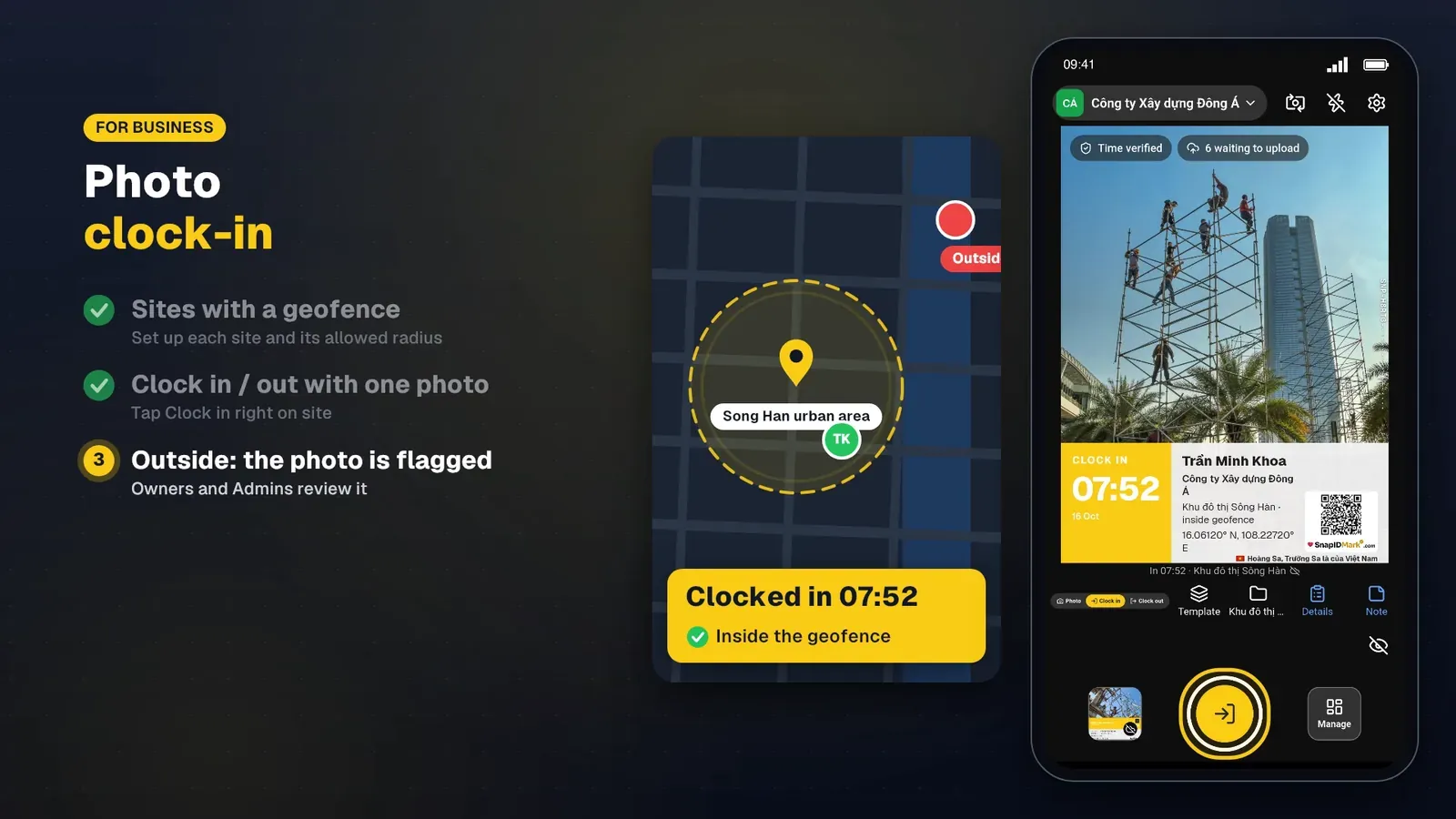
| Mobile clock-in | Timer, auto start and stop at job sites | Clock in and Clock out with a photo |
| Geofence | Yes, geofenced job sites | Yes, 20 m to 50 km radius per site |
| Location during the shift | GPS tracking and routes on a map | No. Location is read only while the app is open to take a photo |
| Screenshots, activity levels | Yes, on the desktop app, optional | No |
| Time stamped on the photo | Not described | Trusted time synced with SnapID servers; changing the phone clock does not change it |
| Address, weather, logo, custom fields on the photo | Not described | Yes, plus mini map, notes, signature, SnapID code and QR code |
| Recipients verify a photo | Not described | SnapID code or QR on the verify page, no account; SHA-256 file check in the browser |
| Fake GPS | Not described | Workspaces block capture while a mock-location app is on |
| Offline | Not described on the listing | Photos stamped with trusted time offline, sent when online |
| Photo templates | Not described | 35+ built-in templates (everyday, industry, seasonal, camera-style), drag-and-drop editor, industry and seasonal templates, a required template per workspace |
| Payroll, invoicing, budgets | Yes | No. Excel timesheet export only |
| Integrations, API, SSO | Yes | No |
| App languages | English on the App Store listing | 19 languages, including English and Vietnamese |
| Pricing model | Paid plans, 14-day trial | Free for personal use; workspaces include 5 free seats; business plans of 10, 25, 50 or 100 seats |
Time and GPS you can trust
SnapID Mark takes its time from SnapID servers, not the phone clock. Offline, it keeps counting from the last sync with a clock the user cannot change. In a workspace, a mock-location app blocks capture, rooted or jailbroken phones are flagged (the company can block them), and photos outside the geofence or sent late are flagged for Owner or Admin review. More in how to stop attendance fraud.
Proof that leaves your company
Each photo carries a SnapID code and a QR code. Anyone can open the verify page, see the capture time, a rounded area and the workspace, and compare a file with the original fingerprint without uploading it. This is a check, not a legally certified timestamp. See QR photo verification.
Privacy by design
No all-day tracking and no background location. Personal photos stay on this phone. Workspace photos are seen by that workspace’s Owner and Admins only. Clock in and Clock out photos are sent right away, or queued if offline.
Attendance and reports
Set shift start, late-after time, work days, break and time zone in the rulebook, and require Clock in inside a geofence. The admin website shows on-time, late and hours per day, and exports an Excel timesheet, ZIP, Excel and PDF photo reports. Help: Photo attendance and Export data.
What SnapID Mark does not have
- No timer for project hours, no billable rates, no invoicing, no project budgets.
- No payroll and no leave management. You get an Excel timesheet to hand to payroll.
- No screenshots, activity levels or app and URL tracking, and no all-day GPS or routes.
- No scheduling, no tasks or forms, no chat.
- No API, integrations or SSO yet.
- No kiosk or shared device; each person uses their own phone and account.
Who should pick which
- Pick Hubstaff if hours are what you sell or pay for: agencies, remote teams, contractors who invoice by time, and field crews where you want route history and automatic job-site timers.
- Pick SnapID Mark if photos are what you deliver: cleaning, maintenance, construction handovers, deliveries, inspections, and small crews who need a simple photo Clock in at the site.
- Use both if you need payroll from Hubstaff and verifiable site photos for clients. Many teams split it this way; see HR software vs a photo attendance app.
Try SnapID Mark in 5 days
- Install the app and take a first photo. See Your first photo.
- Create a workspace on the admin website. A new workspace is approved by the SnapID team; no payment card is needed. See Create a workspace.
- Add one or two sites with a radius. Not sure about the size? Read choosing a geofence radius.
- Invite 3 to 5 people by code or link. See Invite members.
- Run Clock in and Clock out with photos for a week, then export the Excel timesheet and compare it with your Hubstaff timesheets.
FAQ
Is SnapID Mark a full Hubstaff replacement?
Not for time tracking, payroll or invoicing. It replaces the part where you need proof of presence and proof of work on site, with photos others can verify.
Does SnapID Mark take screenshots or track activity?
No. There are no screenshots, no activity levels and no app or website tracking. Location is used only while the app is open to stamp a photo or Clock in.
Can I stop clock-ins outside the job site?
Yes. Each site has a geofence from 20 m to 50 km, and the rulebook can allow Clock in only inside a geofence. See Rulebook.
Does it work without signal?
Yes. Photos are stamped with trusted time offline and wait in a queue on the phone until the connection is back. See Offline and offline photo proof.
Is there a free plan?
Personal use is free with ads. Every workspace includes 5 free seats, and larger teams pick a 10, 25, 50 or 100-seat plan. See pricing.
Get started
Download SnapID Mark, or get it from the App Store or Google Play, and create a workspace on the admin website. Comparing time trackers? Read the Clockify alternative, the Jibble alternative and the Connecteam alternative.
Hubstaff and other app names in this article are trademarks of their respective owners and are used for descriptive purposes only. Information about other apps is based on their official pages as of October 2026 and may have changed.