
HR Software or a Photo Attendance App?
How HR suites such as MISA AMIS, Base and Tanca differ from a photo attendance app like SnapID Mark, when each one fits, and how to run both side by side.
Search for “attendance software” and you will find two very different kinds of product under the same keyword. One is HR software such as MISA AMIS, Base or Tanca, where attendance is one module next to employee records, scheduling, leave and payroll. The other is a photo attendance app such as SnapID Mark, focused on proving where and when someone was.
Pick the wrong kind and you either pay for features you don’t use or lack proof when you need it. This guide helps you tell them apart.
What HR software with attendance does
According to each vendor’s official pages as of the publish date:
- MISA AMIS: app clock-ins by GPS within a configured radius, office Wi-Fi, QR code and FaceID. Staff request attendance corrections, leave and overtime in the app. Attendance syncs with AMIS Payroll or connects to other payroll software through an API.
- Base: Base Checkin gathers attendance logs from several sources (mobile, Base Vision face recognition, attendance machines) and links them to the timesheet in the HR app. Scheduling and payroll are separate apps in the Base suite.
- Tanca: GPS, Wi-Fi, QR, face and AI camera clock-ins, several timesheet types, and data flowing into payroll. See the Tanca alternative.
What they share: attendance feeds payroll. The system answers “how many days did each person work and what are they owed”.
What a photo attendance app does
SnapID Mark answers a different question: “was this person really on site at 7:30, and can anyone check that?”
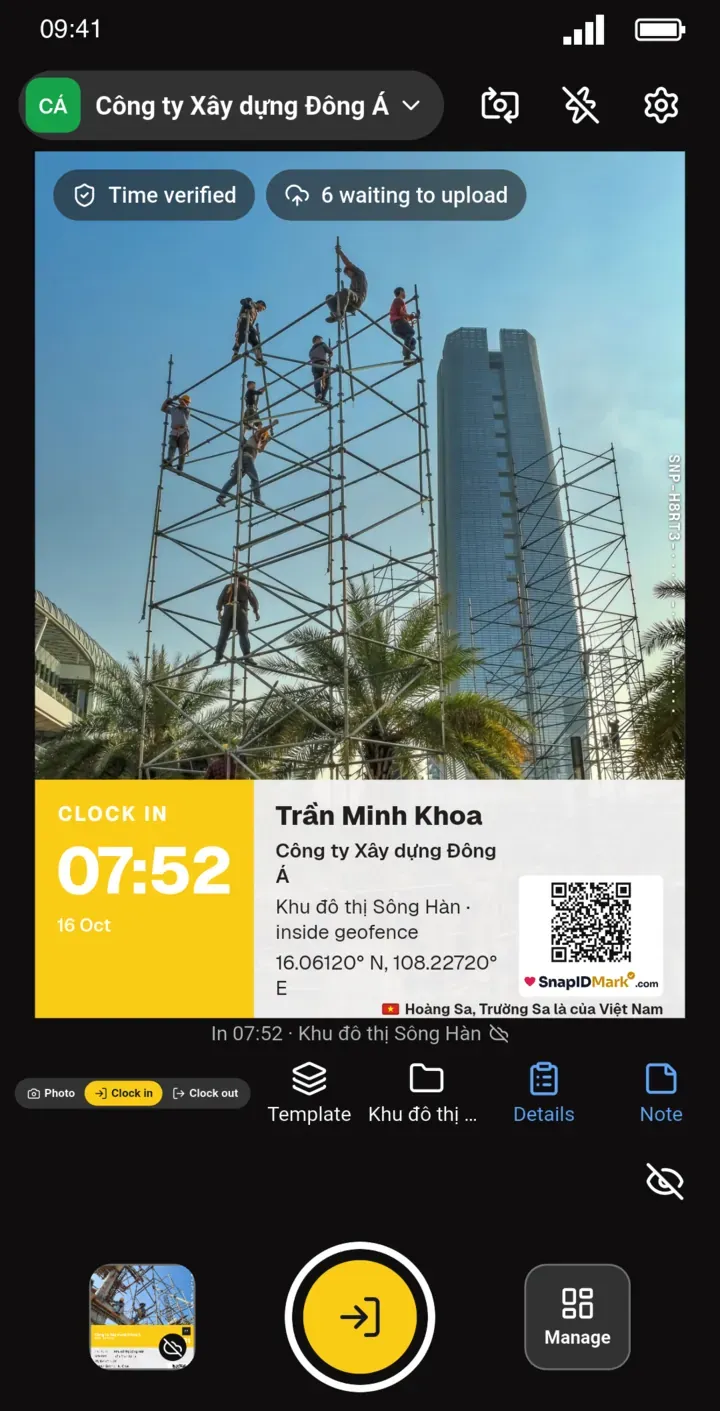
- Every clock-in and clock-out is a photo with server-synced time, coordinates, a SnapID code and a QR.
- A geofence of 20 m to 50 km around each site, with an optional block outside the zone.
- Capture is blocked while a mock-location app is on in workspaces, rooted phones are flagged and late uploads are marked.
- The same camera takes work photos: before, after, handover, delivery.
- Outsiders (owners, building management) check photos themselves on a public verify page.
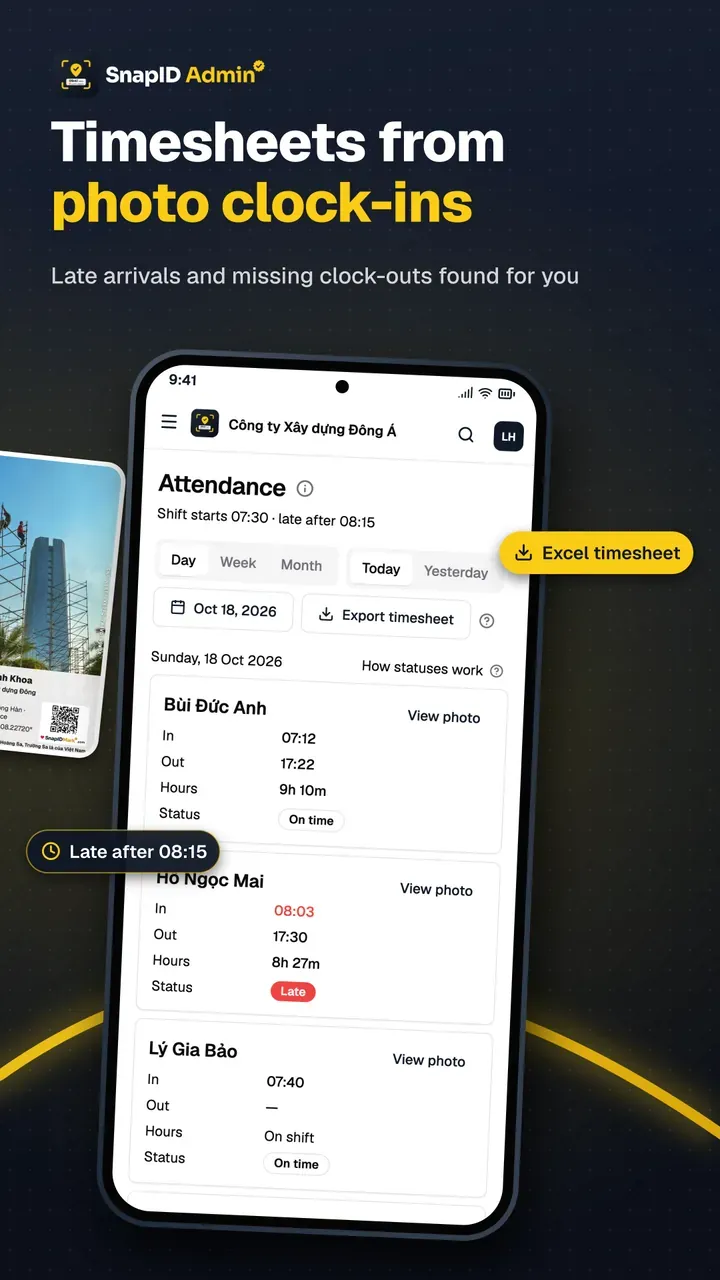
- Admins export an Excel timesheet by date range.
Side by side
| Question | HR software | Photo attendance app |
|---|---|---|
| Payroll, tax, insurance | Yes, or linked to a payroll module | No |
| Scheduling, leave, overtime | Yes | No |
| Office clock-in by Wi-Fi or fingerprint machine | Yes | No |
| On-site photo as proof | Depends on features, usually a selfie | Every clock-in is a stamped photo |
| Work photos during the day | Not the focus | Yes |
| Clients check photos themselves | Not the focus | Yes, no account needed |
| Setup time | Weeks, needs configuration | Days |
| Starting cost | Quote or plan | Free up to 5 people |
When to choose which
Choose HR software when:
- You have more than 30 to 50 staff and a dedicated HR person.
- Pay has many allowances, overtime or night shifts to calculate automatically.
- Most staff work in a fixed office or factory.
Choose a photo attendance app when:
- A small crew works across sites, client homes or buildings.
- The accountant still runs payroll in Excel and just needs a trustworthy timesheet.
- Clients or owners want to see work photos.
Use both when:
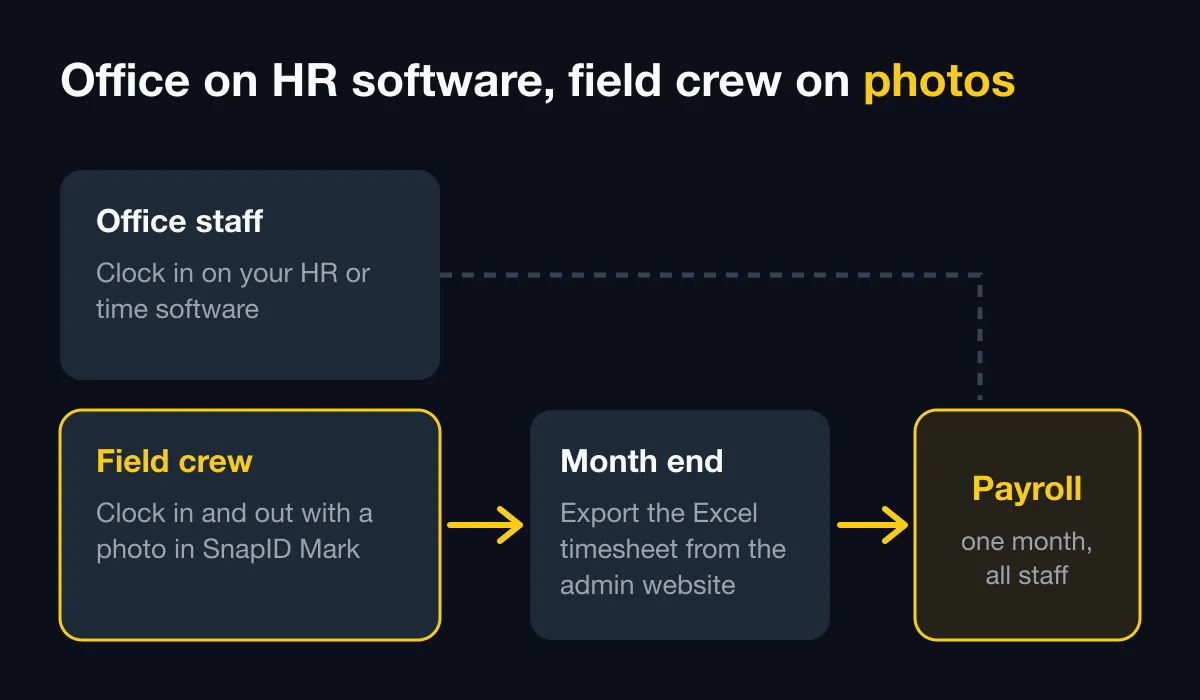
- The office clocks in with HR software and the field crew clocks in with photos.
- At month end you export the Excel timesheet from the admin website into payroll.
What SnapID Mark does not have
- No payroll, scheduling or leave management.
- No API or integration with MISA AMIS, Base, Tanca or other HR software yet. Data moves by Excel file.
- No Wi-Fi, QR, face or attendance machine clock-ins.
- No SSO.
Further reading:
- If you already run MISA AMIS and only need photo proof for field crews, see the MISA AMIS attendance alternative.
- A side-by-side table of 7 options is in employee attendance management software.
- The same split works with a project time tracker, as shown in our Clockify alternative comparison.
- For a concrete example with a Vietnamese HR suite, read the Base Checkin alternative.
- How this split works with 1Office is covered in the 1Office attendance alternative.
FAQ
Should we drop our HR software for a photo app?
Not if you run automated payroll on it. Add the photo app for the field crew and keep the HR software for the office.
How does SnapID Mark data get into payroll?
Export the Excel timesheet by date range on the admin website, then import it using your payroll software’s template. See Export data.
Does photo attendance suit office staff?
It works, but it is usually unnecessary. For a fixed office, Wi-Fi or a time clock is faster. See attendance methods compared.
Get started
Download SnapID Mark for your field crew and create a free 5-seat workspace on the admin website. See also free GPS attendance apps and how to write a photo attendance policy.
MISA AMIS, Base, Tanca and other names are trademarks of their respective owners and are used for descriptive purposes only. Information is based on official pages as of the publish date and may have changed.