
Best Free Attendance App 2026: 6 GPS Time Clocks Compared
Best free attendance app in 2026? Jibble, Connecteam, Timemark, SnapID Mark, Tanca and MISA AMIS: what is free, GPS, photos, how to pick by team size.
“Best free attendance app” is what many small business owners search once their crew starts working in several places. There are plenty of options, but free means different things: free forever, free up to a number of users, or a trial of a few weeks.
This guide lists GPS attendance apps that come up often, says how free each one is according to its official pages as of October 2026, and suggests how to choose by team size. We make SnapID Mark, so we also say where other apps are stronger.
First: what kind of attendance do you need?
- Just start and end times for payroll: a plain time clock is enough.
- Proof that staff were at the right place: you need GPS and an allowed zone (geofence).
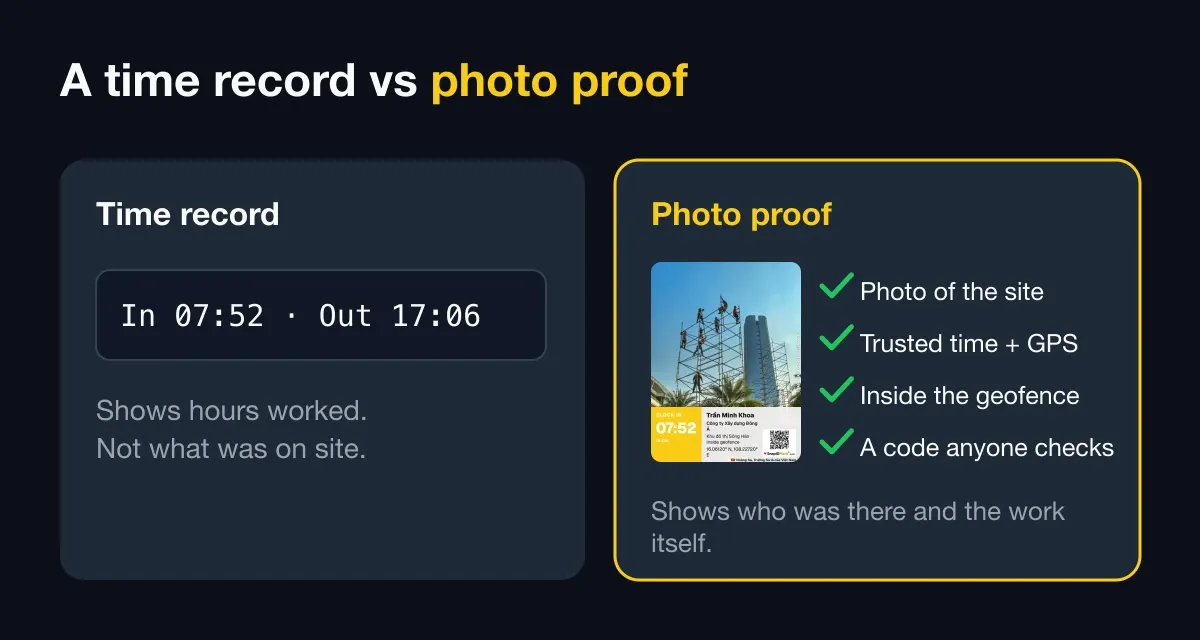
- Evidence for clients or disputes: you need an on-site photo, a time nobody can edit, and a way for others to check it.
- Payroll, leave and scheduling too: you need HR software. See employee attendance management software and HR software vs a photo attendance app.
Still deciding between a wall-mounted time clock and a phone app? Read fingerprint time clock vs attendance app.
Summary table
Based on each vendor’s official pages as of October 2026. Check again before you decide, because free tiers change often.
| App | How free | GPS, geofence | Photo at clock-in | Notes |
|---|---|---|---|---|
| SnapID Mark | Free for individuals, 5 free seats in every workspace | Yes, 20 m to 50 km, optional block | Every clock-in is a photo with a verification code | No payroll |
| Jibble | Free plan, unlimited users | Yes | Selfie, facial recognition | Pricing page does not say which plan includes GPS |
| Connecteam | Free Small Business plan up to 10 users | Yes, plus GPS tracking while on the clock | Selfie on a shared kiosk | Syncs with payroll providers |
| Timemark | Free plan, with photo and project limits in Teamspace | GPS on every punch, geofence not described | Every punch is a photo | Team plans billed per seat |
| Tanca | 14-day trial, no card | Yes | Face ID, AI camera | Includes payroll |
| MISA AMIS Attendance | Free trial button, no ongoing free plan mentioned | GPS | Face ID, QR, Wi-Fi | Syncs with AMIS Payroll |
Free attendance apps: what is actually free?
This is the question most readers have. A summary from each vendor’s pricing and product pages, as of October 2026:
- SnapID Mark: free for personal use (with ads). Every workspace includes 5 free seats, no payment card is needed to start, and workspaces have no ads. Bigger teams pick a 10, 25, 50 or 100-seat plan; see pricing.
- Jibble: the pricing page lists a free plan for unlimited users, covering mobile and web clock-ins, basic timesheets and some integrations. GPS, geofencing, face recognition, offline mode and kiosk are listed as Jibble features but not assigned to a specific plan on that page.
- Connecteam: the Small Business plan is free for up to 10 users, and the pricing page says it includes all hubs and features. From the 11th user you need a paid plan; check their pricing page.
- Timemark: has a free plan. Per its plan comparison page, a free Teamspace is limited to 100 photos and 3 projects, photos carry the Timemark watermark, and exports are limited. The Business plan is billed per seat.
- Tanca: a 14-day trial with no card. The home page does not mention an ongoing free plan.
- MISA AMIS Attendance: a free trial button, with no ongoing free plan mentioned. See their pricing page or contact MISA.
So the best free attendance app depends on your team. Up to 10 hourly staff: Connecteam or Jibble are well worth trying. A small crew that needs photo proof on sites or at client homes: SnapID Mark fits better.
Each option
SnapID Mark
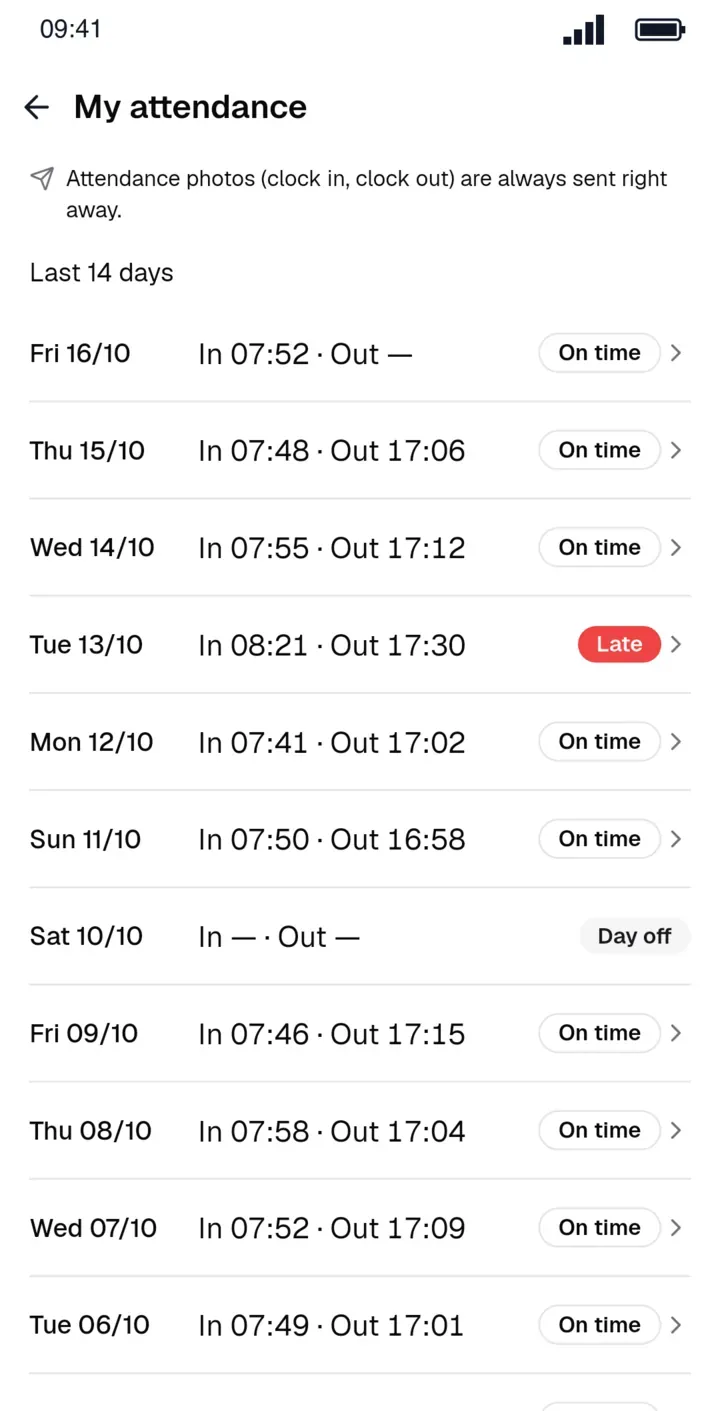
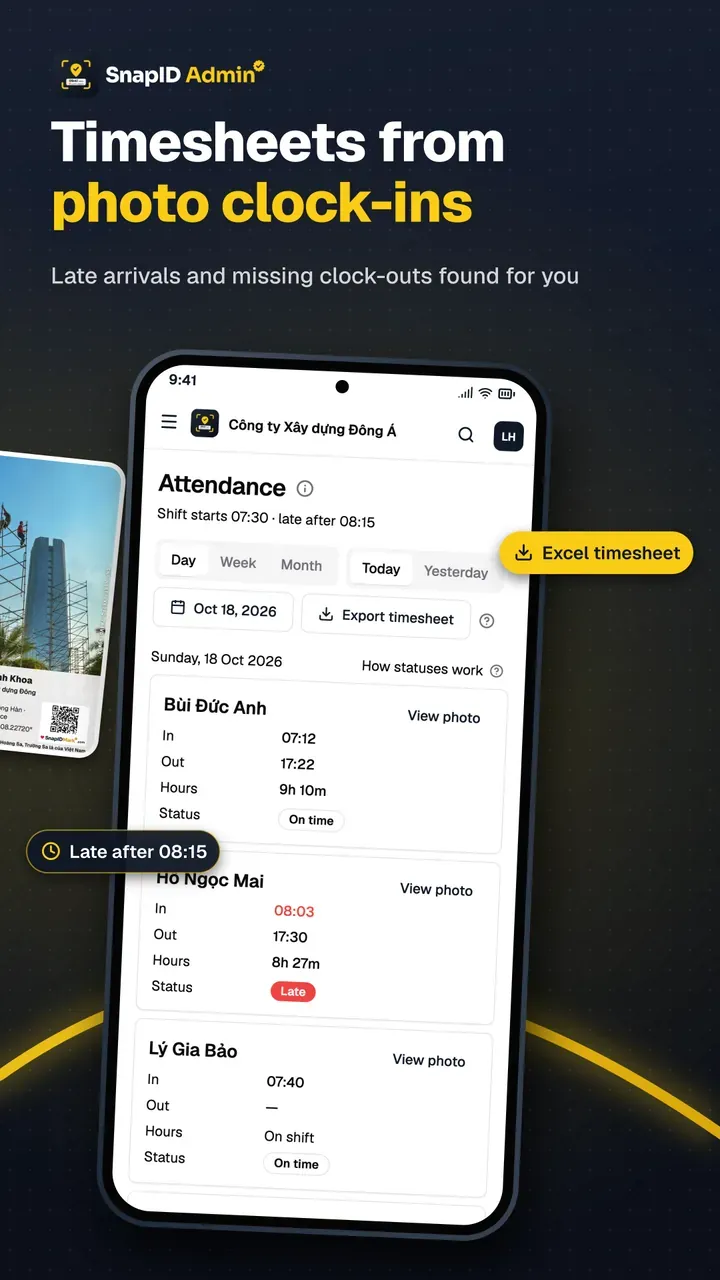
A photo attendance camera. Members pick Clock in or Clock out and take a photo. The photo carries server-synced time, coordinates, a SnapID code and a QR code. In workspaces the app blocks capture while a mock-location app is detected. Admins see a daily status (On time, Late, Missing clock-in, Missing clock-out, Absent, Day off) and export an Excel timesheet. How phone clock-ins work day to day is covered in clock in with a phone app.
Not included: payroll, leave, scheduling, Wi-Fi or face clock-ins, API, SSO.
Jibble
Per Jibble’s pages: free, unlimited users. GPS, geofencing, facial recognition, offline mode and kiosk. The pricing page says the free plan covers mobile and web clock-ins and basic timesheets, but does not state whether GPS or face recognition are included. See the detailed Jibble alternative comparison.
Connecteam
Per Connecteam’s time clock and pricing pages: free for up to 10 users for small businesses. Geofenced work areas, GPS tracking while on the clock, selfies on a shared kiosk tablet, and hours synced to a payroll provider or exported as PDF or XLS. The page does not mention offline clock-ins. See the Connecteam alternative.
Timemark
A timestamp camera with photo clock-ins: Clock in, Start break, End break and Clock out, each with a photo, time and GPS, then an Excel timesheet. Per Timemark’s pages, time comes from the network, and a photo gets no Photo Code if a changed clock or mock location is detected. See photo attendance apps compared.
Tanca
Vietnamese attendance and HR software: GPS, Wi-Fi, Face ID, AI camera, timesheets and payroll. 14-day trial. See the Tanca alternative.
MISA AMIS Attendance
Per MISA’s pages: app clock-ins by GPS, office Wi-Fi, QR codes (including codes that change every few seconds to stop cheating) and Face ID. Data links with AMIS Payroll so salaries are calculated from finalized timesheets. A good fit for companies already on MISA.
What about time trackers like Clockify and Hubstaff?
These track working time, often per project, rather than clock-ins at a place. If you are weighing them, see the Clockify alternative and the Hubstaff alternative.
Choose by team size
- Under 5 people working on sites or at client homes: SnapID Mark is free and gives you photo proof.
- Up to 10 people paid by the hour: Connecteam or Jibble are worth a try.
- Over 20 people with payroll and scheduling: HR software such as Tanca or MISA AMIS, optionally with SnapID Mark for the field crew.
Whatever you pick, trial it with the oldest phone on the team and in the place with the worst signal. Attendance methods compared weighs GPS against fingerprint, Wi-Fi and paper.
Free, but what does it cost elsewhere?
- Admin time: if the app cannot export a usable timesheet, the accountant still does it by hand.
- Fraud: GPS alone without fake-location detection is easy to beat. See how to stop attendance fraud.
- Personal data: face recognition or continuous location tracking need clear notice to staff.
FAQ
What is the best free attendance app in 2026?
There is no single best app for every team. Up to 10 hourly staff should try Connecteam or Jibble. Small field crews that need photos with trusted time and a verification code should try SnapID Mark with its 5 free seats.
Is any GPS attendance app completely free?
Some are, but usually with limits on users or features. Read the pricing page carefully and trial it before rolling out company-wide.
Can GPS attendance be faked?
Yes, if the app does not check for mock locations. SnapID Mark blocks capture in workspaces while a mock-location app is detected and flags rooted phones.
Do staff need a connection to clock in?
Not with SnapID Mark. The photo records the real capture time and uploads later. Late uploads are flagged for the Owner and Admins to cross-check.
Get started
Download SnapID Mark from the App Store or Google Play, then create a free 5-seat workspace on the admin website. The step-by-step rollout is in the photo clock-in rollout guide.
See also: Lark Attendance vs photo attendance, multi-location attendance and construction crew attendance.
Jibble, Connecteam, Timemark, Tanca, MISA AMIS, Clockify, Hubstaff and other names are trademarks of their respective owners and are used for descriptive purposes only. Information about other apps is based on their official pages as of October 2026 and may have changed.