
Photo Attendance Apps Compared: Timemark and Others
Photo attendance apps for small businesses compared: Timemark, SnapID Mark and other options. Criteria, a comparison table, costs and a rollout plan.
For teams spread across many locations, such as construction, building cleaning, security or retail field sales, a fingerprint terminal at the office is close to useless. That is why many small and mid-sized businesses in Vietnam and elsewhere have moved to photo attendance: the worker takes a photo at the work site, the photo carries time and location, and a manager reviews it on a phone or computer.
This guide compares the common options, including Timemark and SnapID Mark, on what small business owners actually care about: does it stop cheating, does it save admin time, and what does it cost as the team grows.
Ways to do photo attendance today
1. Photos posted to a chat group
The most common approach in small businesses. Workers post a selfie from the site to a group chat.
- Pros: free and everyone knows how.
- Cons: the message time is not the capture time, a photo may be from yesterday, there is no trustworthy location, and at month-end someone scrolls through thousands of messages to build a timesheet.
2. Free timestamp cameras
Workers use a camera that stamps time and location, then send the photo.
- Pros: photos carry clear information.
- Cons: many apps take time from the phone or allow typing a location. Someone still compiles everything by hand. See GPS Map Camera and NoteCam alternatives.
3. Photo attendance apps with team management
Apps with clock-in and clock-out modes that collect photos in one place and build the timesheet. Timemark and SnapID Mark are in this group.
Timemark vs SnapID Mark for attendance
Timemark information comes from Timemark’s attendance solution page and Google Play listing as of the publish date.
| Criterion | Timemark | SnapID Mark |
|---|---|---|
| How workers clock in | CLOCK tab, tap Clock In / Clock Out and take a photo | Clock in / Clock out modes on the camera |
| Capture time | Network time, not the phone clock | Server-synced time, correct even offline |
| Fake location, clock changes | No Photo Code, so the photo fails verification | Capture blocked while a fake location app is on, rooted devices and late uploads flagged |
| Picking from the gallery | No, photos must be taken in the app | No, photos must be taken in the app |
| Geofence | Not described on the attendance page | 20 m to 50 km radius, optional blocking outside the zone |
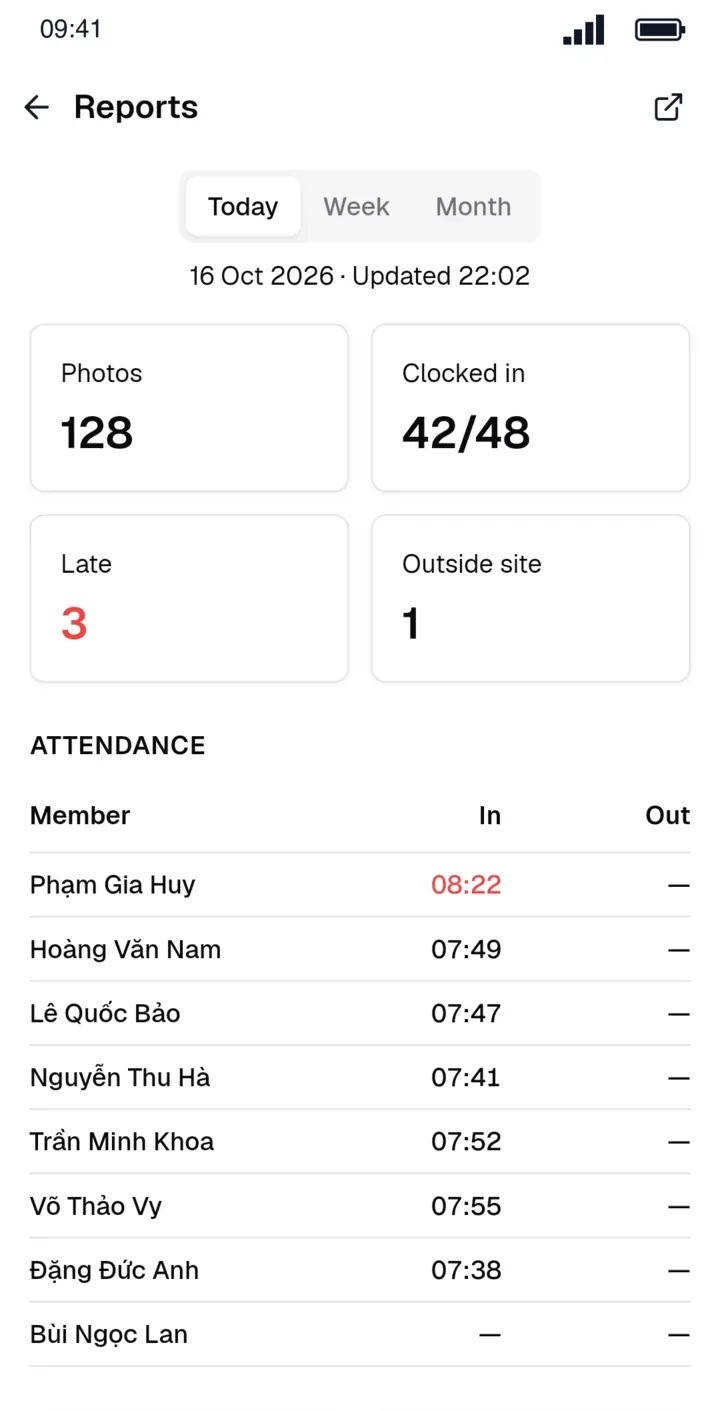
| Daily status | Work time calculated with breaks removed | On time, Late, Missing clock-in, Missing clock-out, Absent, Day off |
| Editing hours | Work time cannot be edited by hand | Admins can enter times manually, every change is logged |
| Timesheet | Team sheet exports to Excel | Timesheet Excel for a chosen date range |
| Photo verification | Photo Code | SnapID code, QR, SHA-256 file match |
| Languages | 20+ languages | 19 languages, including Vietnamese and English |
| Cost | Free plan, team plans priced per user | Free up to 5 people, plans for 10, 25, 50 and 100 seats |
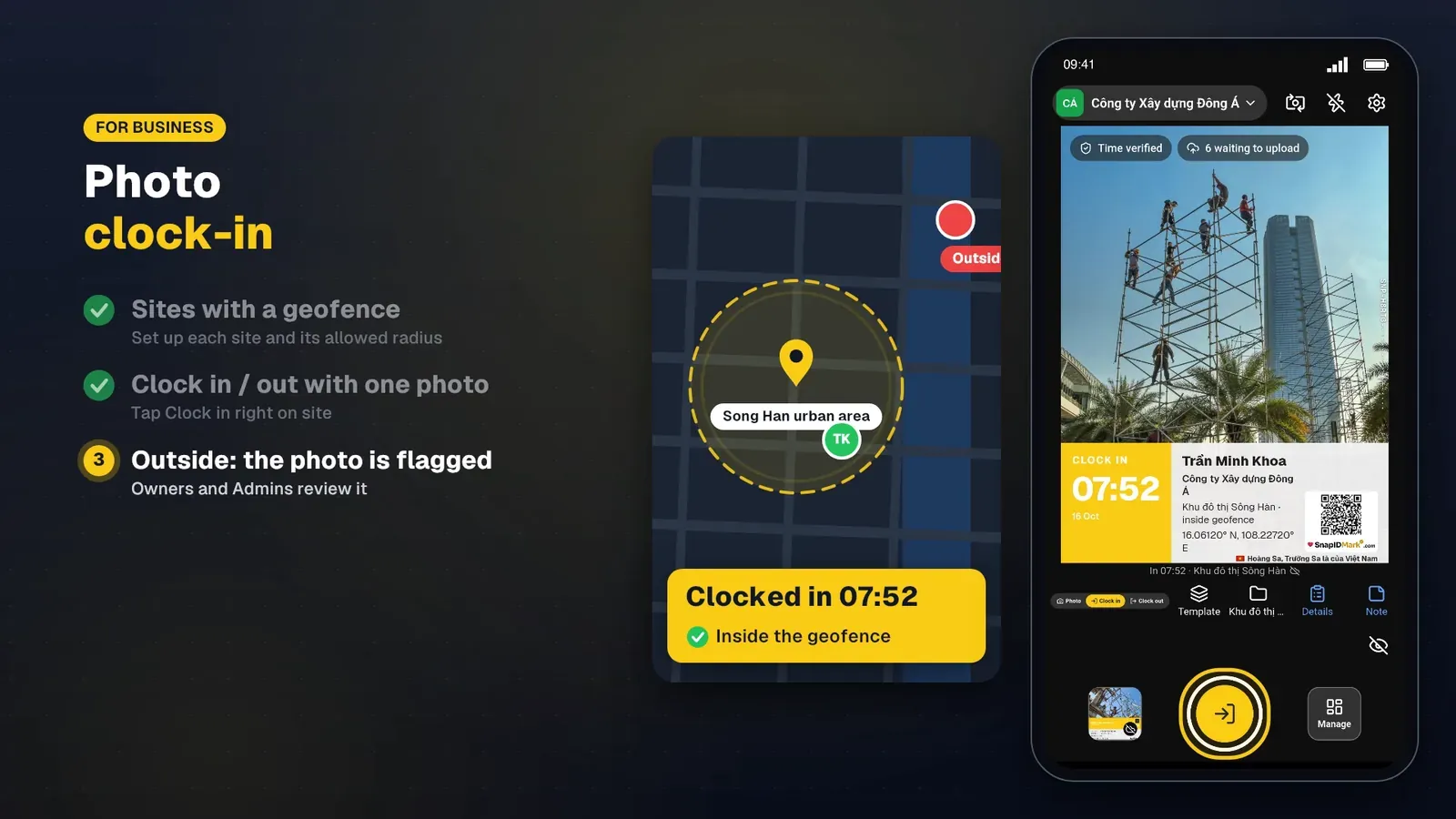
The two apps take different views on editing hours. Timemark stresses that work time cannot be edited by hand. SnapID Mark lets the Owner or an Admin enter times manually (for example when a worker forgets to clock out) but logs every change for audit. Pick what matches your company policy.
Criteria that matter for small businesses
Stopping buddy punching and remote clock-ins
The most common cheats are clocking in from home or asking a colleague to do it. You need at least three layers: time independent of the phone, real GPS with fake location checks, and an allowed zone around each site. See how to stop attendance fraud.
A sensible geofence radius
Too small and workers in basements or among tall buildings get flagged unfairly. Too large and the zone means nothing. Read how to choose a geofence radius for reference values by site type.
Month-end admin time
Ask your accountant how many hours the timesheet takes today. A good app exports an Excel timesheet for the right date range with a status per day, so the accountant only reviews exceptions.
No signal on site
Basements, cold stores and rural sites often have no connection. The app must allow clock-in offline and record the capture time, not the upload time. In SnapID Mark, photos uploaded more than 15 minutes late are marked for Owner and Admin review.
Worker privacy
Photo attendance should only record location at capture, not track people all day. SnapID Mark does not track location in the background. Put that in your photo attendance policy so staff feel comfortable.
Cost: an example with 12 people
Say a cleaning company has 2 managers and 10 cleaners across 6 buildings.
- Chat group: no software cost, but the accountant spends hours each month reconciling, with almost no evidence when hours are disputed.
- Per-user apps: the price per user times 12. Check the provider’s current pricing page.
- SnapID Mark: the first 5 seats are free. A 12-person team needs the 25-seat plan, bought in the app.
Do not compare software prices alone. Include admin hours and the cost of a single payroll dispute.
A one-week rollout
- Add sites and radii on the admin website.
- Set shift start and the late threshold.
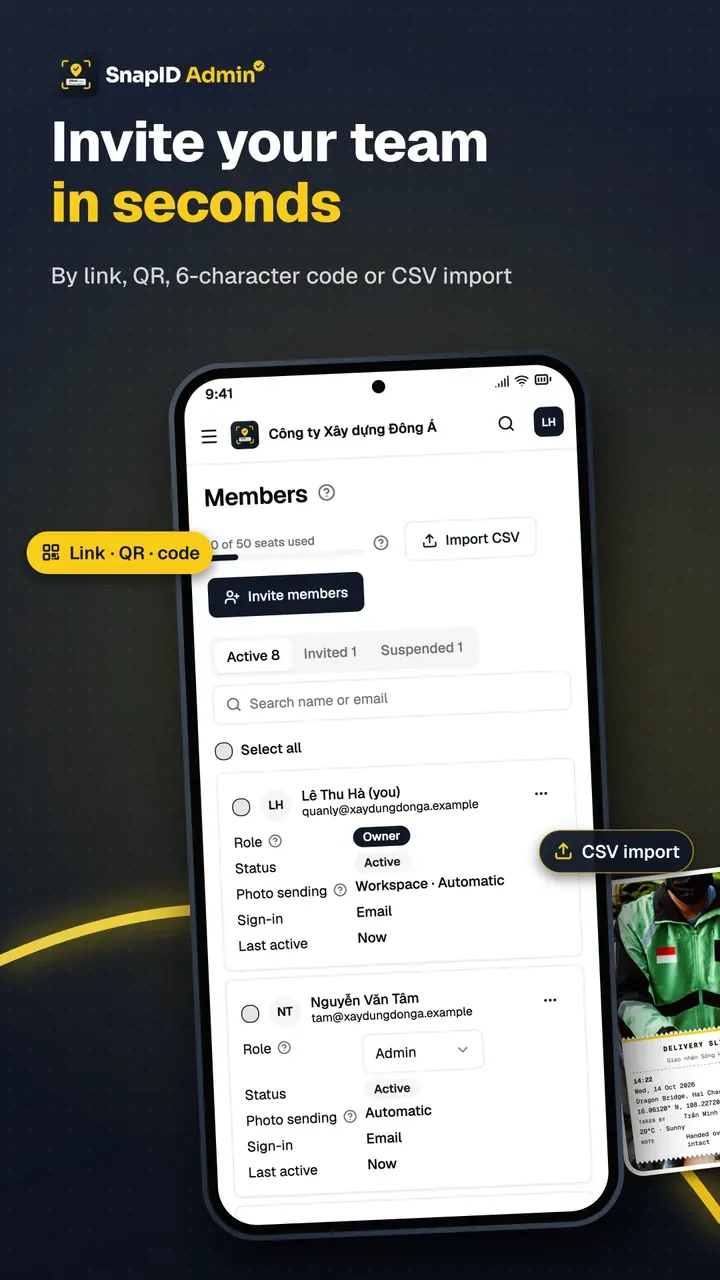
- Invite staff by code, link or CSV file. See Invite members.
- Show staff the Clock in and Clock out modes. See Photo attendance.
- After a week, export the timesheet and compare it with your old method.
The full walkthrough is in our photo clock-in rollout guide.
Further reading:
- Teams already on MISA AMIS can read the MISA AMIS attendance alternative to see how to run both.
- Already logging hours in Clockify? See the Clockify alternative guide for adding geofenced photo clock-ins.
- Already on Base HRM? Read Base Checkin vs SnapID Mark for field teams.
FAQ
Does a photo attendance app need face recognition?
Not necessarily. Face recognition helps stop buddy punching, but it means collecting biometric data, which needs careful handling under personal data rules. SnapID Mark does not use face recognition. See attendance methods compared.
Can staff with older phones clock in?
Yes, as long as the phone runs the app and has GPS. Test with the weakest phone on the team first.
Do workers need to take a selfie?
Not with SnapID Mark. They can use the front or back camera, for example to photograph the site gate.
Get started
Download SnapID Mark and create a free five-seat workspace on the admin website. Weighing the two apps? Read Timemark vs SnapID Mark.
See also: free GPS attendance apps, Jibble alternative, Tanca alternative and HR software or a photo attendance app.
Timemark and other app names are trademarks of their respective owners and are used for descriptive purposes only. Information is based on official websites and app store listings as of the publish date and may have changed.