
Construction Crew Attendance by Phone: A Field Guide
Track construction crew attendance across sites with GPS photos: site radius, weak signal, subcontractors, workers without smartphones and timesheets.
Attendance on a jobsite is much harder than in an office: crews move between several sites a month, temporary gates shift as work progresses, basements have no signal, and workers come from several crews and subcontractors. Fingerprint clocks at the gate fail from dust and power cuts. Paper registers only show mistakes at month end. Many contractors switch to crew attendance by phone, with each person taking one photo at clock-in and one at clock-out.
This guide covers what is specific to construction. For a general rollout, see the photo clock-in rollout guide.
One site per jobsite
On the admin website, add each jobsite as a site with a centre and radius:
- Townhouses, small plots: 50 to 100 m.
- Factories, large developments, long projects: 200 to 500 m, or split into several sites by zone.
- Roads, pipelines: split into sections, one site each, and update them as the work front moves.
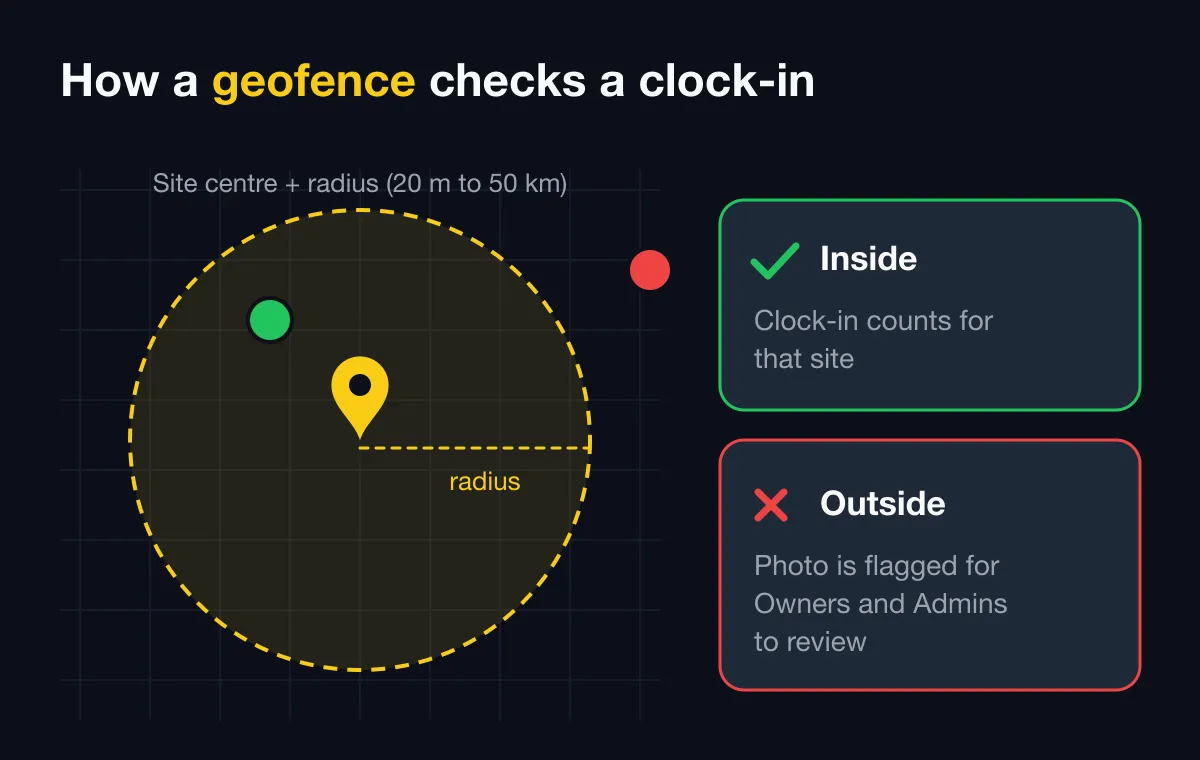
Put the centre at the gate or site office where workers actually stand to clock in, not in the middle of the plot. Radius advice is in geofence attendance radius. For GPS error around tall buildings, see phone GPS accuracy explained.
Weak signal, basements, remote sites
This is where many phone time clocks struggle. Look for an app that:
- Clocks in offline and still records the correct time.
- Doesn’t trust the phone clock, so workers can’t change it and clock in.
- Flags late uploads, so managers know which records to ask about.
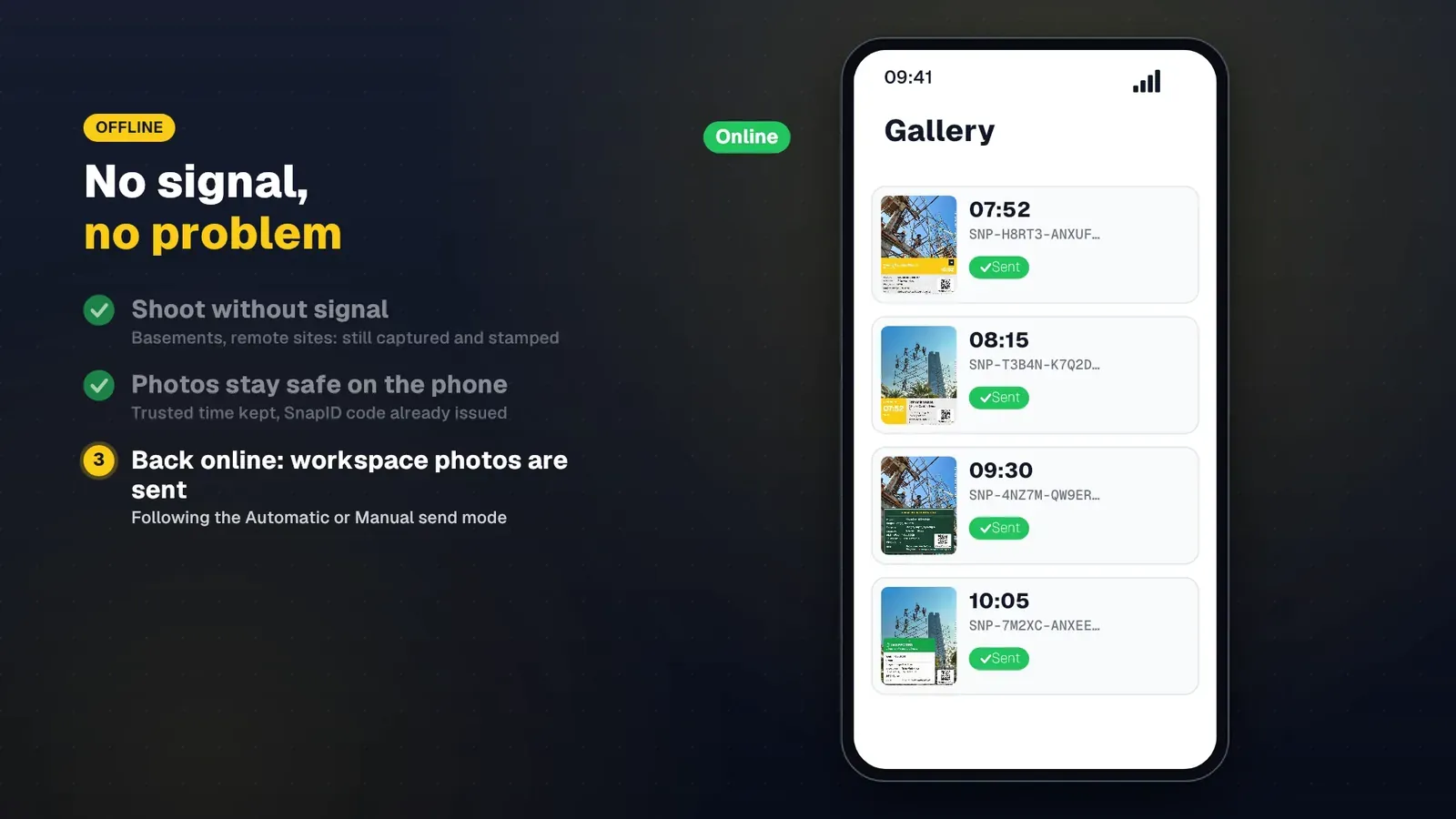
With SnapID Mark, attendance uses the trusted capture time, photos upload when signal returns, and uploads more than 15 minutes late are flagged. See Photo attendance.
Crews, subcontractors and seasonal workers
- One account per person. A Clock in photo is tied to the account that took it, so a foreman can’t clock in the whole crew. That is useful when you need to know exactly who was there.
- Invite quickly by link, QR or 6-character code when a new crew arrives. See Invite members.
- Suspend people who have left the site instead of deleting them, to keep their history. Note that active, invited and suspended members each count as a seat.
- Subcontractors can join the main contractor’s workspace, or run their own and send timesheets. The first is easier to control.
Workers without smartphones
Some workers use feature phones or don’t want to install an app. A few options:
- The foreman keeps a signed paper roll call and takes a start-of-shift group photo of the crew in the app as a work photo, with Crew and Headcount fields.
- Hours for these workers are entered by hand at month end and checked against the group photos.
- Write this down in your policy to avoid disputes. See photo attendance policy.
It is not as strict as everyone clocking in themselves, but it gives better evidence than a paper register alone.
What the clock-in photo should show
A selfie is not required. Many sites choose to photograph:
- The site gate or project sign board at clock-in.
- The work area at clock-out, which records attendance and end-of-day progress at once.
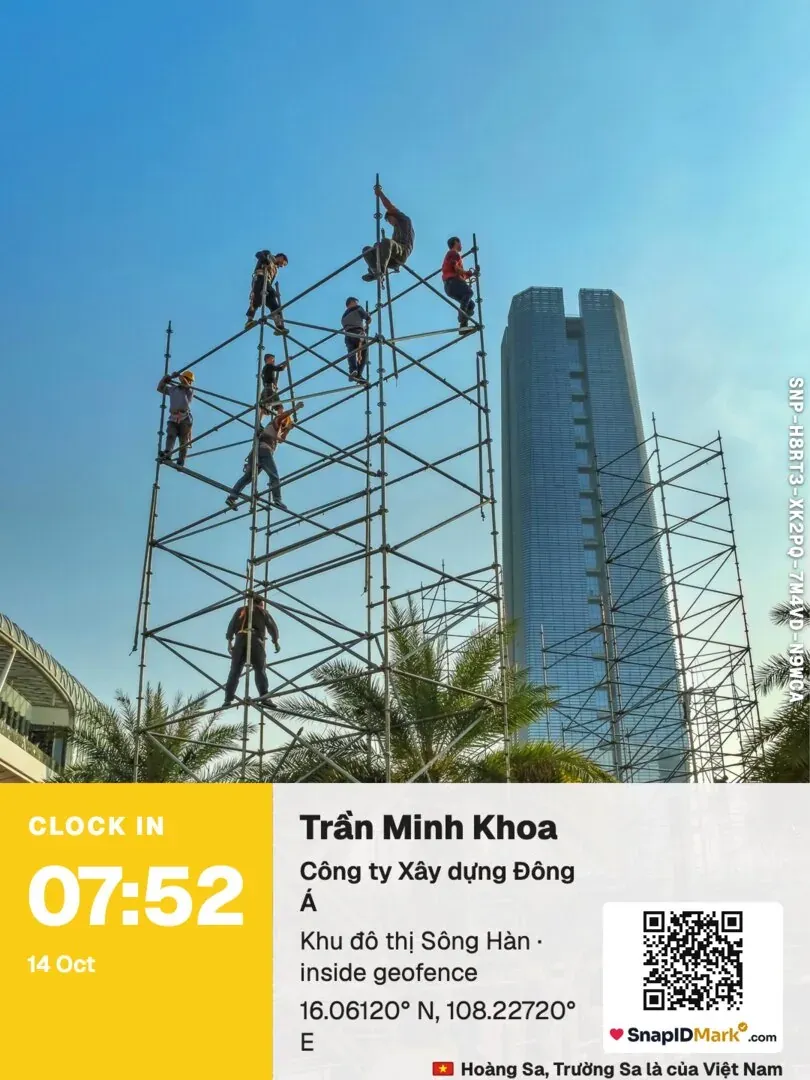
For stricter protection against buddy punching, your policy can require a selfie with a hard hat. For a comparison with face terminals, see face recognition vs GPS photo attendance.
Exporting the monthly timesheet
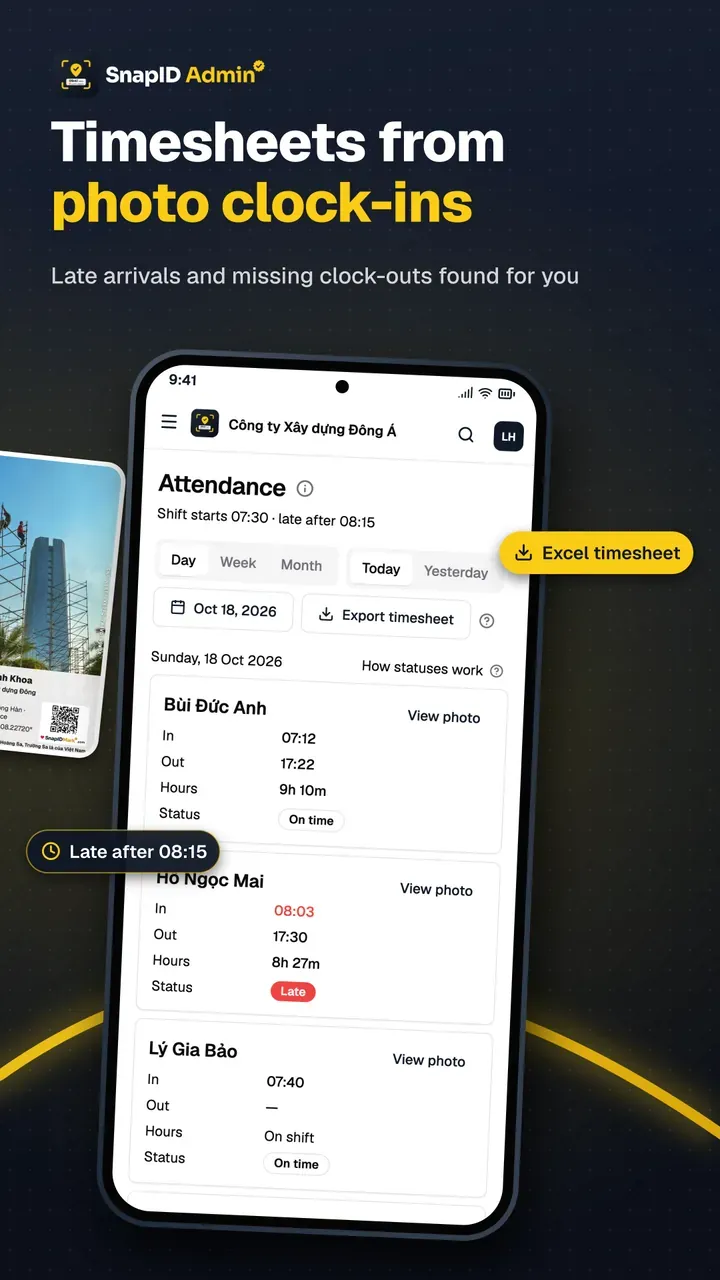
On the admin website, Attendance shows each day’s status: On time, Late, Missing clock-in, Missing clock-out, Absent, Day off. Click Export timesheet to download an Excel file for a date range, then move it into payroll or HR software. If someone forgets to clock out, an Owner or Admin can enter the time manually. See Export data.
What SnapID Mark does not have
- No payroll, piece-rate pay, rotating shifts or leave requests.
- No Wi-Fi or face recognition clock-in, no shared kiosk.
- Every worker needs a smartphone and an account with a verified email.
- No API or HR integrations yet, no SSO.
- A SnapID code is not a legally certified timestamp.
If you are comparing this with Procore timecards, read the Procore alternative for small contractors. Coming from a US time tracker? See our ClockShark alternative comparison.
FAQ
What if a worker uses a fake GPS app to clock in from home?
In a workspace, the app blocks capture when it detects a mock-location app. You can also block rooted or jailbroken phones. See Location and GPS and Block rooted devices.
A worker is on two sites in one day. How do they clock in?
Clock in at the first site and clock out at the last one. Work photos during the day record the job at the second site. The timesheet uses the day’s clock-in and clock-out times.
Is it free?
Businesses start with a free 5-seat plan. For larger crews, the owner buys more seats in the app. For other free options, see free GPS attendance apps.
Get started
Download SnapID Mark, create a workspace on the admin website and pilot it with one crew on one site for two weeks. Comparing apps? See the Connecteam alternative and the Jibble alternative.
Connecteam, Jibble and other app names in this article are trademarks of their respective owners and are mentioned for descriptive purposes only.