
Jibble Alternative: GPS Attendance With Photo Proof
Jibble is a popular free GPS time tracker. How it compares with SnapID Mark when your crew needs on-site photo proof, verifiable photos and a simple geofence.
Search for a free GPS time clock and Jibble is almost always near the top. It is a widely used time tracker. But tracking hours and proving that someone was on site and did the work are two slightly different needs. This guide helps you see which one you have.
What Jibble does
According to Jibble’s home page as of the publish date:
- The home page says free forever, unlimited users. Its FAQ lists what the free plan includes: desktop time tracking, mobile and web clock-ins, basic timesheets and some integrations. It does not say whether GPS, geofencing or facial recognition are part of the free plan.
- GPS location on every clock-in and clock-out. Geofencing restricts clock-ins to approved locations.
- Facial recognition and selfies to verify identity and stop buddy punching.
- Offline clock-ins that sync once online.
- A kiosk mode for shared tablets.
- Pay-period timesheet approval, with exports to payroll and accounting tools such as Xero, QuickBooks and Deel.
- iOS, Android, web, desktop, a Chrome extension, and clock-ins from Slack and Microsoft Teams.
If you need hours for payroll, especially for hourly staff, Jibble has a very complete feature set.
When to consider something else
You need site photos, not just hours
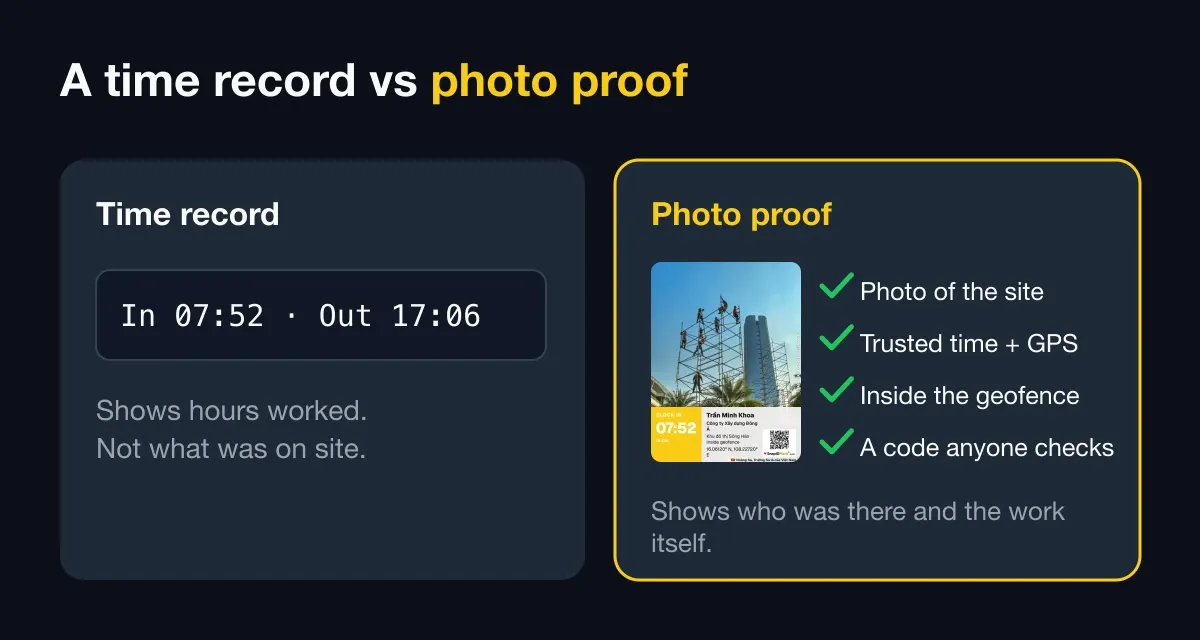
Owners and clients don’t care how many hours a technician logged. They want photos: the pipe before it was covered, the floor after cleaning, the delivered goods. A pure time clock is not built for photo reports.
Outsiders need to check the photos
A clock-in photo is usually visible only to managers inside the system. With SnapID Mark every photo has a SnapID code and QR so the recipient can check the capture time and area and compare the file to the original.
You would rather not use face recognition
Face data is biometric and needs careful handling under data protection rules. Some businesses prefer a lighter approach: a photo of the place (site gate, machine) plus trusted time and location.
Your crew works in Vietnamese
Check the app language on your staff’s phones before rolling out. SnapID Mark is fully available in Vietnamese, English and 17 other languages.
Quick comparison
| Criterion | Jibble (per its official pages) | SnapID Mark |
|---|---|---|
| Main purpose | Time tracking, timesheets, payroll | Verifiable photo proof, photo attendance |
| GPS on clock-in | Yes | Yes, precise location required in workspaces |
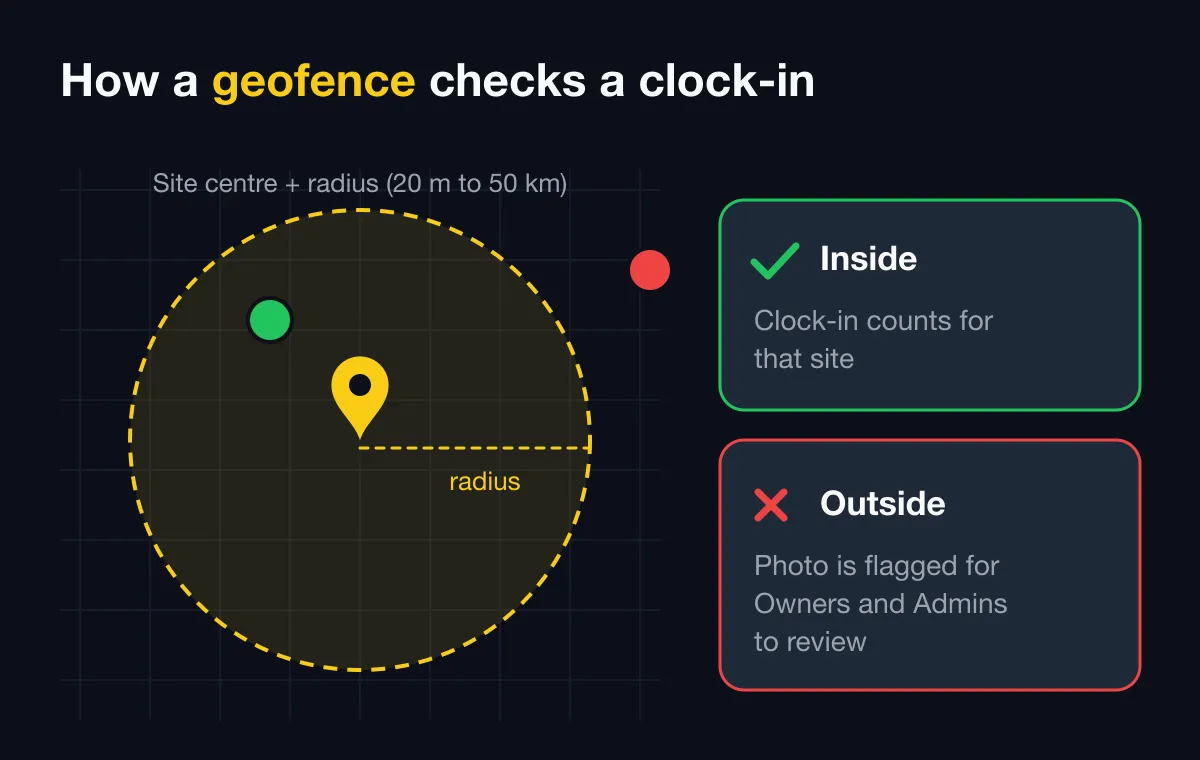
| Geofence | Yes | 20 m to 50 km radius, optional block outside the zone |
| Face | Facial recognition, selfies | No face recognition, selfie not required |
| Continuous location | Optional live location tracking | No background tracking, location only while the app is open |
| Offline | Yes, syncs later | Yes, correct capture time, uploads over 15 minutes late are flagged |
| Work photos during the day | Not the focus | Yes, same camera as attendance |
| Verification for outsiders | Not described | SnapID code, QR, SHA-256 file check |
| Payroll, leave | Timesheets, payroll exports | None, Excel timesheet export only |
| Integrations | Slack, Teams, accounting tools | No API or integrations yet |
Can you use both?
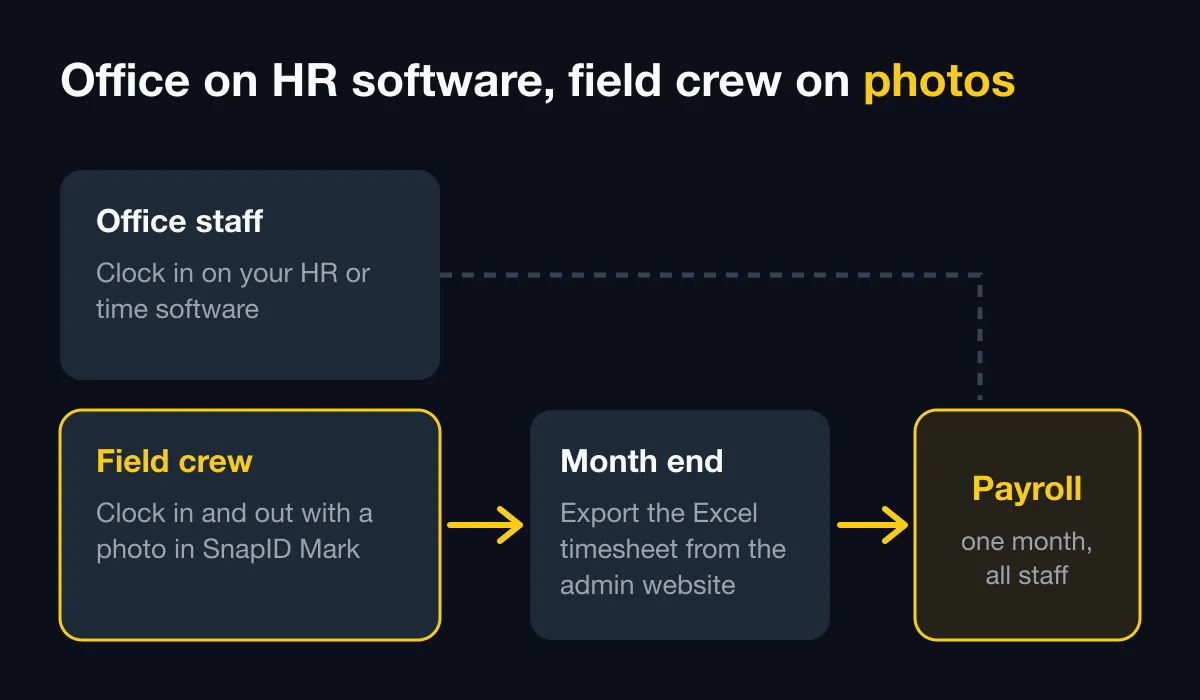
Yes, and sometimes it makes sense. The office keeps its time or HR software for payroll, while the field crew uses SnapID Mark for handover photos and on-site clock-ins. At month end, the accountant cross-checks against the SnapID Mark Excel timesheet. See HR software vs a photo attendance app for how to split the roles.
What SnapID Mark does not have
- No payroll, leave or overtime management.
- No shared kiosk. Everyone clocks in on their own phone.
- No API, integrations or SSO yet.
- Stamped video stays on the phone; video files are not uploaded.
A five-day trial
- Create a workspace on the admin website and add sites with a radius. See how to choose a geofence radius.
- Set the shift start and the late threshold.
- Invite three to five people. See Invite members.
- Have them use Clock in and Clock out. See Photo attendance.
- Export the Excel timesheet and compare it with your current one.
If your crews work on construction sites, also read the ClockShark alternative. If you are also weighing a tracker with screenshots and payroll, see our Hubstaff alternative comparison.
FAQ
Is SnapID Mark free like Jibble?
SnapID Mark is free for individuals and for workspaces up to 5 people. Larger teams buy a 10, 25, 50 or 100 seat plan in the app.
Are workers tracked all day?
No. SnapID Mark only uses location while the app is open, to print it on the photo. See Phone permissions.
What about fake GPS apps?
In workspaces the app blocks capture while a mock-location app is detected. See how to stop attendance fraud.
Get started
Download SnapID Mark and create a free 5-seat workspace on the admin website. For more options, read free GPS attendance apps for small businesses.
Jibble and other app names are trademarks of their respective owners and are used for descriptive purposes only. Information about other apps is based on their official pages as of the publish date and may have changed.