
MISA AMIS Attendance Alternative for Field Teams
MISA AMIS is a full HR and payroll suite. When a MISA AMIS attendance alternative with photo proof fits field crews better, or when to use both.
Many Vietnamese companies already run MISA accounting software, so when they need a time clock, MISA AMIS is the first name that comes up. It is a complete HR suite: employee records, attendance, payroll, social insurance and personal income tax. Field teams often have a different question, though. A cleaning crew in a client’s building, a site crew or a sales rep on the road needs to show that the person was really at the right place, with a photo the client can check.
We make SnapID Mark, so this is written by a vendor. We try to keep it fair, say plainly where MISA AMIS is stronger, and be clear that SnapID Mark is not HR software.
Quick verdict
| Situation | Suggestion |
|---|---|
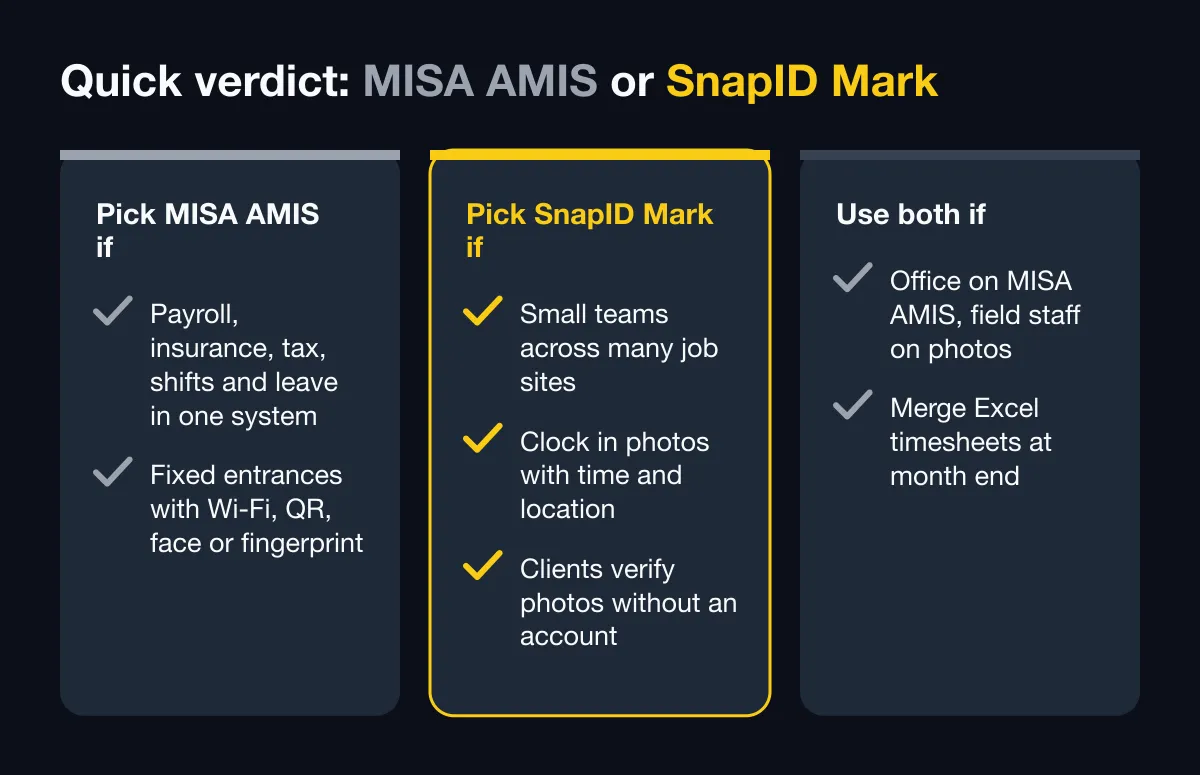
| You need payroll, social insurance, tax, shift scheduling and leave requests in one system | Pick MISA AMIS |
| Offices or factories with a fixed entrance, using Wi-Fi, QR, face or a fingerprint machine | Pick MISA AMIS |
| A small team across many job sites that needs Clock in photos with time and location as proof | Pick SnapID Mark |
| Clients or owners must verify work photos without an account | Pick SnapID Mark |
| The office already runs MISA AMIS, but field staff need photo proof | Use both and merge Excel timesheets at month end |
What MISA AMIS attendance does well
According to the MISA AMIS Attendance product page, the MISA AMIS HRM page and MISA’s App Store listing, as of October 2026:
- Many clock-in methods in one system: GPS on the phone, office Wi-Fi, static and dynamic QR codes (the dynamic code keeps changing to prevent cheating), face recognition, and data from fingerprint time clocks.
- Face check-in on phones: staff register their face from four angles, the system checks the images, then clock-in is allowed. It can be combined with GPS or QR. MISA also offers an AMIS Chấm công iPad app that turns a tablet at the entrance into a face recognition kiosk.
- Multi-branch timesheets: data from several check-in points and subsidiaries is combined and sent to staff to confirm.
- Shifts and requests: flexible, night and split shifts; staff file leave, business trip and overtime requests and managers approve on their phones.
- Payroll link: a locked timesheet flows into automatic payroll with deductions, social insurance and personal income tax, and connects to MISA accounting. The product page mentions an API gateway for outside data.
- An AI assistant suggests clock-in methods, helps with shift setup and summarizes attendance reports.
- A free trial is offered. For cost, check their pricing page or ask for a quote.
To be direct: if you need a full HR and payroll system, especially alongside MISA accounting, MISA AMIS does far more than SnapID Mark. SnapID Mark does not run payroll, schedule shifts or handle leave.
When field teams need something else
- You need a photo on site, not only a time entry. Cleaning, maintenance and construction crews often send photos to clients every shift. A photo clock-in records the time and the site in one step.
- Clients want to check for themselves. A building manager or project owner has no account in your HR system. They need to scan a code on the photo to see when and roughly where it was taken.
- Fake location is a worry. Detection of mock-location apps is not described on MISA AMIS’s official pages. For teams far from the office, this is a common risk.
- Sites have no signal. Offline clock-in is not described on their official pages. Basements and rural sites deal with this daily.
- The team is small. An 8-person workshop may only need a trustworthy timesheet that the accountant uses in Excel.
Criteria comparison
| Criterion | MISA AMIS (per its official pages) | SnapID Mark |
|---|---|---|
| Scope | HR suite: records, attendance, payroll, insurance, tax, reviews | Verified camera and photo attendance |
| Clock-in methods | GPS, Wi-Fi, static and dynamic QR, face, fingerprint machines | Clock in and Clock out photos with time and GPS stamp |
| Allowed area | GPS on the phone | Geofence of 20 m to 50 km per site, option to allow Clock in only inside |
| Shared kiosk | Yes, iPad face recognition app | No, each person uses their own phone and account |
| Clock-in time | Handling of phone clock changes not described | Synced with SnapID servers; changing the phone clock has no effect |
| Fake location | Not described on their official pages | Workspaces block capture while a mock-location app is on; rooted phones flagged |
| No signal | Not described on their official pages | Yes, correct time recorded, sent when back online |
| Work photos during the day | Not the focus | Yes, same camera, stamp with logo, notes and custom fields |
| Outside verification | Not described | SnapID code, QR code, SHA-256 file check on the verify page |
| Shifts, leave, overtime | Yes | No |
| Payroll | Yes, automatic from timesheets | No, Excel timesheet export |
| API and integrations | API gateway mentioned, MISA accounting link | Not yet |
| Languages | Website in Vietnamese; iPad app in Vietnamese and English | 19 languages, including Vietnamese and English |
| Pricing model | Free trial, quote-based pricing | Free for personal use; workspaces include 5 free seats, plans of 10/25/50/100 seats |
In short: MISA AMIS answers “how many days did each person work, and what do we pay them”. SnapID Mark answers “was this person on site at 7:30, and can anyone check that”. They are different questions, which is why many companies use both. The wider picture is in HR software vs a photo attendance app.
How photo attendance works in SnapID Mark
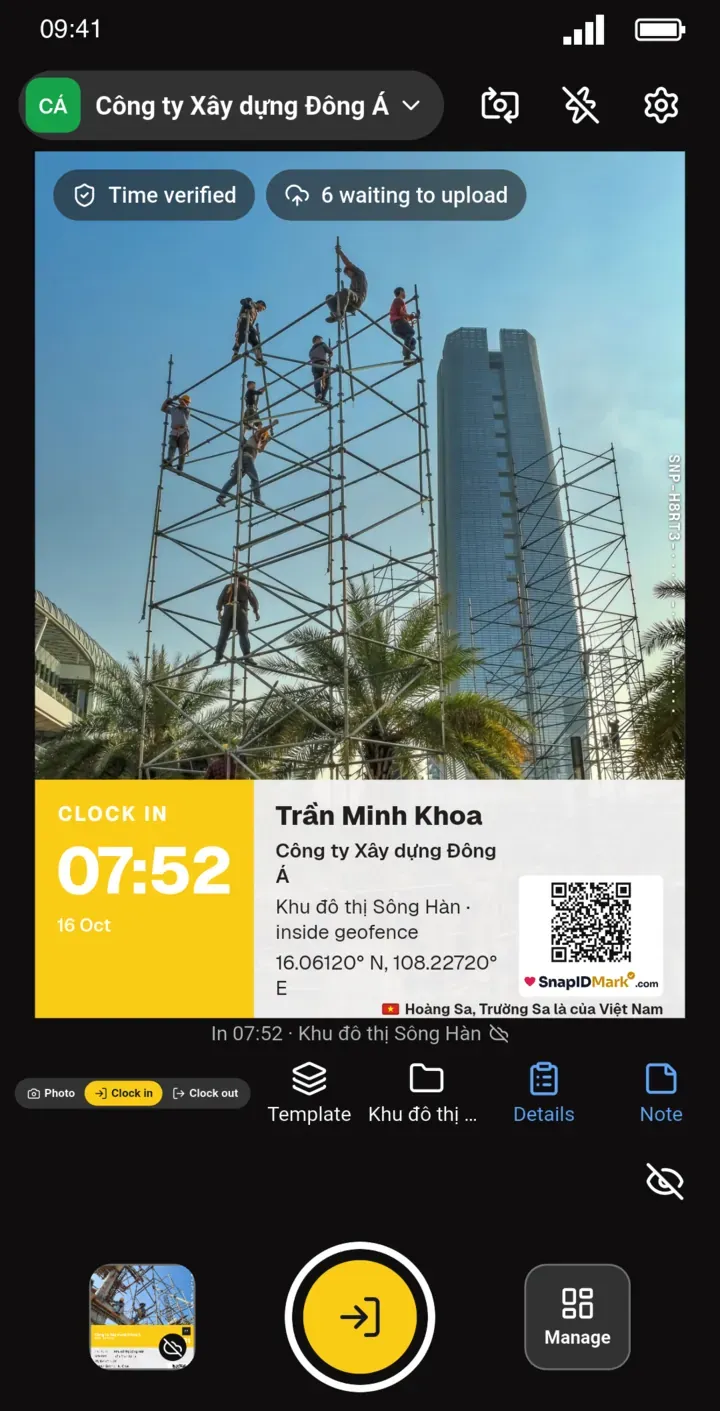
- A member opens the app straight into the camera, picks Clock in or Clock out, and takes the photo.
- The stamp shows trusted time, date, coordinates with GPS accuracy, address, a SnapID code and a QR code.
- The photo is checked against the site’s geofence. Outside the zone, weak GPS, clock drift and late uploads are flagged for Owner or Admin review.
- Rules live on the admin website: shift start, late-after time, work days, break and time zone.
- Reports show on time, late and hours worked per day. Missing Clock outs can be entered manually, with a change log. Timesheets export to Excel.
- Location is read only while the app is open to take a photo. No all-day tracking.
What SnapID Mark does not have
- No payroll, social insurance or income tax.
- No shift scheduling and no leave, business trip or overtime requests.
- No Wi-Fi, QR or face recognition clock-in, and no fingerprint machine link.
- No shared kiosk or tablet mode.
- No API or integrations yet, no SSO.
- A SnapID code lets others check a photo, but it is not a legally certified timestamp. See are timestamped photos valid evidence.
Who should pick which
Pick MISA AMIS if you have an HR team, payroll with many allowances, most staff in offices or factories, and want everything tied to MISA accounting.
Pick SnapID Mark if your team is small or mid-sized, works across changing sites, needs photo proof for clients, and your accountant just needs a reliable Excel timesheet.
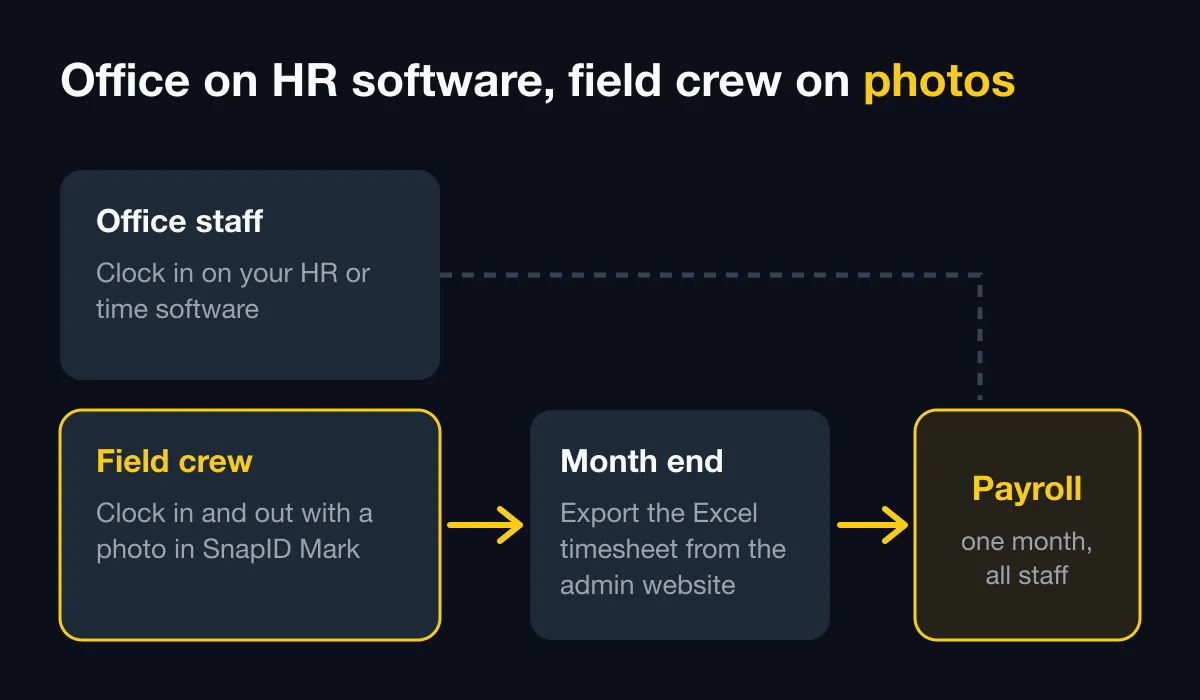
Use both if the office already runs MISA AMIS well. Field staff clock in with photos in SnapID Mark, and at month end the accountant exports the Excel timesheet into payroll. Since SnapID Mark has no API, this step is manual.
Run both side by side for two weeks
- Create a workspace on the admin website. New workspaces are approved by the SnapID team, no payment card needed.
- Add your sites and buildings with a suitable radius. See geofence attendance radius.
- Set shift start and late-after time in the rulebook.
- Invite 3 to 5 field members by code or link. See Invite members.
- For two weeks, the field team clocks in with photos while the office keeps using MISA AMIS. See Photo attendance.
- At the end, export the Excel timesheet and compare it with MISA AMIS. See Export data.
FAQ
Can SnapID Mark fully replace MISA AMIS?
No, not if you need payroll, insurance, tax, shifts or leave requests. SnapID Mark only covers on-site attendance and adds photo proof.
Can SnapID Mark timesheets flow into MISA AMIS automatically?
Not yet. SnapID Mark has no API or integrations. Export the Excel timesheet from the admin website and import it into your payroll system.
MISA AMIS already has GPS clock-in. Why add a photo app?
GPS clock-in records time and location. A stamped photo also shows the site at that moment, and people outside your company can verify it with the SnapID code. For teams that send proof to clients, that is the missing piece.
Are employees tracked all day?
No. SnapID Mark reads location only while the app is open to take a photo or clock in.
What happens on a site with no signal?
The Clock in photo is stamped with trusted time on the phone, waits in the queue and is sent as soon as there is a connection.
Get started
Download SnapID Mark, or get it directly from the App Store or Google Play, then create a workspace on the admin website. Comparing other HR tools? Read the Base Checkin alternative, the 1Office attendance alternative and fingerprint time clock vs attendance app.
MISA, MISA AMIS and other app names in this article are trademarks of their respective owners and are used for descriptive purposes only. Information about other apps is based on their official pages as of October 2026 and may have changed.