
1Office Attendance Alternative for Field Teams in Vietnam
1Office (1HRM) offers GPS, Wi-Fi and machine clock-in, shifts and requests. When a 1Office attendance alternative with verifiable photos fits better.
Many foreign-owned companies in Vietnam meet 1Office when their local HR or finance team proposes a Vietnamese management suite. It covers work, HR, customers and e-signing, and attendance sits inside its HR module, 1HRM, linked to shifts, requests and timesheets. For office and factory staff, that is a tidy setup. For people who work at client sites, project sites or stores, managers often still end up asking on Zalo or WhatsApp: “Which site are you at? Send me a photo.”
This guide compares 1Office attendance with SnapID Mark. We make SnapID Mark, so we say plainly where 1Office is stronger and what SnapID Mark does not do. You can pick one, or split the work between both.
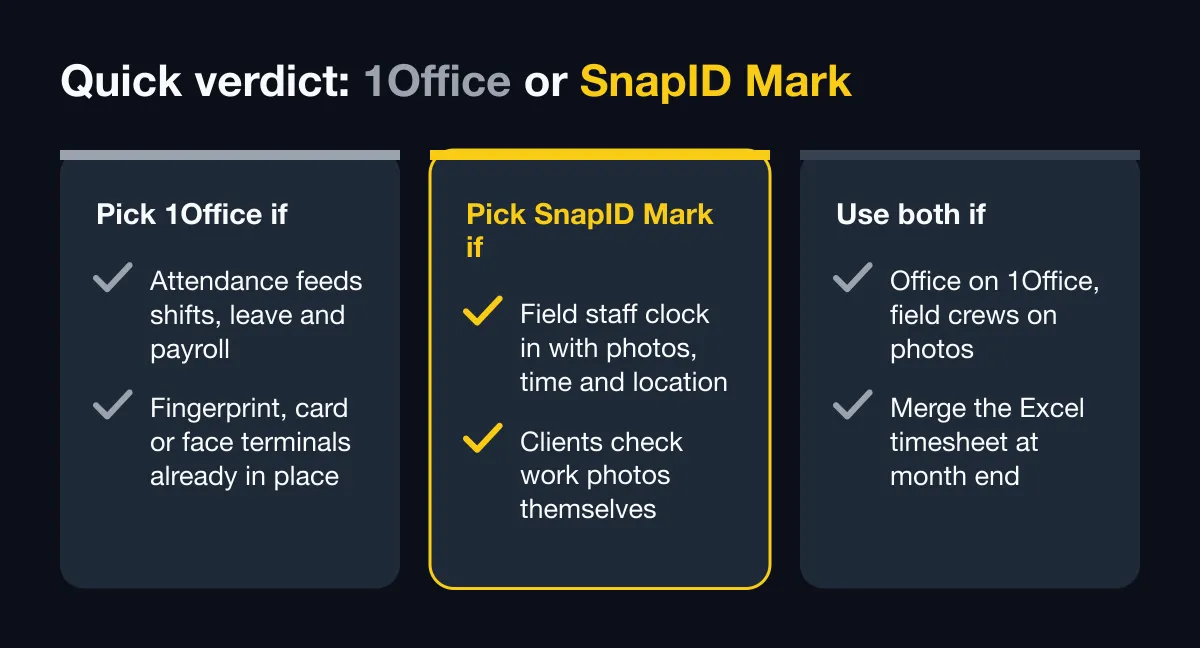
Quick verdict
| Situation | Pick |
|---|---|
| Attendance must feed shifts, leave, overtime, timesheets and payroll | 1Office (1HRM) |
| You already have fingerprint, card or face terminals in the office or factory | 1Office (1HRM) |
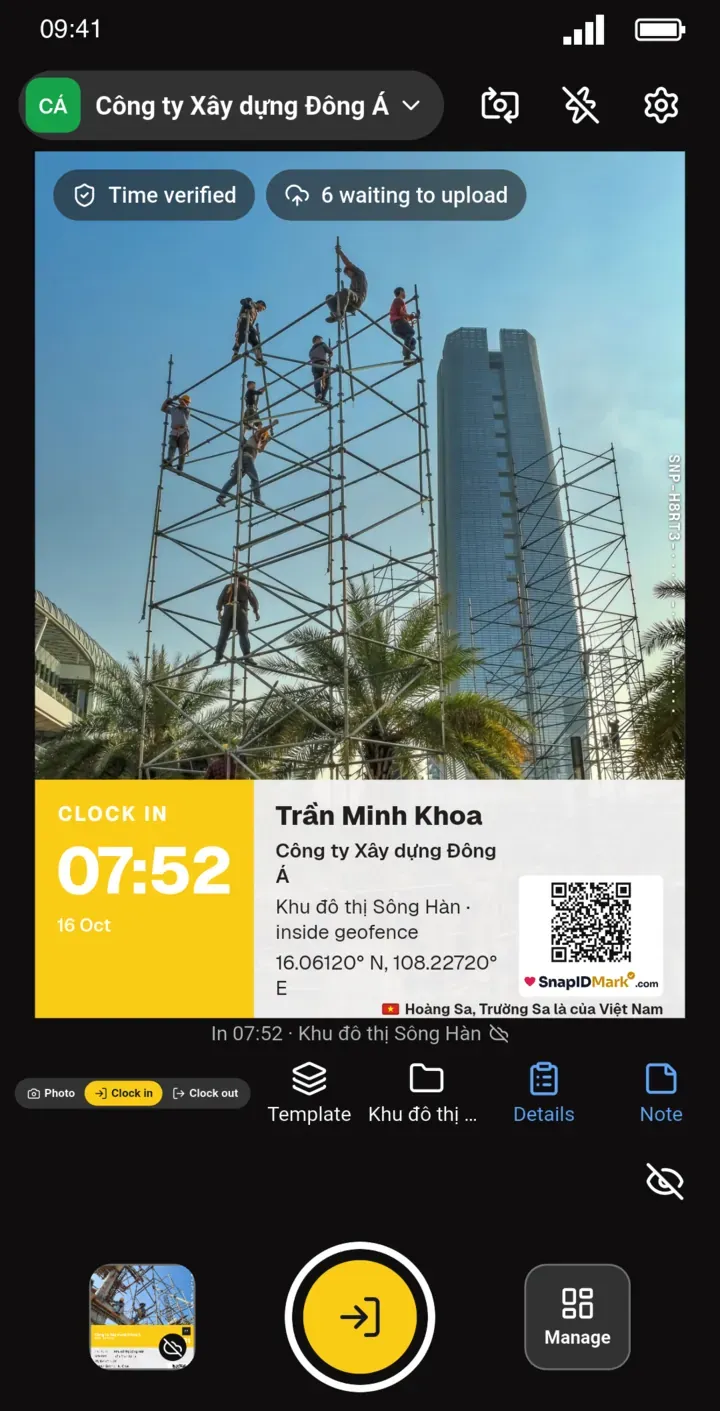
| Field staff need Clock in and Clock out photos with trusted time, location and a verification code | SnapID Mark |
| Clients or project owners must check work photos themselves | SnapID Mark |
| The office runs on 1Office, field crews also need photo proof | Use both, export the SnapID Mark Excel timesheet |
What 1Office attendance does well
According to 1office.vn (the attendance and pricing pages) and the 1Office App Store listing as of October 2026:
- Attendance is part of 1HRM, the HR module. The wider suite also includes 1WORK (work management), 1CRM (customers and sales) and 1SIGN (e-signing).
- Several clock-in methods: connection to most attendance machines (fingerprint, access card, face recognition), GPS and Wi-Fi clock-in, and mobile clock-in for remote staff.
- Shifts: office, split, rotating and night shifts. Staff register or swap shifts online, with manager approval.
- Requests: leave, late arrival and overtime requests with approval flows by department. Leave balances are tracked centrally, and approved requests sync into attendance data.
- Timesheets are aggregated in real time. The page mentions AI help for building attendance formulas (lateness, overtime, breaks). Reports can be filtered and exported for payroll, and payroll has its own product page.
- Release notes on the App Store listing mention device authentication, Wi-Fi information, and warning about or blocking virtual devices during clock-in.
- Pricing is per user per month with a minimum one-year contract, with full-suite plans and separate 1HRM plans. The pricing page does not list a free plan and offers a demo, so check their pricing page for details.
- The website is available in Vietnamese and English.
In short, 1Office is a full management suite. If you need attendance that runs together with shifts, leave, overtime and payroll, or you must pull data from attendance machines, 1Office does that better than SnapID Mark.
Some things are not described on their official pages: photo clock-in with time and location stamped on the image, a specific GPS radius, offline clock-in, and a way for people outside the company to verify photos.
When field teams need something else
- You need a photo at the site, not just times. A Clock in photo at the project, before and after shots, handover photos, with time, address and coordinates printed on the image.
- Outsiders must check the evidence. Project owners, building managers and clients want to know a photo is the original and when it was taken, without an account.
- One person visits many places a day. A merchandiser visits six stores and each visit needs a located photo. See field sales team photo check-in.
- You do not want face data or all-day location tracking.
- A small team or a new branch. You are not ready for a one-year contract for a full HR suite and just need a reliable timesheet.
Feature comparison
| Criterion | 1Office attendance (per official pages) | SnapID Mark |
|---|---|---|
| Scope | Management suite: HR, shifts, requests, payroll, work, CRM | Timestamp camera, photo attendance, photo verification |
| Clock-in methods | Attendance machines (fingerprint, card, face), GPS, Wi-Fi | Clock in and Clock out photos on each person’s own phone |
| Allowed area | GPS, Wi-Fi (specific radius not described) | Geofence of 20 m to 50 km per site, optional inside-only clock-in |
| Device fraud | Device authentication, virtual device warning or blocking (App Store notes) | Workspaces block capture while a mock-location app is on; rooted devices flagged or blocked |
| Time on the record | Not described | Synced with SnapID servers; changing the phone clock does not change it |
| Time, location, weather, logo on the photo | Not described | Yes, plus notes and custom fields |
| Work photos during the day | Not the focus of the attendance module | Yes, same camera |
| Outside verification | Not described | SnapID code, QR, verify page without an account, SHA-256 file check |
| No signal | Not described | Correct time recorded, sent when back online |
| Shifts, requests, payroll | Yes | No |
| Reports | Real-time timesheets, exportable reports | Excel timesheet, ZIP of originals, PDF report, daily report email |
| Languages | Website in Vietnamese and English | App in 19 languages, including English and Vietnamese |
| Pricing | Per user per month, minimum one-year contract | 5 free seats per workspace, business plans of 10, 25, 50 or 100 seats |
Trusted time and location
1Office checks the clock-in by GPS or Wi-Fi and adds device authentication. SnapID Mark takes a different route: every Clock in is a photo. The time comes from SnapID servers, so changing the phone clock does nothing. Coordinates, GPS accuracy and the address are printed on the photo. Photos outside the geofence, with clock drift or sent late are flagged for Owner or Admin review. See how to stop attendance fraud.
Photos outsiders can verify
Each SnapID Mark photo carries a SnapID code (SNP-XXXXX-XXXXX-XXXXX-XXXXX) and a QR code. Anyone can scan the QR or enter the code on the verify page, with no account, and see the capture time, a rounded area, the workspace and integrity flags. They can pick a file and compare its SHA-256 fingerprint with the original inside the browser; the file is not uploaded. See QR photo verification. This is not a legally certified timestamp.
Privacy and mixed-language teams
SnapID Mark reads location only while the app is open to take a photo or clock in. No all-day GPS tracking, no background tracking and no face recognition. Personal photos stay on the phone. The app runs in 19 languages and stamp labels follow the photographer’s language, which helps when Vietnamese crews report to an English-speaking manager.
What SnapID Mark does not have
- No payroll, no shift scheduling, no leave or overtime requests.
- No Wi-Fi, QR or face clock-in, and no connection to fingerprint or card terminals.
- No shared kiosk. Each person uses their own phone and account.
- No API or integration with 1Office or other HR software yet, and no SSO.
- No task management, CRM or e-signing.
Who should pick which
- Keep 1Office: most staff work in offices or factories with terminals, attendance must flow into payroll, and nobody outside needs to see photos.
- Pick SnapID Mark: a small team across many sites that needs photo proof and an Excel timesheet, not a full HR suite.
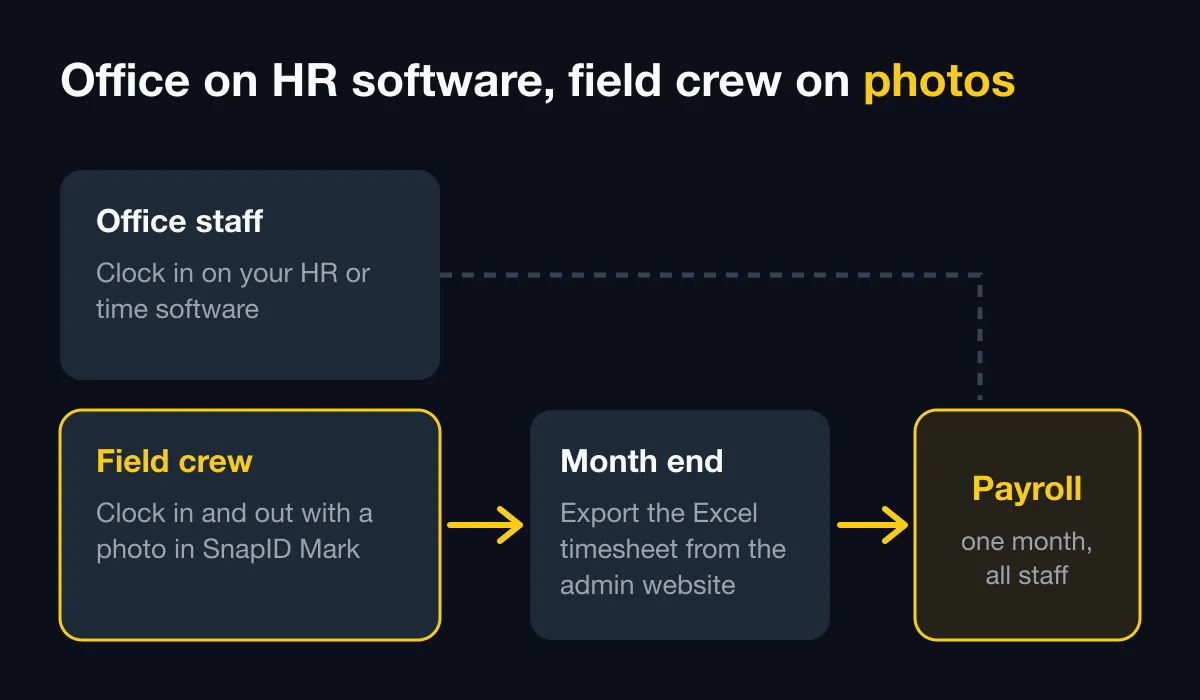
- Use both: offices and factories clock in on 1Office. Field crews Clock in and Clock out with photos in SnapID Mark and shoot work photos during the day. At month end, export the Excel timesheet for payroll. See HR software vs a photo attendance app.
Comparing Vietnamese HR suites? Also read the Base Checkin alternative and the MISA AMIS attendance alternative.
Run a one-week side-by-side trial
- Create a workspace on the admin website. New workspaces are approved by the SnapID team and no payment card is needed. See Create a workspace.
- Add your project sites, stores and geofence radius. See multi-location attendance.
- Set shift start, late-after time, work days and time zone in the rulebook. See Rulebook.
- Invite 3 to 5 field staff by code, link or CSV. See Invite members.
- Have them Clock in and Clock out with photos alongside 1Office for a week. See Photo attendance.
- Export the Excel timesheet and compare it with the 1Office timesheet. See Export data.
FAQ
Does 1Office support GPS clock-in on phones?
Yes. According to 1Office’s attendance page as of October 2026, it supports GPS, Wi-Fi and attendance machines. The page does not describe photo clock-in with time and location stamped on the image.
Can SnapID Mark fully replace 1Office?
No, if you need shifts, requests, overtime and payroll. SnapID Mark replaces field clock-in and adds photo proof that outsiders can verify.
Does SnapID Mark data flow into 1Office automatically?
Not yet. SnapID Mark has no API or integrations. Export the Excel timesheet from the admin website and import it into your payroll system.
What if someone uses a fake GPS app?
In a workspace, SnapID Mark blocks capture until the mock-location app is turned off. The company can also block rooted or jailbroken phones. See Block rooted devices.
How is SnapID Mark priced?
Every workspace includes 5 free seats, then business plans of 10, 25, 50 or 100 seats. See prices in the app or on the pricing section. For 1Office, check their pricing page.
Get started
Download SnapID Mark and open the admin website to create a workspace, or install it from the App Store or Google Play. Compare more options in the Tanca alternative, employee attendance management software and attendance methods compared.
1Office, 1HRM and other app names in this article are trademarks of their respective owners and are used for descriptive purposes only. Information about other apps is based on their official pages as of October 2026 and may have changed.