
Employee Attendance Management Software: 7 Options Compared
What employee attendance management software must do, a fair table of Tanca, MISA AMIS, Base, 1Office, Jibble, Connecteam and SnapID Mark, how to choose.
At the end of the month the timesheet does not match what staff say, and someone spends three days merging data from a fingerprint reader, a spreadsheet and chat messages. That is usually when a business owner starts looking for employee attendance management software. There are many options, and each one is strong for a different kind of team.
This guide lists what attendance software has to do, compares 7 options used in Vietnam and worldwide based on their official pages, and suggests how to choose by team type. We make SnapID Mark, so we also say when it is not the right pick.
What attendance management software must do
Before you compare product names, answer these 8 questions:
- Record the right person, place and time. By fingerprint, Wi-Fi, QR, face, GPS or a photo on site? The trade-offs are covered in attendance methods compared.
- Stop cheating. Does it catch buddy punching, fake GPS apps and a changed phone clock?
- Shift rules. Shift start, late-after time, work days, breaks, time zone.
- Timesheets. Can it export Excel in the format your accountant needs? Are manual edits logged?
- Requests and leave. Can staff request leave, business trips or corrections in the app?
- Payroll. Must the data flow straight into payroll, tax and social insurance?
- Offline and many locations. Does your team work on sites, in warehouses or in stores far from the office?
- Privacy. Does it collect face data or track location all day, and have staff been told?
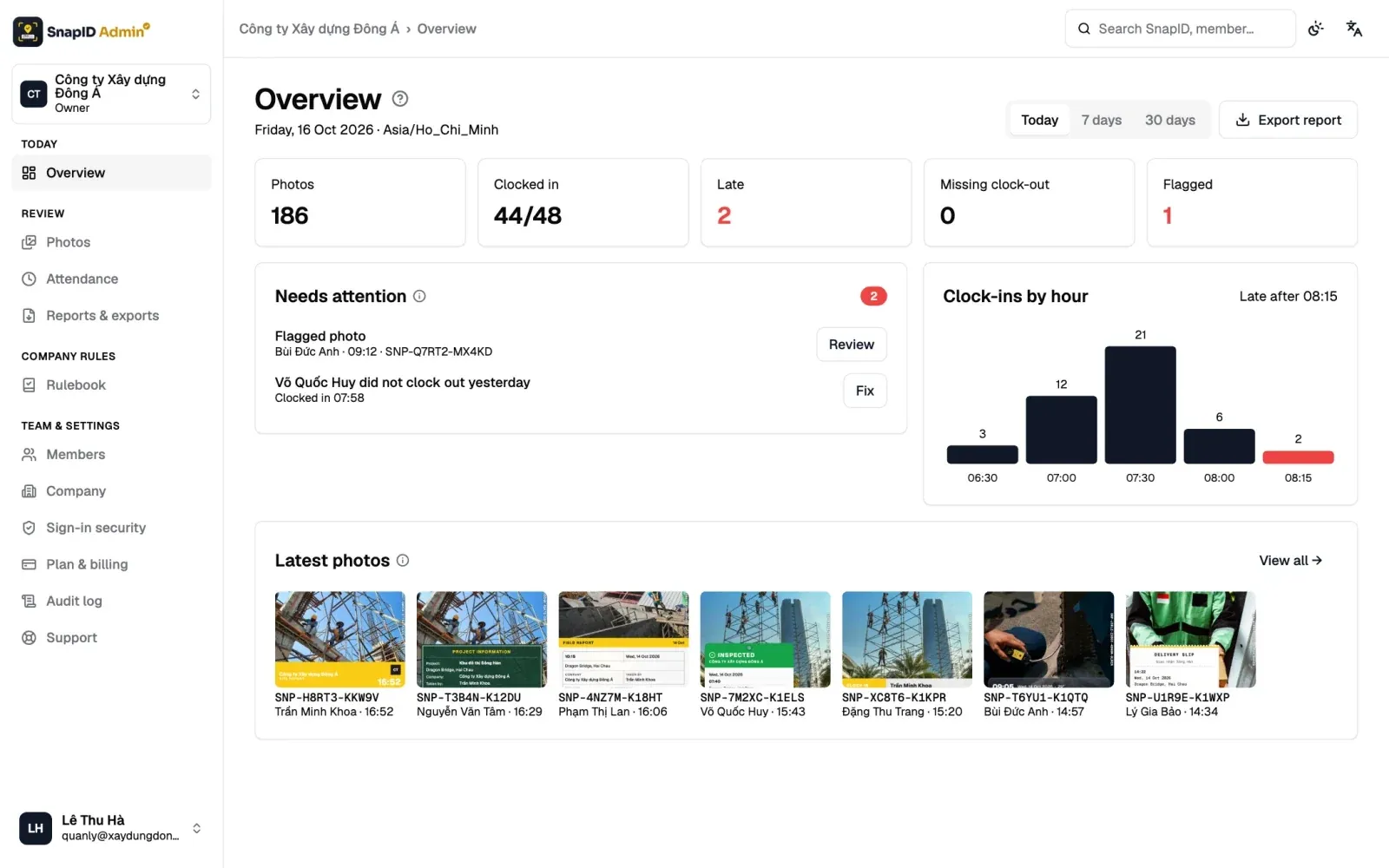
Questions 5 and 6 usually decide whether you need HR software or just an attendance app. See HR software vs a photo attendance app for the difference.
Comparison table: 7 attendance software options
Information about other products comes from their official pages as of October 2026. We do not list prices, so check each vendor’s pricing page.
| Software | How staff clock in | Shifts, leave | Payroll | Free plan or trial |
|---|---|---|---|---|
| Tanca | GPS, Wi-Fi, face, AI camera | AI scheduling, leave through approvals | Yes, with tax and social insurance | 14-day trial |
| MISA AMIS Attendance | Fingerprint devices, GPS, FaceID, static and dynamic QR, office Wi-Fi | Shifts, leave, business trips, corrections | Syncs with AMIS Payroll, Open API | Free trial sign-up, quote-based pricing |
| Base Checkin | Collects logs from mobile, Base Vision (face) and time clocks | Correction requests, leave days shown | Separate payroll app in the Base suite | Demo on request |
| 1Office | Connects fingerprint, card and face devices, GPS, Wi-Fi, app check-in | Office, split, rotating and night shifts, online shift swaps | Separate payroll module | Demo on request |
| Jibble | GPS, geofence, face recognition, kiosk | Timesheet approvals | Exports to Xero, QuickBooks, Deel | Free, unlimited users |
| Connecteam | GPS, geofence, shared kiosk | Scheduling in its operations hub | Syncs with payroll providers | Free up to 10 users |
| SnapID Mark | Clock in and Clock out photos with trusted time, GPS, geofence | Shift rules, no leave management | No, Excel timesheet export | Free personal use, 5 free seats per workspace |
Each option in short
Tanca
Vietnamese HR software. According to Tanca’s home page: GPS clock-in with GPS checks for field staff, Wi-Fi, Face ID and AI cameras for factories. It adds AI scheduling across branches, automatic payroll with tax and social insurance, and leave through e-office approvals. 14-day trial, no card needed. Details in the Tanca alternative.
MISA AMIS Attendance
According to the AMIS Chấm công page: fingerprint device integration, app clock-in by GPS, FaceID, QR (static, or a dynamic code that changes every few seconds) and office Wi-Fi. Timesheets build automatically across branches and subsidiaries. Data goes to AMIS Payroll, and there is an Open API. A natural fit if you already use MISA accounting.
Base Checkin
According to the Base Checkin page: it collects attendance logs from mobile, Base Vision face recognition and time clocks into the Base HRM timesheet. Staff request corrections and managers approve them. Payroll is a separate app in the Base suite. See the Base Checkin alternative.
1Office
According to 1Office’s attendance page: it connects most time clock devices (fingerprint, card, face) plus GPS, Wi-Fi and app check-in. It supports office, split, rotating and night shifts, custom work-day formulas, and approved requests flow into the timesheet.
Jibble
According to Jibble’s home page: free forever with unlimited users. GPS on every clock-in and clock-out, geofencing, face recognition, offline clock-in and kiosk mode. Timesheets export to Xero, QuickBooks and Deel. Vietnamese is not in its listed languages. See the Jibble alternative.
Connecteam
According to Connecteam’s pricing page: a free Small Business plan for up to 10 users. The time clock has GPS stamps, geofences (number of sites depends on plan) and a shared kiosk. Scheduling, chat and forms are in the same platform. See the Connecteam alternative.
SnapID Mark
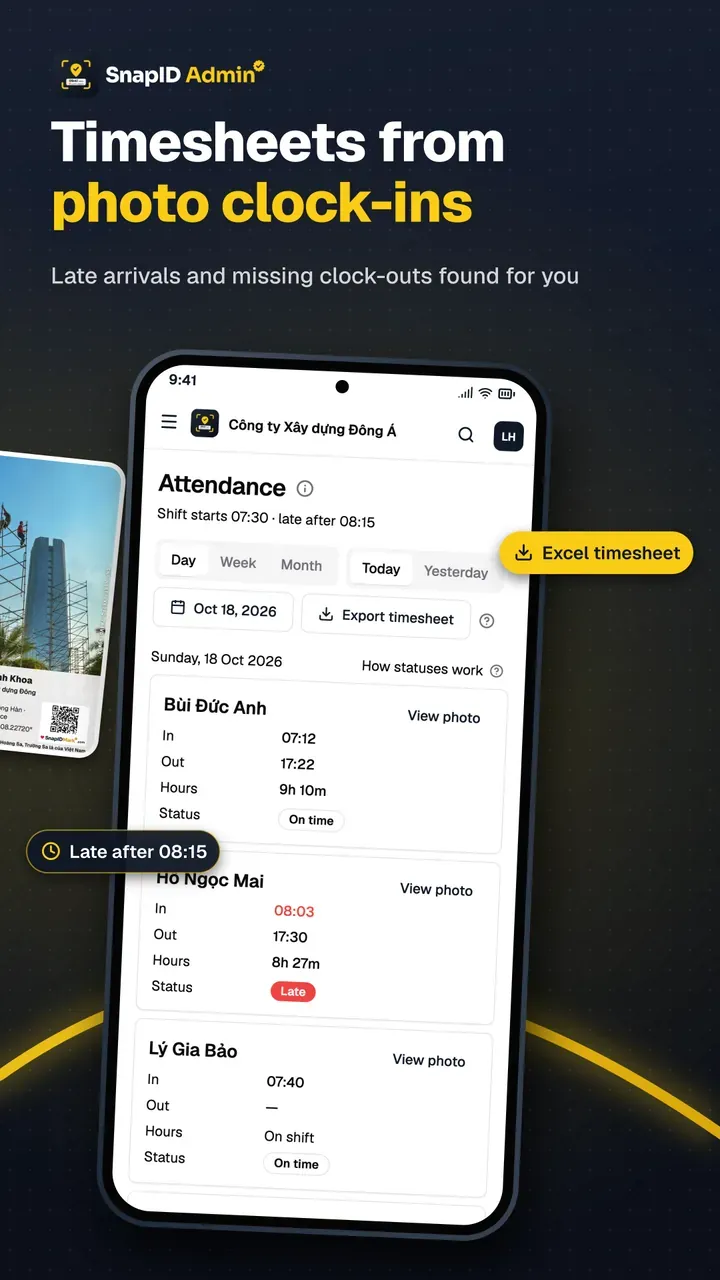
A camera for photo attendance. Each Clock in and Clock out is a photo with trusted time synced with SnapID servers, coordinates, address, a SnapID code and a QR code, checked against each site’s geofence of 20 m to 50 km. In a workspace, capture is blocked while a mock-location app is on, and rooted devices, clock drift, outside-geofence captures and late uploads are flagged. Owners and Admins see on-time, late and hours worked per day on the admin website and export an Excel timesheet. The same camera takes work photos that clients can verify themselves.
How to choose by team type
Office teams
Staff come to one place, need leave requests and payroll. HR software with Wi-Fi or fingerprint clock-in is the sensible choice: Tanca, MISA AMIS, Base or 1Office. SnapID Mark adds little here. If you are torn between a device and an app, read fingerprint time clock vs attendance app.
Multi-branch businesses
You need one combined timesheet and rules per location. HR software handles shifts and payroll well. If small branches do not want to buy a device, phone clock-in with a geofence per location keeps it simple. See multi-location attendance.
Field teams
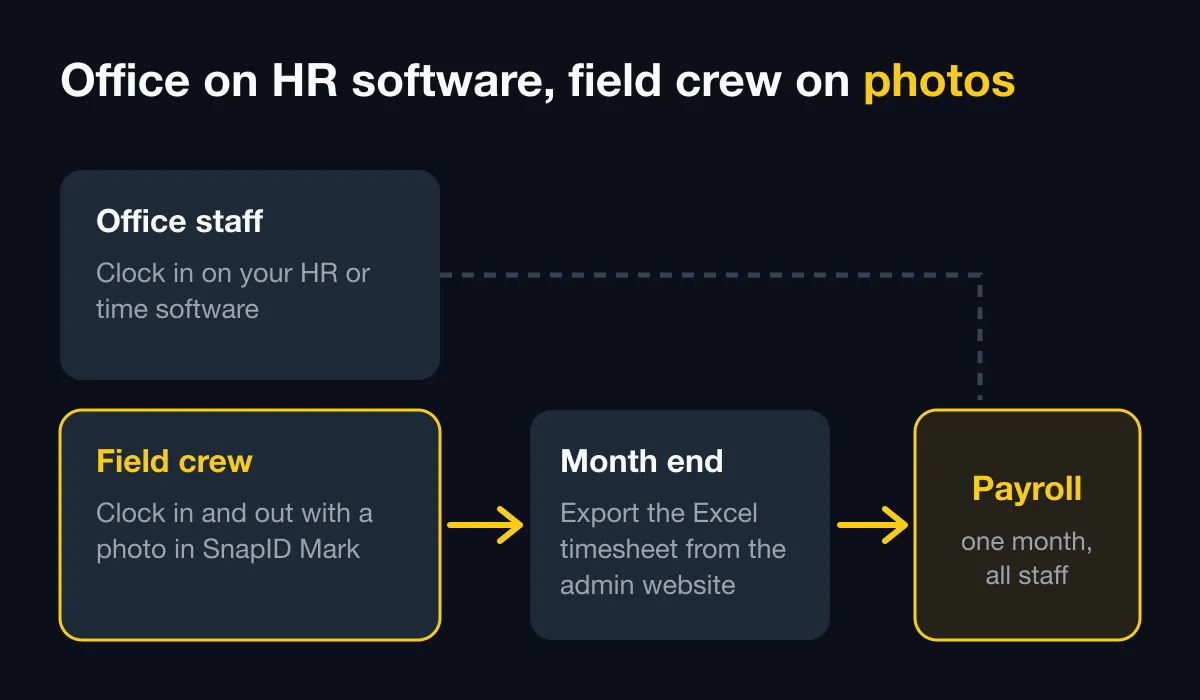
Construction, delivery, cleaning, technicians, field sales. There is no gate to mount a device on, signal is weak and clients want proof. This is where SnapID Mark is strongest: a photo on site, a time that cannot be edited, and it works offline. Many companies use both: HR software for payroll, SnapID Mark for field staff. See clock in with a phone app.
Roll it out in 6 steps
- Write the policy first. Shift start, late rule, what happens when someone forgets to clock in, what data you collect. See photo attendance policy.
- Pilot with 5 people, including the person with the oldest phone and the one at the site with the worst signal.
- Set up locations and rules. In SnapID Mark, add sites, radius and late-after time in the rulebook.
- Invite members by code, link or CSV. See Invite members.
- Run both systems for 2 weeks, then export a timesheet for your accountant to check. See Export data.
- Roll out by branch or team, and review warning flags every week.
FAQ
Which attendance software is free?
Jibble lists a free plan with unlimited users, Connecteam is free up to 10 users, and SnapID Mark includes 5 free seats per workspace. Vietnamese HR suites usually offer a trial or demo. See free GPS attendance apps.
Do I need payroll in the same software?
If your accountant runs payroll in Excel, a trustworthy timesheet is enough. If you want tax and insurance calculated automatically, choose HR software with a payroll module.
Can attendance software connect to my old fingerprint reader?
MISA AMIS, 1Office and Base describe collecting data from time clock devices. SnapID Mark does not connect to time clocks.
Can staff fake their location with phone clock-in?
They can if the software does not detect mock-location apps. SnapID Mark blocks capture in a workspace while one is on and uses server-synced time. See how to stop attendance fraud.
Should we use face recognition?
Face data is biometric and needs notice and careful handling. For field teams, a photo on site with trusted time and location is a lighter option. See face recognition vs GPS photo attendance.
Get started
Download SnapID Mark on the App Store or Google Play, then create a workspace on the admin website. Plans of 10, 25, 50 and 100 seats are on the pricing section. For a step-by-step rollout, read the photo clock-in rollout guide.
Tanca, MISA AMIS, Base, 1Office, Jibble, Connecteam and other names in this article are trademarks of their respective owners and are used for descriptive purposes only. Information about other apps is based on their official pages as of October 2026 and may have changed.