
Raken and Fieldwire Alternative for Daily Photo Reports
Raken and Fieldwire excel at daily reports, plans and punch lists. When a small crew only needs verifiable photos and a PDF, and what SnapID Mark lacks.
Raken and Fieldwire come up often when site engineers search for a construction daily report app. Both are strong, and both are built for project teams with established processes. A small crew usually asks a simpler question: is there a lighter way to send the owner a trustworthy set of photos every day?
We make SnapID Mark, so this guide says plainly where Raken and Fieldwire are far ahead.
What Raken does
According to Raken’s home page and daily reports page as of the publish date:
- Daily reports that bring together work logs, notes, photos, videos, attachments, time, safety, materials and equipment, and produce a PDF with your logo and brand colours.
- Time-stamped photos and videos that sync to the web app in real time.
- Customisable daily report templates. Subcontractor reports are merged into the master report once signed.
- Time tracking (time clock, kiosk mode), materials and equipment tracking, safety checklists, toolbox talks and incidents.
- Integrations for accounting, payroll, project management and cloud storage.
- Mobile and web apps. The pricing page asks you to book a demo and does not list a free plan.
What Fieldwire does
According to Fieldwire’s home page and pricing page as of the publish date:
- Drawings on web, iOS and Android, with versioning and automatic hyperlinking.
- Notes, photos and videos pinned to plans, punch lists and tasks.
- Digital forms for daily reports, timesheets, inspection requests and RFIs. Custom PDF reports can be scheduled.
- Markups and as-builts recorded even when offline.
- An open API, plus Box and Dropbox for plans.
- A free Basic plan limited to 5 users, 3 projects and 100 sheets. Paid tiers are Pro, Business and Business Plus.
When a lighter setup fits better
- Your crew doesn’t work from digital drawings. Plans are still on paper, and what you need is daily photos and sign-offs.
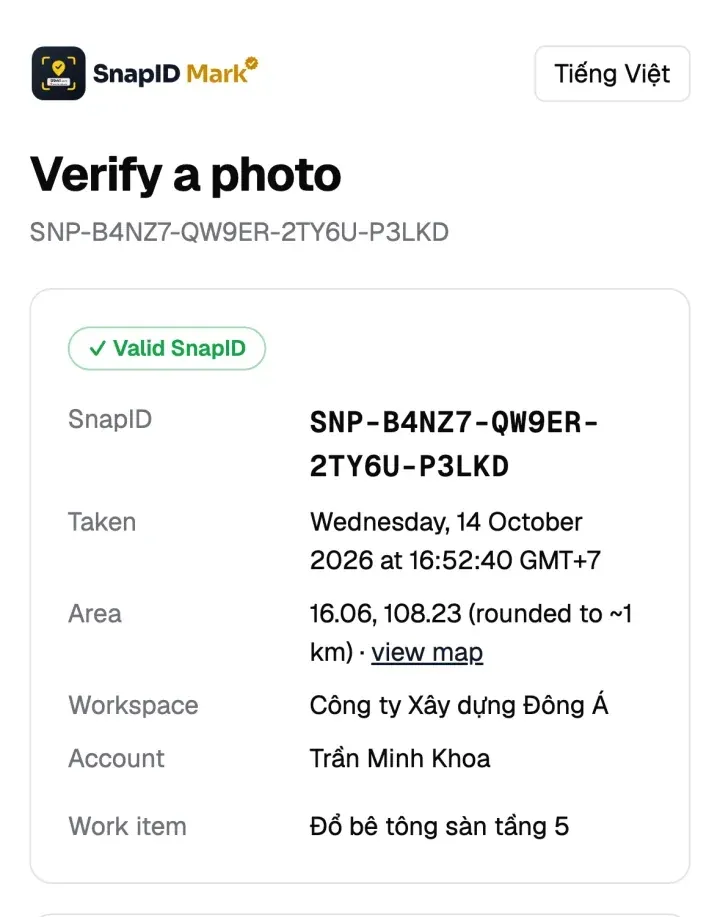
- The owner wants to check photos on their own. They scan the QR on a photo to see when and roughly where it was taken, without an account.
- Workers clock in with photos on site. Clock-in and clock-out photos with a geofence and an Excel timesheet.
- Vietnamese interface. The official Raken and Fieldwire pages we reviewed do not mention Vietnamese.
- Budget and rollout time. A full project management platform needs someone to set it up, train people and maintain it.
Criteria comparison
| Criterion | Raken | Fieldwire | SnapID Mark |
|---|---|---|---|
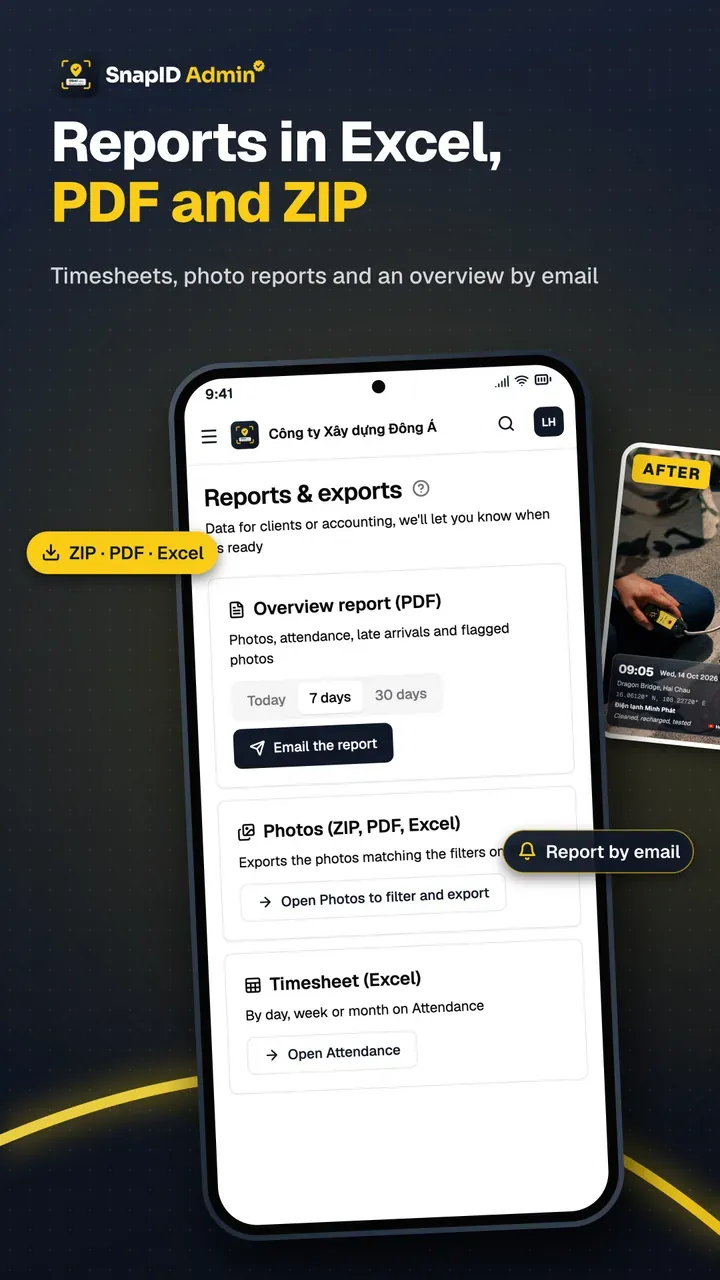
| Daily reports | Yes, branded PDF | Forms, scheduled PDFs | No report builder. PDF export with 2 photos per page from filtered photos |
| Plans, punch lists | Not the focus | Yes | No |
| Video | Yes | Yes | Yes, stamped video kept on the phone |
| Time and location stamped on photo | Time-stamped photos | Photos pinned to plans | Yes, network time, address, coordinates, weather |
| Recipients verify a photo | Not described | Not described | SnapID code, QR, verify page without an account |
| Attendance | Time clock, kiosk | Timesheet forms | Clock in and Clock out photos, geofence 20 m to 50 km |
| Offline | Not mentioned on the page | Yes for markups | Yes, time stays correct, uploads later |
| Integrations, API | Yes | Open API | Not yet |
| Free tier | Not listed | Basic: 5 users, 3 projects | Free for individuals, 5 free business seats |
In short: if you need drawings, RFIs, safety and daily reports in one system, Raken or Fieldwire is the better fit. If you need daily photos with a verification code and crew attendance, SnapID Mark is lighter.
What SnapID Mark does not have
- No daily report builder, forms, safety checklists, RFIs or drawings.
- No API or integrations yet, no SSO.
- No payroll, no Wi-Fi or face recognition clock-in.
- A SnapID code is not a legally certified timestamp. See are timestamped photos valid evidence.
Daily reports with SnapID Mark
In practice you combine coded photos with a simple report template:
- Create projects and sites on the admin website.
- Add custom fields such as Work item, Grid line or Floor so each photo carries what the report needs.
- Set required stamp templates so every photo from the crew has the same layout. See Stamp templates.
- At the end of the day, filter photos by project and date and export a PDF or Excel file. See Export data.
- Add it to your company report with quantities, manpower and weather.

A fill-in structure is in the daily construction photo report template. What to shoot each day is in construction daily photo reports.
For inspection checklists, compare the SafetyCulture alternative as well. Considering Procore too? See the Procore alternative for small contractors.
FAQ
Can SnapID Mark be used alongside Fieldwire?
Yes. The project team keeps Fieldwire for drawings and punch lists. Workers take handover photos with SnapID Mark and attach the file or the verification link to the matching task.
Does the SnapID Mark PDF include the company logo?
The logo can be stamped on every photo through the template. See Logo for templates and projects.
Does a photo report replace the site diary?
No. Photos add evidence to the diary. See electronic construction diary.
Get started
Download SnapID Mark and open the admin website to create a workspace for your crew. More comparisons: construction photo apps with GPS and the CompanyCam alternative.
Raken, Fieldwire and other app names in this article are trademarks of their respective owners and are used for descriptive purposes only. Information about other apps is based on their official pages as of the publish date and may have changed.