
Daily Construction Photo Report Template
A daily construction photo report template for Word or Excel: header, work item table, photo caption formula, a filled-in example and how to export.
Every company has its own daily report, but the photo section is often rushed: a dozen pictures pasted into Word with no captions and no clue which work item they belong to. This guide gives you a daily construction photo report template you can copy into Word or Excel and use today.
If you are unsure what to photograph each day, read construction daily photo reports first. This guide focuses on presentation.
Template structure (one to three pages)
- General information
- Summary of the day
- Work item table with photo numbers
- Captioned photo pages
- Issues and requests
- Sign-off
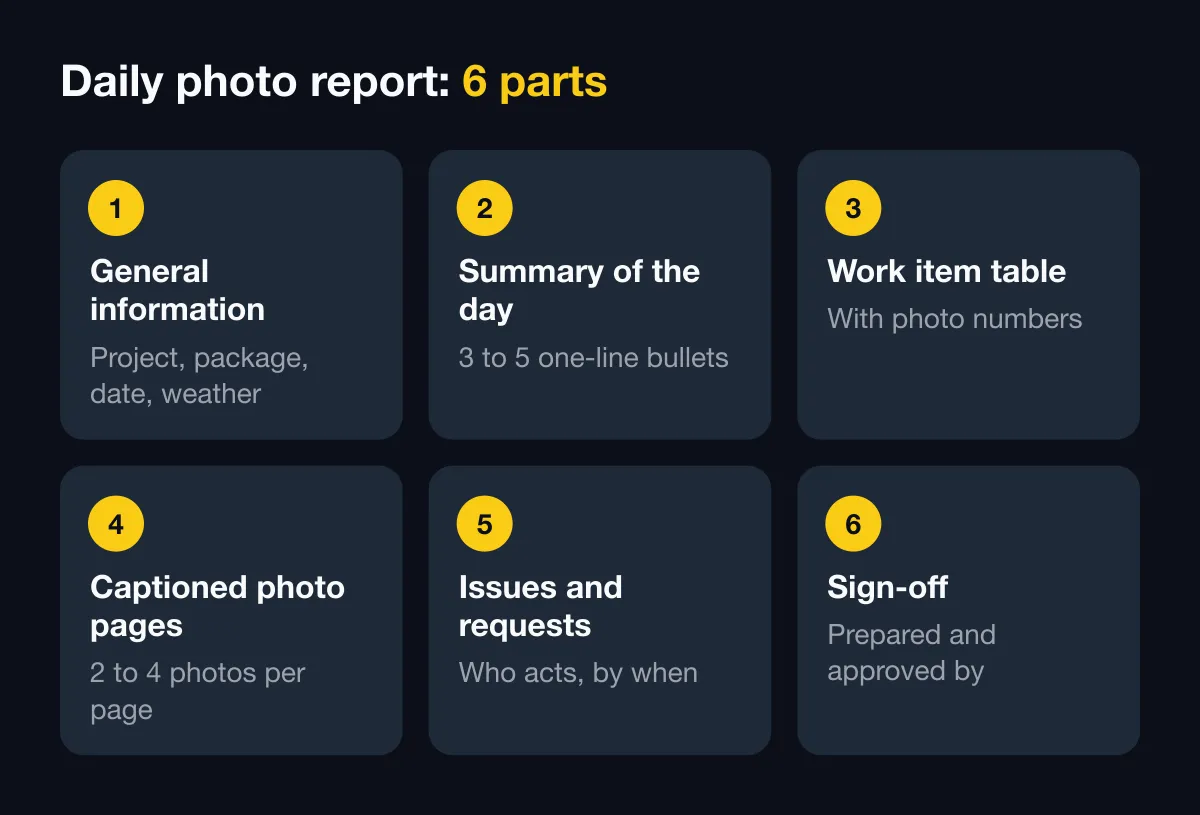
Part 1: General information
| Item | Entry |
|---|---|
| Project | ………… |
| Package, main work items | ………… |
| Report date | …./…./20.. |
| Prepared by | ………… |
| Weather, morning and afternoon | ………… |
| Workers on site | …… people |
| Main equipment | ………… |
| Report number | DR-[project code]-[date] |
Take the weather from weather-stamped photos instead of memory. See weather-stamped site diary.
Part 2: Summary of the day
Three to five bullets, one sentence each. For example:
- Finished slab reinforcement on level 3, grids A to C.
- Poured column concrete on level 4, grids 1 to 4.
- Waiting for the supervisor to inspect level 3 beam formwork.
Part 3: Work item table
| No. | Work item | Location | Progress today | Photo no. | Notes |
|---|---|---|---|---|---|
| 1 | Slab rebar | Level 3, grids A–C | Done | 01–06 | Awaiting inspection |
| 2 | Column concrete | Level 4, grids 1–4 | Done | 07–10 | Test cubes taken |
| 3 | Blockwork | Level 2 | 60% | 11–12 |
The Photo no. column is the key. Readers glance at the table and know which photo page to open.
Part 4: Captioned photo pages
Two to four photos per page. Under each photo, write one caption line using the same formula:
Photo 03 · Level 3 slab rebar, grid B · Bar spacing per drawing · 09:42 · Code SNP-…
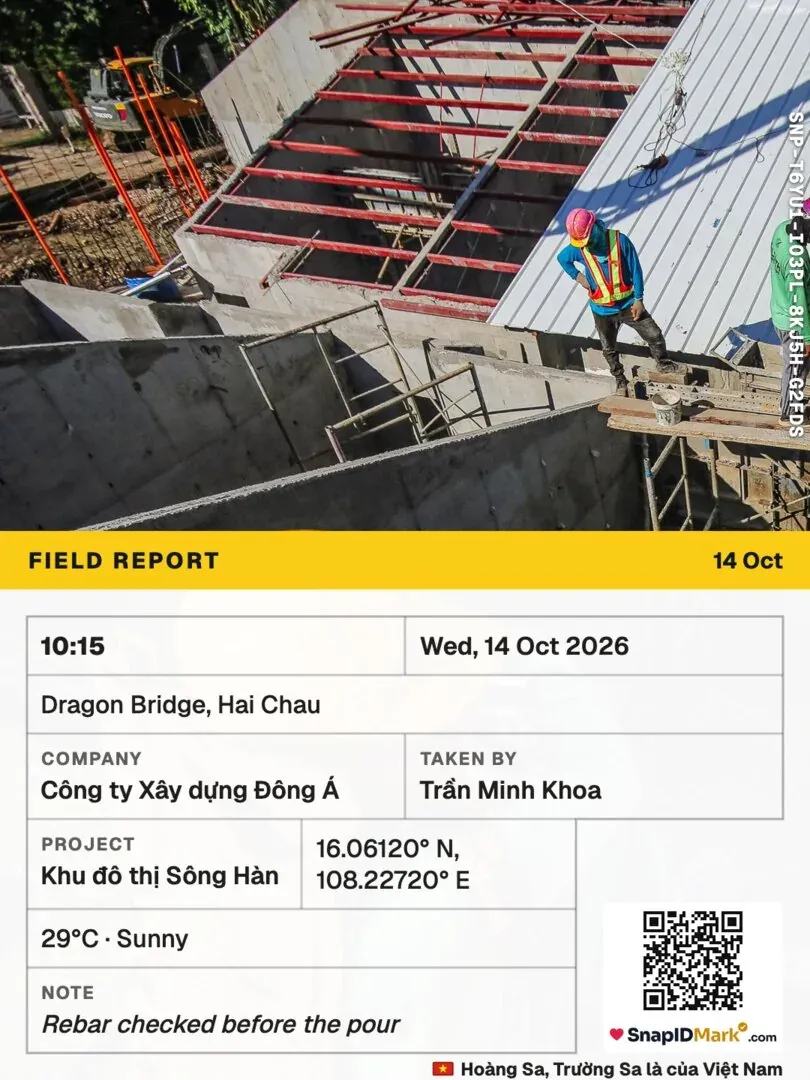
Suggested formula: photo number · work item and location · what it proves · time taken · verification code (if any).
Tips:
- Each work item gets one wide shot and one to three close-ups.
- Photos before work is covered (rebar, embedded pipes) always come first. See the construction inspection photo checklist.
- Don’t edit or crop photos in reports sent to the owner. If you need to highlight something, mark up a copy and keep the original.
Parts 5 and 6: Issues and sign-off
| Issue | Proposal | Who acts | Due |
|---|---|---|---|
| ………… | ………… | ………… | ………… |
End with signature lines for the preparer, site manager and supervising consultant (if the contract requires it).
File and folder naming
- Report file:
DR-[projectCode]-[YYYYMMDD].pdf, for exampleDR-NX02-20261010.pdf. - Photo folder:
[projectCode]/[YYYY-MM]/[YYYYMMDD]/. - Keep the original photo file name or prefix the photo number:
03_...jpg.
See also how to organize field photos by project.
Excel version: one row per photo
If you track in Excel, use these columns: Date, Time, Project, Work item, Location, Taken by, Note, Photo code, Verification link. Filter by work item and you have the photo set for an inspection record.
Faster with SnapID Mark
Much of the template can be filled from the photos themselves:
- Create custom fields Work item and Location on the admin website and make them required. Workers pick once, and the app remembers for the next photos.
- Set a required stamp template for the crew with time, address, weather, work item and SnapID code. Members can only shoot with the templates the company chooses. See Stamp templates.
- At the end of the day, filter photos by project and date on the admin website and export a PDF report (2 photos per page, up to 200 photos) and Excel (each custom field becomes a column). See Export data.
- Append the photo PDF after parts 1 to 3 of the template. The owner scans the QR on a photo to check the time and area for themselves.
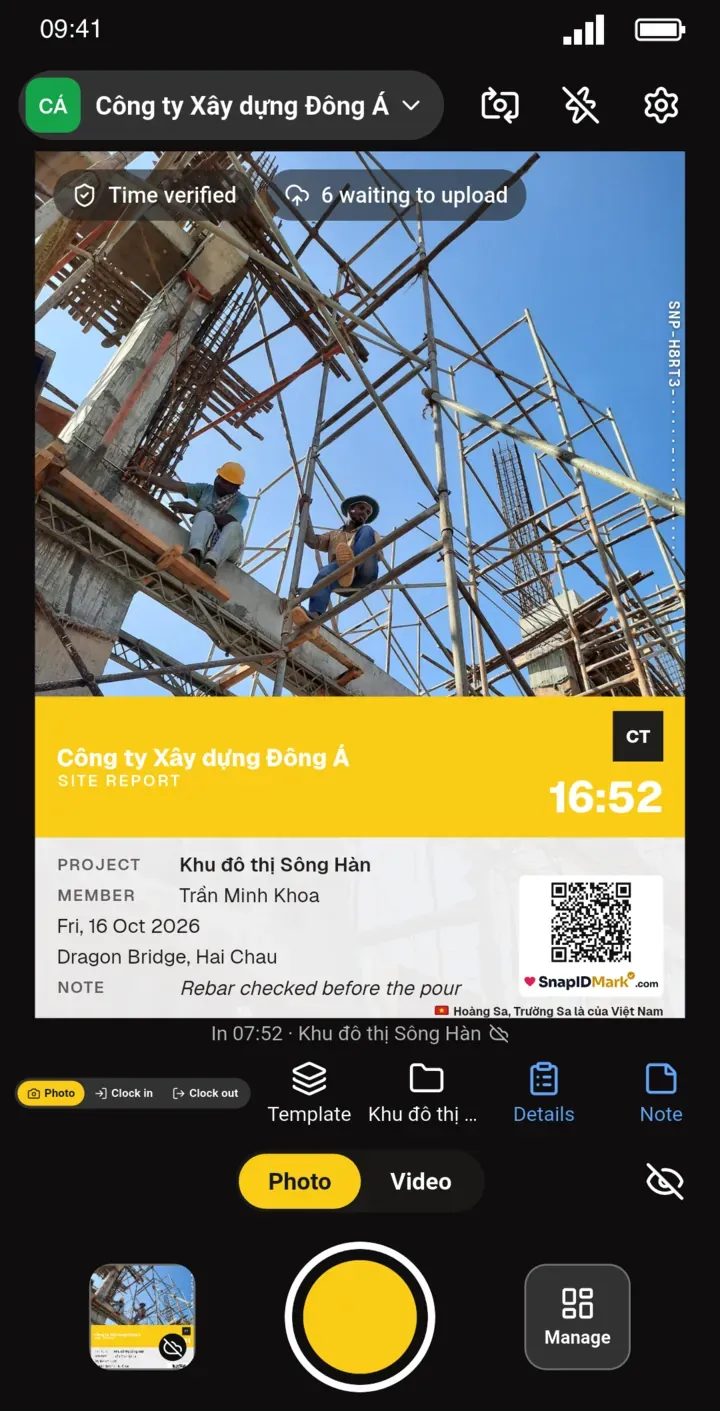
Limits: SnapID Mark has no report builder and does not fill in manpower, equipment or quantities. No API or integrations yet. A SnapID code lets recipients check a photo but is not a legally certified timestamp.
Need period-over-period photos for a pay application? Read the construction progress photo report guide.
FAQ
How many photos should a daily report have?
Enough for each work item in the table to have at least one wide shot and one close-up. Usually 10 to 30 photos on a mid-sized site.
Send it as Word or PDF?
PDF, so the layout stays put and is harder to alter. Keep the original Word or Excel file in the project folder.
Does a photo report replace the site diary?
No. See the difference in electronic construction diary.
Get started
Download SnapID Mark and create a workspace on the admin website. Using a larger daily report platform? Read the Raken and Fieldwire alternative.
Raken and Fieldwire are trademarks of their respective owners and are mentioned for descriptive purposes only.