
7 Best Free Timestamp Camera Apps in 2026, Compared
Looking for a free timestamp camera app? 7 apps compared: what each one gives you for free, honest pros and cons, and who it suits, as of October 2026.
Search an app store for “timestamp camera” and you get hundreds of results, many with nearly identical names. This list picks seven popular apps, each strong at a different job, and gives you the pros, the limits and who it suits.
We make SnapID Mark. To keep this fair, information about the other apps comes only from their official websites or app store listings as of October 2026, and we also list what SnapID Mark does not do yet.
First: what kind of photo do you need?
There are two very different needs:
- Photos with information. You just want the date, address and a note on the photo so it is easy to remember or report. Almost any timestamp camera does this.
- Photos as evidence. The recipient (a manager, client or insurer) needs to trust that the time and place are real and the photo is unedited. That takes time that does not depend on the phone, a verification code and a way to compare against the original.
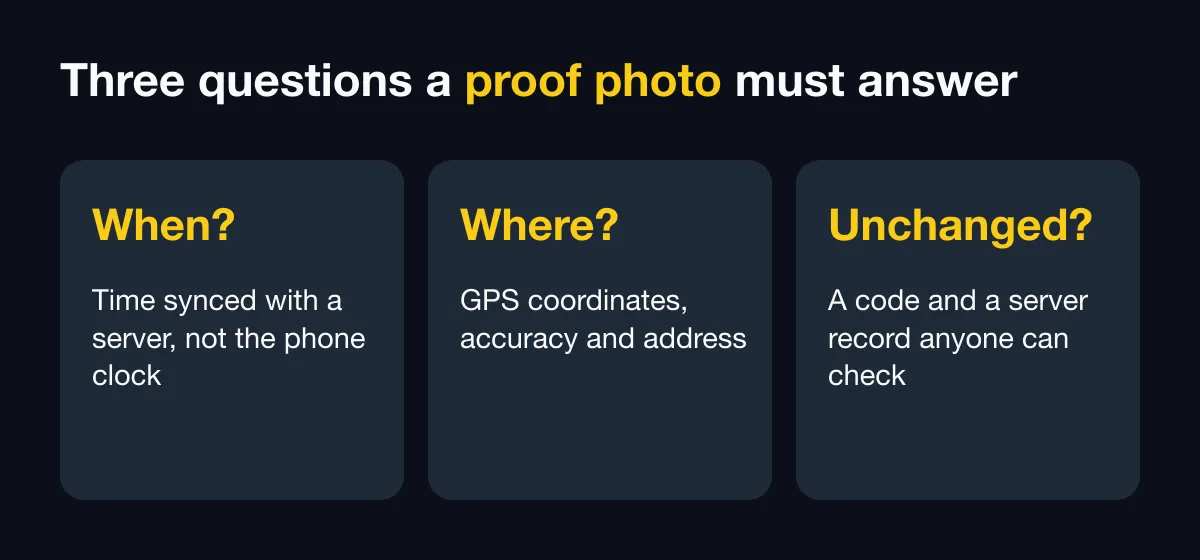
Our article on timestamp vs verifiable photos explains the difference in depth.
Summary table
| App | Platform | Time independent of the phone | Verification for recipients | Team management | Best for |
|---|---|---|---|---|---|
| SnapID Mark | Android, iOS | Yes | SnapID code, QR, SHA-256 match | Yes, admin website | Teams needing evidence-grade photos and attendance |
| Timemark | Android, iOS | Yes | Photo Code | Yes, Teamspace | Teams needing reports, video, integrations |
| Timestamp Camera | Android | Enterprise edition | Not described | Not described | Individuals, millisecond video timestamps |
| GPS Map Camera | Android | Not described | Not described | Not described | Information-rich photos with maps and weather |
| NoteCam | Android | Not described | Not described | Not described | Multi-line notes on photos |
| Open Camera | Android | Not described | No | No | Open-source fans, manual camera control |
| Solocator | iOS | Not described | Not described | Not described | Surveys, compass bearing, tilt |
“Not described” means the app’s official page did not mention the feature as of October 2026.
1. SnapID Mark
Stamps trusted server time, GPS, address, weather, a mini map, a SnapID code and a QR code on every photo.
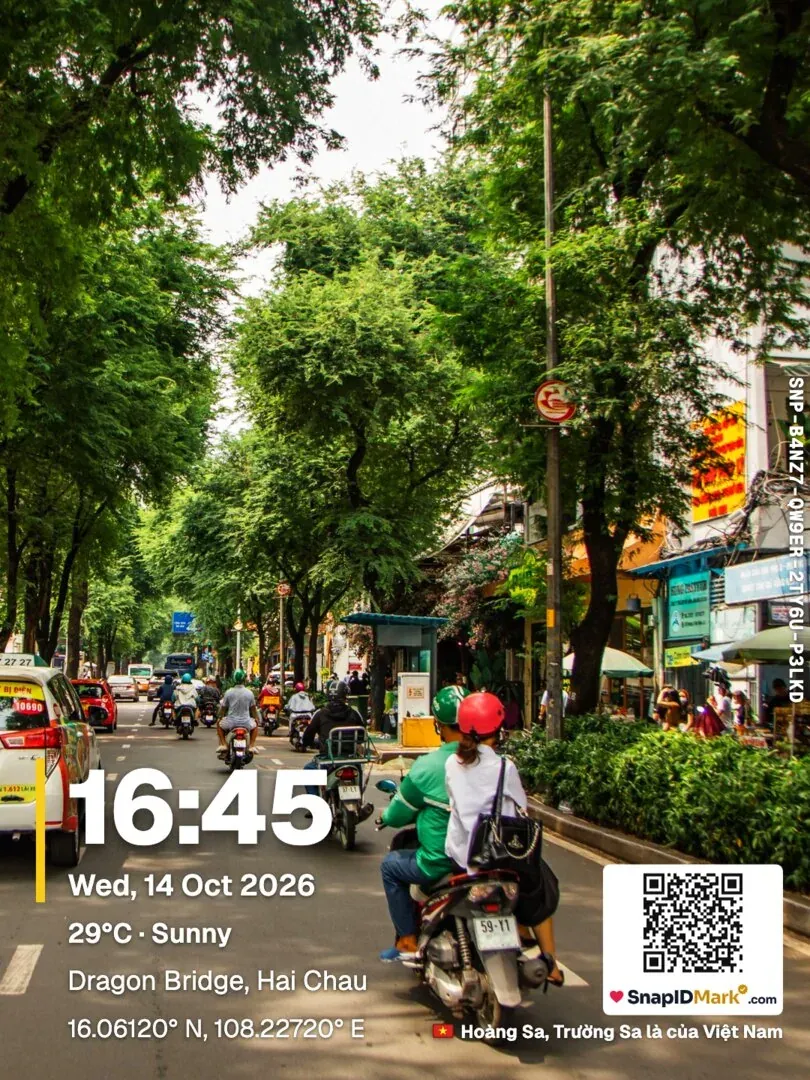
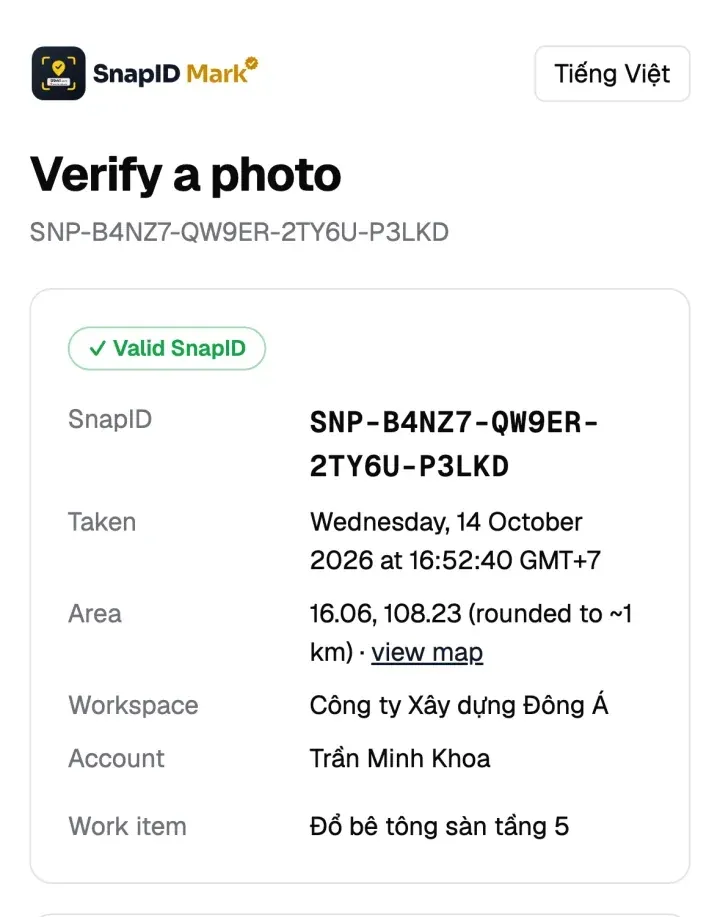
- Pros: recipients scan the QR to see the time, area and integrity flags, and compare their file with the original using SHA-256, with no account. Includes photo attendance with geofences, an admin website at app.snapidmark.com, offline capture, required stamp templates, logos and custom fields. Records stamped video, and the app is available in 19 languages. No ads with Premium or in workspaces.
- Limits: no API or external storage integrations yet, no SSO.
- Best for: businesses with field, delivery, cleaning or security teams whose photos must hold up in disputes. Free for individuals.
2. Timemark
A photo documentation app for field teams with network-verified time, Photo Codes and Teamspace.
- Pros: broad ecosystem, including photo clock-in, PDF, Excel, ZIP and KMZ exports, integrations with several cloud storage services, 20+ languages and video.
- Limits: the Business team plan is billed per seat. On the free plan, photos carry a Timemark logo you cannot hide, and a Teamspace is limited to 100 photos and 3 projects (per their plan comparison page).
- Best for: larger crews with closeout reports, many projects and many languages. See the detailed Timemark vs SnapID Mark comparison.
3. Timestamp Camera
Adds time and location to photos and video in real time, available on Google Play.
- Pros: 61 timestamp formats, 7 stamp positions, address, GPS, altitude, speed, map, compass and logo. Video timestamps accurate to the millisecond. The free version shows ads; there is a one-time paid Pro version, plus a separate Enterprise edition that takes time from the network, so changing the phone clock does not change the stamp.
- Limits: the listing does not describe recipient verification or team workspaces.
- Best for: individuals who need timestamped video or very flexible stamp styling. See Timestamp Camera alternatives.
4. GPS Map Camera
Stamps a map, coordinates, address, date, time and weather on photos, with a very large install base on Google Play. Note that several apps from different developers share this name.
- Pros: a long list of fields, including map type, Plus Code, time zone, logo, hashtags, temperature, humidity, pressure, altitude and accuracy.
- Limits: map data can be set automatically or manually, including changing the address on the stamp. Handy for personal use, but not suitable when you need to prove a real location.
- Best for: travel, real estate and anyone who wants rich, good-looking stamps.
5. NoteCam
A memo camera that writes GPS data (latitude, longitude, altitude, accuracy), time and comments onto photos.
- Pros: multiple comment lines and a history of recent comments. The paid Pro version removes ads and the “Powered by NoteCam” text.
- Limits: the free Lite version adds a watermark and cannot keep original photos without text. The listing does not describe team or verification features.
- Best for: technicians and surveyors who need detailed notes on each photo.
6. Open Camera
A free, open-source camera app with options to stamp date, time, coordinates and custom text on photos.
- Pros: open source, no third-party ads in the app, extensive manual controls such as ISO, exposure, HDR and RAW. Option to strip EXIF data.
- Limits: a general-purpose camera, not an evidence or team tool.
- Best for: technical users who want a powerful camera they control.
7. Solocator
An iOS field camera that stamps GPS, accuracy, bearing, altitude, tilt, local time and time zone.
- Pros: excellent for facade surveys and building orientation. The Industry Pack (in-app purchase) adds UTM/MGRS coordinates, addresses, project notes, a logo and KML, KMZ and CSV export to storage services.
- Limits: Apple devices only, a paid app with no free version, and the listing does not describe team or photo verification features.
- Best for: survey engineers and architects working on iPhone or iPad.
Free timestamp camera apps: what do you get for free?
If you want a free timestamp camera app, here is what each app offers for free, per its official site or store listing as of October 2026:
| App | Free version | What paying adds |
|---|---|---|
| SnapID Mark | Yes, with trusted time, GPS, SnapID code, QR and the verify page; shows ads. Every workspace has 5 free seats, no ads | Premium: no ads, frames, filters, high photo quality, backup of personal photos you pick. 10/25/50/100-seat business plans |
| Timemark | Yes, Timemark logo on photos, Teamspace limited to 100 photos and 3 projects | Plus for individuals, Business for teams billed per seat |
| Timestamp Camera | Yes, with ads | One-time Pro purchase, separate Enterprise edition with network time |
| GPS Map Camera | Yes, with ads | In-app purchases |
| NoteCam | Lite is free, with “Powered by NoteCam” text and no original photo saving | NoteCam Pro removes ads and adds comment lines |
| Open Camera | Free and open source; the listing says no third-party ads in the app | No paid version |
| Solocator | No, it is a paid app | Industry Pack in-app purchase |
For exact prices, check each app’s pricing page or store listing. SnapID Mark prices are in the app and on our pricing section.
How to choose quickly
- Just want a dated photo for yourself: Timestamp Camera, GPS Map Camera, NoteCam or Open Camera.
- Detailed surveys on iPhone: Solocator.
- A crew sending photos to one place with reports: Timemark or SnapID Mark.
- Outsiders must verify photos themselves and attendance must match the site: SnapID Mark.
To score apps yourself, use the checklist in how to choose a GPS camera app for your business. New to stamping photos? Read how to add date, time and location to photos.
Is your crew sharing site photos in a chat group or a shared drive? See replace chat groups for photo reports and a Google Drive and Google Photos alternative for field photos.
FAQ
Which timestamp camera apps are free?
Six of the seven apps have a free version; Solocator is a paid app. SnapID Mark is free for individuals, with a SnapID code and QR on every photo. The free version shows ads. Premium removes them and adds frames, filters, high photo quality and cloud backup of the personal photos you pick in the Gallery.
Can a timestamped photo be used as evidence?
Anyone can draw text onto a photo. What matters is whether the recipient can check it against an original record. Read timestamped photos as evidence in Vietnam.
Does changing the phone clock change the time on the photo?
With apps that use the phone clock, yes. See trusted time vs phone time.
Try SnapID Mark
Download the app from the App Store or Google Play and take your first photo with a SnapID code, or create a free 5-seat workspace on the admin website.
See also: Solocator alternative, construction photo apps with GPS and how to find the GPS coordinates of a photo.
App names in this article are trademarks of their respective owners and are used for descriptive purposes only. Information is based on official websites and app store listings as of October 2026 and may have changed.